
Penguinboyyyy - Minecraft Skins & Skin History
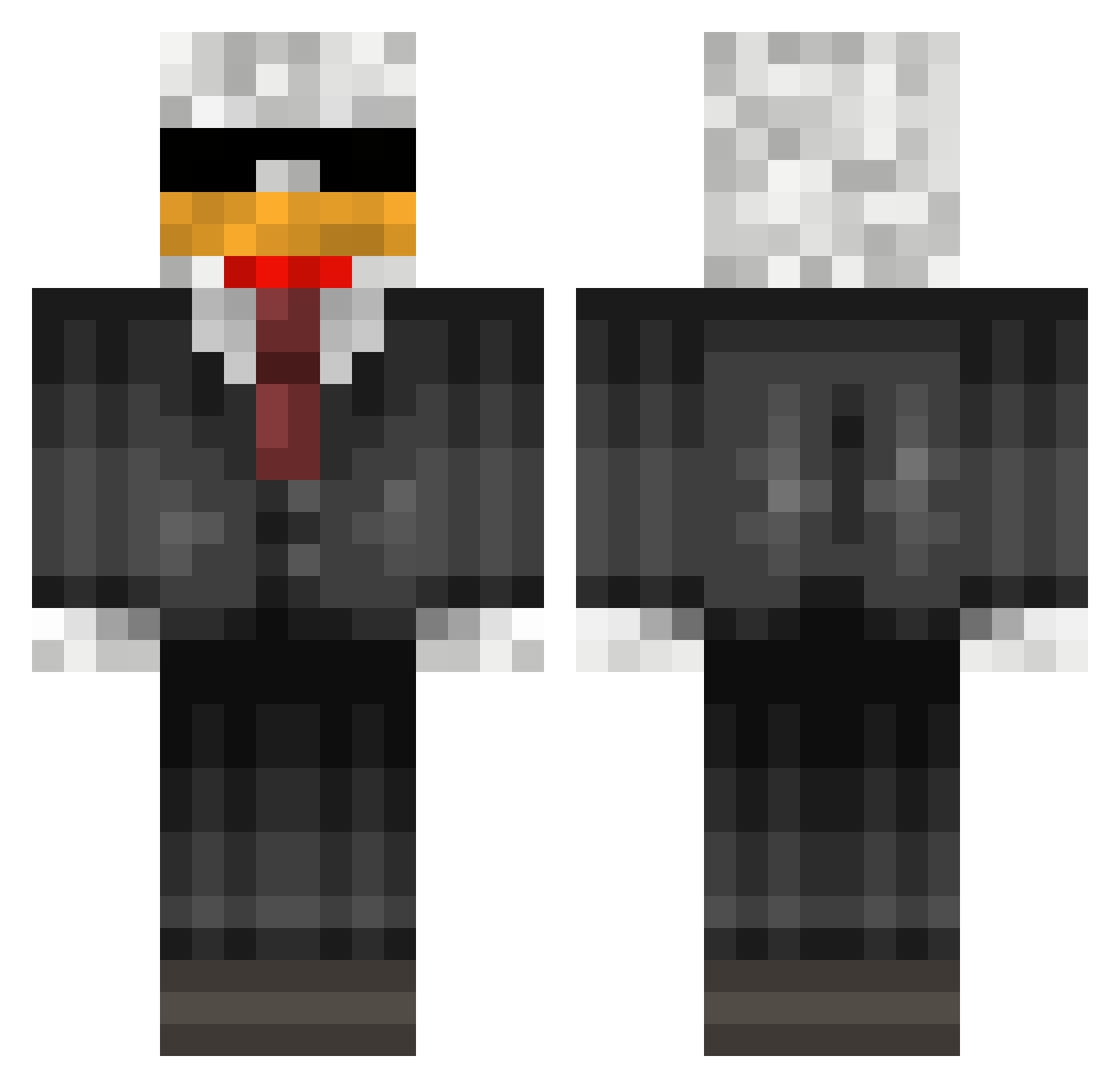
Current Minecraft skin of the player Penguinboyyyy, loaded from the official Mojang API. Rotate the 3D model with your mouse or finger, then download the skin as a PNG file and use it in Minecraft: Bedrock Edition or Java Edition for free. When Penguinboyyyy changes their skin, this page updates automatically and the old skin stays in the history below.
Other players with this skin (95)
Penguinboyyyy was the 50th player we have seen with this skin, first spotted on 20.09.2026. The same skin was seen on these players. Open a nickname to see their current skin and skin history.
 FailedCrayon235 Agentt100000 oluj heo0419 LordAchriman majd1712 Double_shotgun Jerembububu BusanShaman Tottias PSH0301 Blakpool1 dreamsample GuillerK1 LePouletFR jorett ReflexCS2 Kdu_ RelaxKang TheMoltenOne DiegoPato Juan95 Cypher3296 rpctjv alFidai Vinicius021 Teuilteuil_ F1llePille TNB_Zinc Lemb1rd Xcalion xccx090 ilay2112 Karesz_19 _NJB_ Torretaa _DOS_2 DiscipleParker Sukoh IAMTHEREALCR1NIX Arielsaa JontezzOne
 herzi04 LegoGuy573 Dati_Datteln hypnozxx TripleB44 Kaizo__ Yugooo_ Javi8 dustabusta DAVID_GALAXIA Simplicia Chickenius sigma_typo523 Mxttflash Deniz2020 kmg7202 Imsogoodz CornyPCR
More Eagle Minecraft skins
How to install the Penguinboyyyy skin
- Press the Download button above to save the skin as a PNG file.
- Minecraft: Bedrock Edition (PE): open the Dressing Room from the main menu (or tap your character → Edit Character), go to Classic Skins → Owned, press the + (new skin) button, choose the downloaded PNG and pick the Classic (Steve) model. Works on PC and mobile; consoles cannot import custom skins.
- Minecraft: Java Edition: open the Minecraft Launcher, go to the Skins tab, click New Skin, load the PNG, pick the Classic (Steve) model and press Save & Use. You can also upload it at minecraft.net → Profile → Change Skin.
The skin does not show up after import - what should I do?
Restart Minecraft and open the Dressing Room again - imported skins sometimes appear only after a restart. Also make sure you selected the imported skin and picked the Classic (Steve) model.
Which model should I choose, Classic or Slim?
This skin is designed for the Classic (Steve) model. If you pick the wrong model, the arms of the skin will look stretched or squeezed.
Is the skin of Penguinboyyyy free to download?
Yes. Press Download, save the PNG file and use it in Minecraft: Bedrock Edition or Java Edition - no payment or registration needed. The skin also works on multiplayer servers and Realms.
More skins
Looking for more? Go back to all Minecraft skins and check the top skins of the week, month and all time, or find any player's skin by nickname.