
PeasyP - Minecraft Skins & Skin History
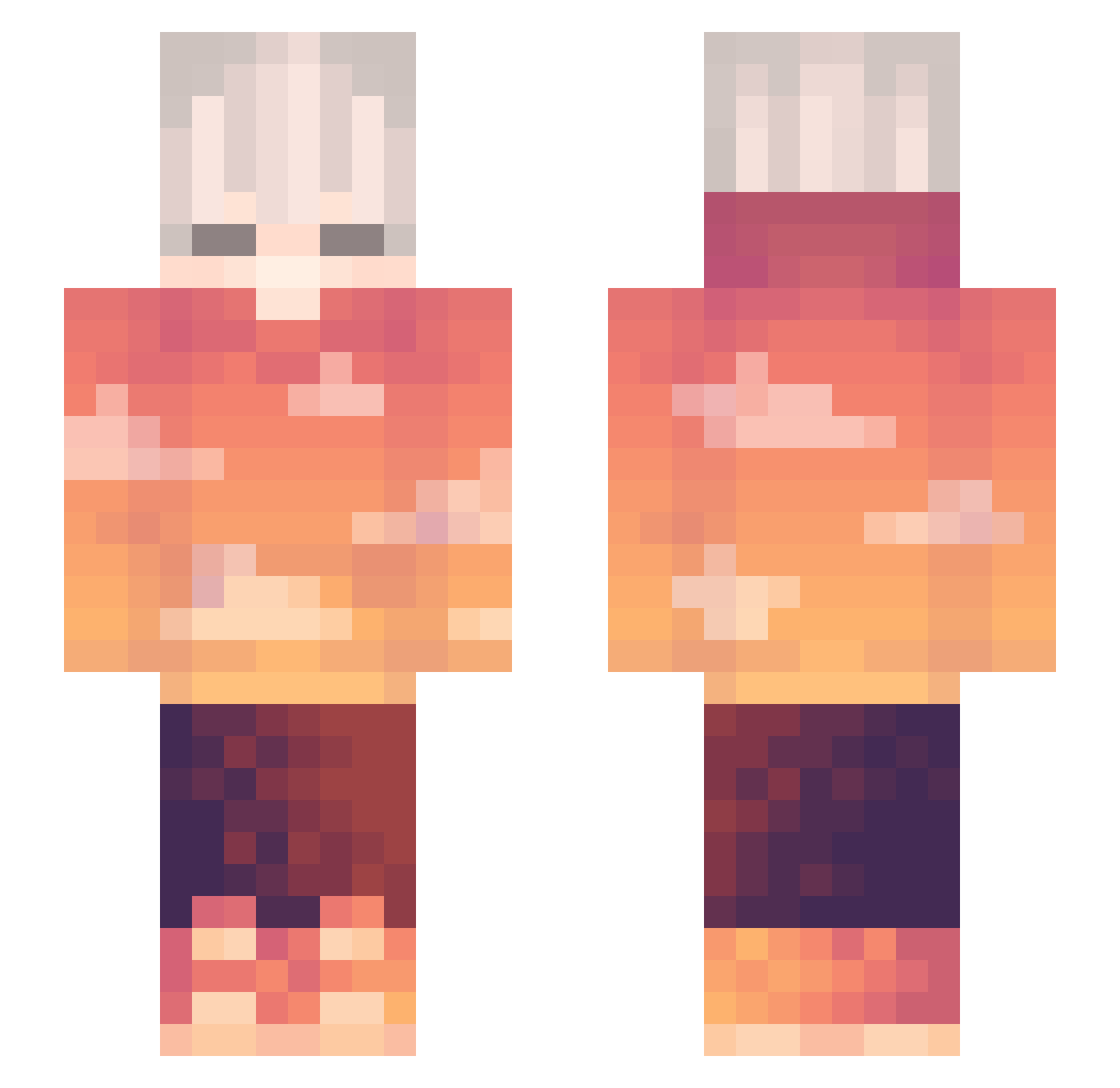
Current Minecraft skin of the player PeasyP, loaded from the official Mojang API. Rotate the 3D model with your mouse or finger, then download the skin as a PNG file and use it in Minecraft: Bedrock Edition or Java Edition for free. When PeasyP changes their skin, this page updates automatically and the old skin stays in the history below.
Other players with this skin (334)
PeasyP was the 327th player we have seen with this skin, first spotted on 08.11.2026. The same skin was seen on these players. Open a nickname to see their current skin and skin history.
 Nuirmo Mallqry SkyCraft78 zTaxim Gai608 Gyzziii GumiLordMegpoid Haelix2 theweirdowombat dqpo_ Happymonster131 LidianPlay ahorriblegoose7 Adi_du Cy_fur6 OrangeWav3 Lunatic3327 qulvw Scrubbzy_ TraF4IGar HuaToanQuen mooinnn evanthem HzRenTher NumNarak AwsomerGamer_ Kvazza47 Notphusc_ Nxde_ E_HuntedG_A Emster5 LX023 Kaizary Exioum ToastyDreamss TheNikitons marcoalpe Wnaxik NoeWasTaken elhodu NoonL GhostsGB X_X4114 EvgenOp Retirer SxxtA HolandaQF1 StarBlasphemy _Rowena Zeynex Xorangemanlol bluepop777 just_vibin_uwu Gameo1071 0h_Welp bedwarboy Oliver_YT_1 Sanviiz thegamino youlongxu_Tw
More Sunset Minecraft skins
How to install the PeasyP skin
- Press the Download button above to save the skin as a PNG file.
- Minecraft: Bedrock Edition (PE): open the Dressing Room from the main menu (or tap your character → Edit Character), go to Classic Skins → Owned, press the + (new skin) button, choose the downloaded PNG and pick the Slim (Alex) model. Works on PC and mobile; consoles cannot import custom skins.
- Minecraft: Java Edition: open the Minecraft Launcher, go to the Skins tab, click New Skin, load the PNG, pick the Slim (Alex) model and press Save & Use. You can also upload it at minecraft.net → Profile → Change Skin.
The skin does not show up after import - what should I do?
Restart Minecraft and open the Dressing Room again - imported skins sometimes appear only after a restart. Also make sure you selected the imported skin and picked the Slim (Alex) model.
Which model should I choose, Classic or Slim?
This skin is designed for the Slim (Alex) model. If you pick the wrong model, the arms of the skin will look stretched or squeezed.
Is the skin of PeasyP free to download?
Yes. Press Download, save the PNG file and use it in Minecraft: Bedrock Edition or Java Edition - no payment or registration needed. The skin also works on multiplayer servers and Realms.
More skins
Looking for more? Go back to all Minecraft skins and check the top skins of the week, month and all time, or find any player's skin by nickname.