
Ogge394 - Minecraft Skins & Skin History
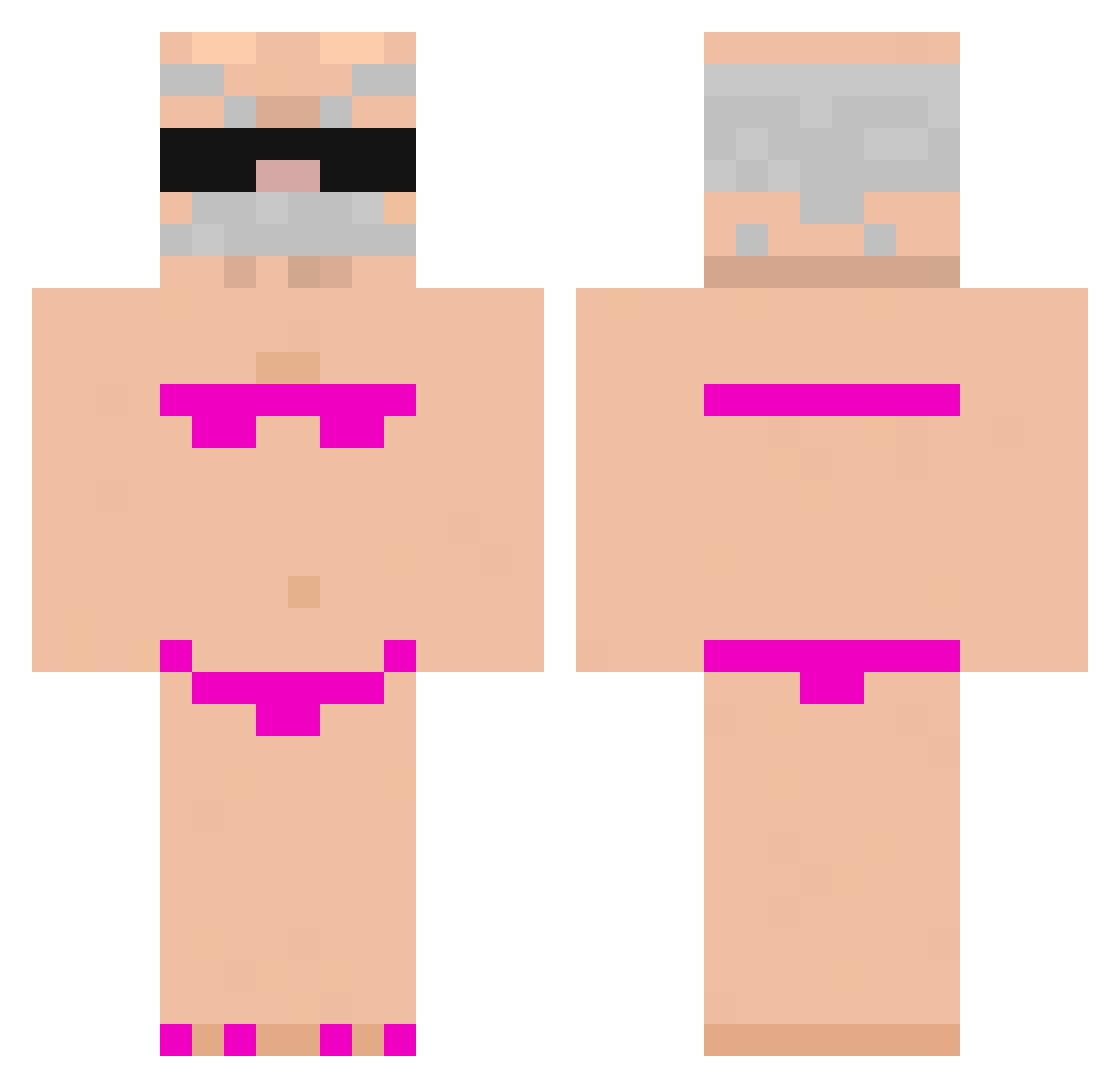
Current Minecraft skin of the player Ogge394, loaded from the official Mojang API. Rotate the 3D model with your mouse or finger, then download the skin as a PNG file and use it in Minecraft: Bedrock Edition or Java Edition for free. When Ogge394 changes their skin, this page updates automatically and the old skin stays in the history below.
Other players with this skin (971)
Ogge394 was the 804th player we have seen with this skin, first spotted on 23.10.2026. The same skin was seen on these players. Open a nickname to see their current skin and skin history.
 NPQS oXc_Prince SilencedKhaniu KredoQ Markyce TheseusOfAttica Kaan1406 Md_xiaoxiong Darkky2 Ya_don rare2d torikago7 Deadly6000 h8oh Marionaldo25 Smitty___4 wesolytymon T4L4HON Igor72 kimchikorea123 Y91Y alipacinoo yuchan_111 wofez aaaacccc1 Maltin_Rist gLeeu andrei2008 Fatykson aliass69 long011 MrAhyo Tobiaszek__ Little_pigpig toplar Danielix07 Antonio_789 Clement22194 Vrodrogo ItzMeImagine Pugsta___ tkaczyyk69 kaylala_ jibadadade WailingCape8425 SegisMundo67 Makinkoful TheGriper Mika__L Andreu03 Ema_ShADoW GeorgiNMG AXELSMALL MikuKing Okimollyy sillybint estevinkk strazo kms3445 skunaxw
More Karl Marx Minecraft skins
How to install the Ogge394 skin
- Press the Download button above to save the skin as a PNG file.
- Minecraft: Bedrock Edition (PE): open the Dressing Room from the main menu (or tap your character → Edit Character), go to Classic Skins → Owned, press the + (new skin) button, choose the downloaded PNG and pick the Classic (Steve) model. Works on PC and mobile; consoles cannot import custom skins.
- Minecraft: Java Edition: open the Minecraft Launcher, go to the Skins tab, click New Skin, load the PNG, pick the Classic (Steve) model and press Save & Use. You can also upload it at minecraft.net → Profile → Change Skin.
The skin does not show up after import - what should I do?
Restart Minecraft and open the Dressing Room again - imported skins sometimes appear only after a restart. Also make sure you selected the imported skin and picked the Classic (Steve) model.
Which model should I choose, Classic or Slim?
This skin is designed for the Classic (Steve) model. If you pick the wrong model, the arms of the skin will look stretched or squeezed.
Is the skin of Ogge394 free to download?
Yes. Press Download, save the PNG file and use it in Minecraft: Bedrock Edition or Java Edition - no payment or registration needed. The skin also works on multiplayer servers and Realms.
More skins
Looking for more? Go back to all Minecraft skins and check the top skins of the week, month and all time, or find any player's skin by nickname.