
Officer86 - Minecraft Skins & Skin History
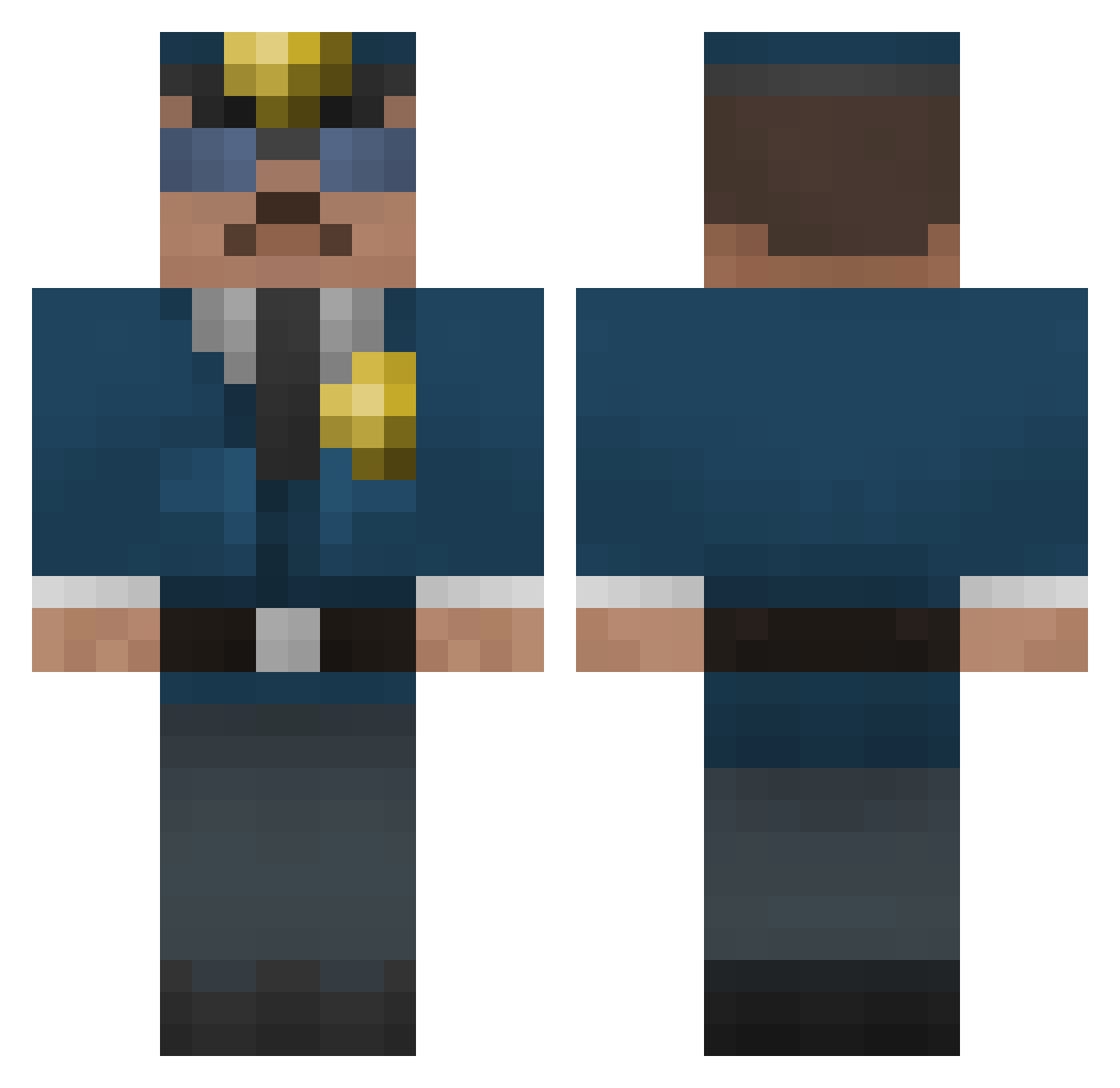
Current Minecraft skin of the player Officer86, loaded from the official Mojang API. Rotate the 3D model with your mouse or finger, then download the skin as a PNG file and use it in Minecraft: Bedrock Edition or Java Edition for free. When Officer86 changes their skin, this page updates automatically and the old skin stays in the history below.
Other players with this skin (399)
Officer86 was the 318th player we have seen with this skin, first spotted on 22.10.2026. The same skin was seen on these players. Open a nickname to see their current skin and skin history.
 casperpa OfficerPops Tiikeri2002 Dudoy HardcorePolice Belugal pahomovminecraft Ohwni Blayore mattthedemon JoelStolen Jovarex waffles_2386 fresh_D66 anthonypwoods atnewton HaydzGun Jongk3600 LulzCop Heinsie13 GamersWorld365 22306 smosh755 UltraTactics dasc007x2 Dynamonkey1 swd152 Starcraft2001 FullMetalPetasse epic_punk barryharbor Mocola_Dathrohan expanded_octet dbohl10 Gayzmcge Wrakjo Elias380 vinnyf1234 SW_Ryan Fantazero26 GerryTheRipper Mj_Slice uinten kluga703 hankiiboy fanbulous Sethy1207 IntraElement Kingswat AlexandreBar11 cwp1222 MinecraftMarcel2 erilid66 szop2137 LawDog24 TheLosKing callymac99 ednermanslaya12 im_Andrea Tiark2000
More Cop Minecraft skins
How to install the Officer86 skin
- Press the Download button above to save the skin as a PNG file.
- Minecraft: Bedrock Edition (PE): open the Dressing Room from the main menu (or tap your character → Edit Character), go to Classic Skins → Owned, press the + (new skin) button, choose the downloaded PNG and pick the Classic (Steve) model. Works on PC and mobile; consoles cannot import custom skins.
- Minecraft: Java Edition: open the Minecraft Launcher, go to the Skins tab, click New Skin, load the PNG, pick the Classic (Steve) model and press Save & Use. You can also upload it at minecraft.net → Profile → Change Skin.
The skin does not show up after import - what should I do?
Restart Minecraft and open the Dressing Room again - imported skins sometimes appear only after a restart. Also make sure you selected the imported skin and picked the Classic (Steve) model.
Which model should I choose, Classic or Slim?
This skin is designed for the Classic (Steve) model. If you pick the wrong model, the arms of the skin will look stretched or squeezed.
Is the skin of Officer86 free to download?
Yes. Press Download, save the PNG file and use it in Minecraft: Bedrock Edition or Java Edition - no payment or registration needed. The skin also works on multiplayer servers and Realms.
More skins
Looking for more? Go back to all Minecraft skins and check the top skins of the week, month and all time, or find any player's skin by nickname.