
NickNG15 - Minecraft Skins & Skin History
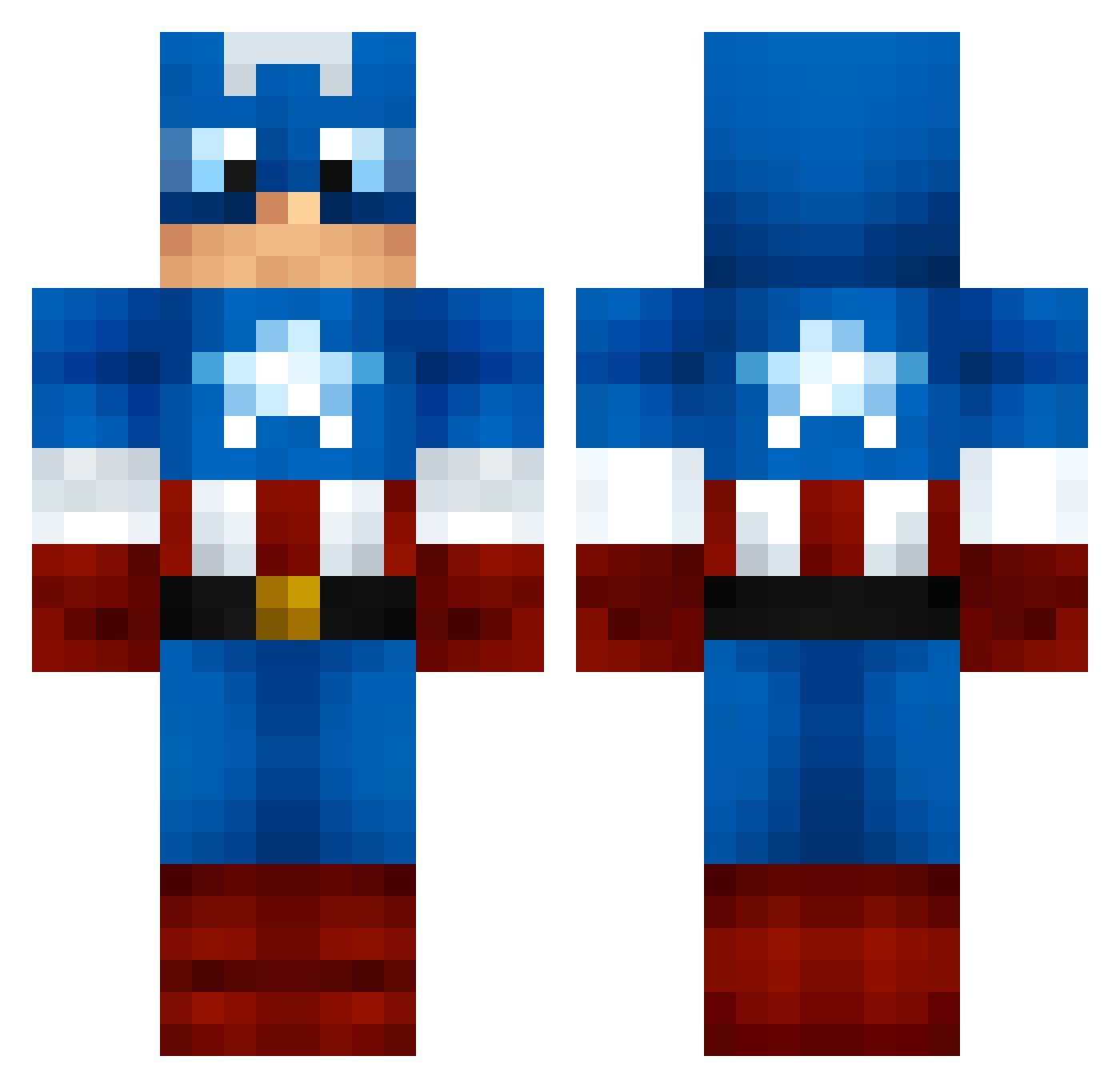
Current Minecraft skin of the player NickNG15, loaded from the official Mojang API. Rotate the 3D model with your mouse or finger, then download the skin as a PNG file and use it in Minecraft: Bedrock Edition or Java Edition for free. When NickNG15 changes their skin, this page updates automatically and the old skin stays in the history below.
Other players with this skin (1260)
NickNG15 was the 1063rd player we have seen with this skin, first spotted on 27.10.2026. The same skin was seen on these players. Open a nickname to see their current skin and skin history.
 NickHartz MadJ123 HuskyBoxerShort 99frhaf 0kuluma0 _The_AAA_ ZACK47121 AntiCheng Polobreta kabouter_wouter CptnAmerica95 Barocrates jsip01 SaberMC11 Sporsn98 MarioMorris SwagUnitedFC skiddlediddledoo 622ALEXANDERP Paapinho Kingpin25 Carl_The_Great Elcin_Santos Mabeaz Sheridan75 charleston76 endereyes3 Billdozer ejcr2002 ItsAllgood6694 DarkHorse02 Cackkao rfjcool Solstice_GG smatters sausagehouse DGLL9 runningboy246 Superbleffie maxfff HappyPie33 EasyEman9 karazik511 butterj13 CharlezzInCharge nico3301 Bwuddow iFitzs ChristianPos hibba_jibba bluespike31 BoOxDarSiDeRs tigerrreye JonathanHinsch NYRangerfan_27 Divin_F ruybe01 DanielKing tuinisia2 Misterizz
More Captain America Minecraft skins
See all 177 Captain America skins
How to install the NickNG15 skin
- Press the Download button above to save the skin as a PNG file.
- Minecraft: Bedrock Edition (PE): open the Dressing Room from the main menu (or tap your character → Edit Character), go to Classic Skins → Owned, press the + (new skin) button, choose the downloaded PNG and pick the Classic (Steve) model. Works on PC and mobile; consoles cannot import custom skins.
- Minecraft: Java Edition: open the Minecraft Launcher, go to the Skins tab, click New Skin, load the PNG, pick the Classic (Steve) model and press Save & Use. You can also upload it at minecraft.net → Profile → Change Skin.
The skin does not show up after import - what should I do?
Restart Minecraft and open the Dressing Room again - imported skins sometimes appear only after a restart. Also make sure you selected the imported skin and picked the Classic (Steve) model.
Which model should I choose, Classic or Slim?
This skin is designed for the Classic (Steve) model. If you pick the wrong model, the arms of the skin will look stretched or squeezed.
Is the skin of NickNG15 free to download?
Yes. Press Download, save the PNG file and use it in Minecraft: Bedrock Edition or Java Edition - no payment or registration needed. The skin also works on multiplayer servers and Realms.
More skins
Looking for more? Go back to all Minecraft skins and check the top skins of the week, month and all time, or find any player's skin by nickname.