
Nichi_uwu - Minecraft Skins & Skin History
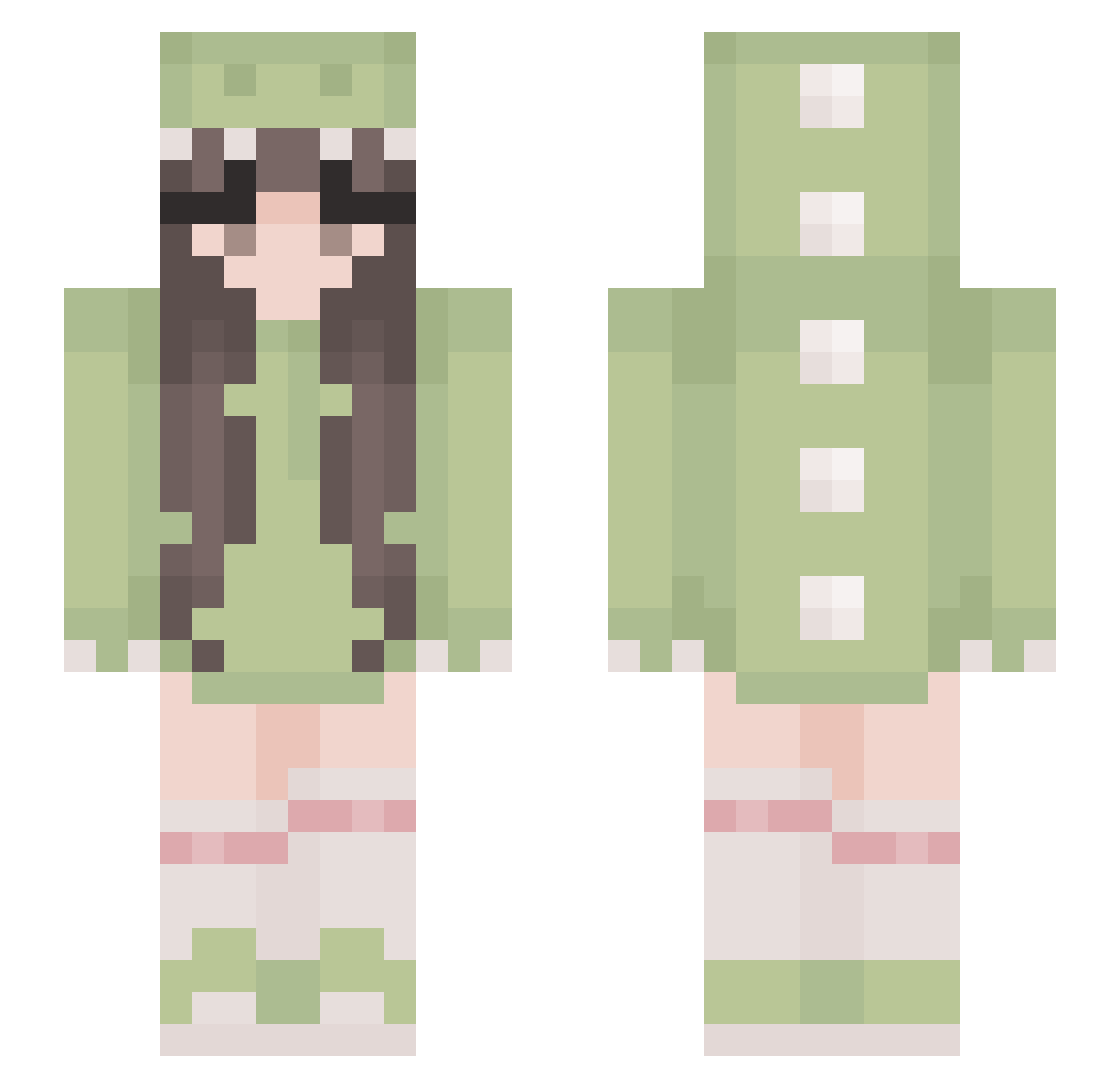
Current Minecraft skin of the player Nichi_uwu, loaded from the official Mojang API. Rotate the 3D model with your mouse or finger, then download the skin as a PNG file and use it in Minecraft: Bedrock Edition or Java Edition for free. When Nichi_uwu changes their skin, this page updates automatically and the old skin stays in the history below.
Other players with this skin (529)
Nichi_uwu was the 460th player we have seen with this skin, first spotted on 24.10.2026. The same skin was seen on these players. Open a nickname to see their current skin and skin history.
 shelgay Horse24274 sub4rashi Cathysoo happy99006 Fitachii giant_alex kubeckova euonniaa matsudori sunshinebobby ItzEmma111 yennyoh BookNerdAJ DamBi27 Cembre FloofZee feli_rawr rogeramaclarinha Pookie312 Koalamarch ntlzy nia13_ Yl69s Brooshi Junimoss kenagirl12 Paryo05 giuliii09 _Capoo DinoSour06 Latte484IE wearethegays Crawfmonkey Muggle11 Fuzzybee1234 TaBBy0405 Nilecoy Miaggie Jacyee SS2K16 Angry_lamma Dziurszla slpname SkyeWasFound12 n1co_ozz Emooim24 MikoNyan yaniju flopikawaii33 Jazmxne Selselseli TW_noob88 yikescas _BerryO yellowknight67 Ardese biazzz222 GG_Alita18 Vizurn
More Cute Minecraft skins
How to install the Nichi_uwu skin
- Press the Download button above to save the skin as a PNG file.
- Minecraft: Bedrock Edition (PE): open the Dressing Room from the main menu (or tap your character → Edit Character), go to Classic Skins → Owned, press the + (new skin) button, choose the downloaded PNG and pick the Slim (Alex) model. Works on PC and mobile; consoles cannot import custom skins.
- Minecraft: Java Edition: open the Minecraft Launcher, go to the Skins tab, click New Skin, load the PNG, pick the Slim (Alex) model and press Save & Use. You can also upload it at minecraft.net → Profile → Change Skin.
The skin does not show up after import - what should I do?
Restart Minecraft and open the Dressing Room again - imported skins sometimes appear only after a restart. Also make sure you selected the imported skin and picked the Slim (Alex) model.
Which model should I choose, Classic or Slim?
This skin is designed for the Slim (Alex) model. If you pick the wrong model, the arms of the skin will look stretched or squeezed.
Is the skin of Nichi_uwu free to download?
Yes. Press Download, save the PNG file and use it in Minecraft: Bedrock Edition or Java Edition - no payment or registration needed. The skin also works on multiplayer servers and Realms.
More skins
Looking for more? Go back to all Minecraft skins and check the top skins of the week, month and all time, or find any player's skin by nickname.