
NerdChuckle - Minecraft Skins & Skin History
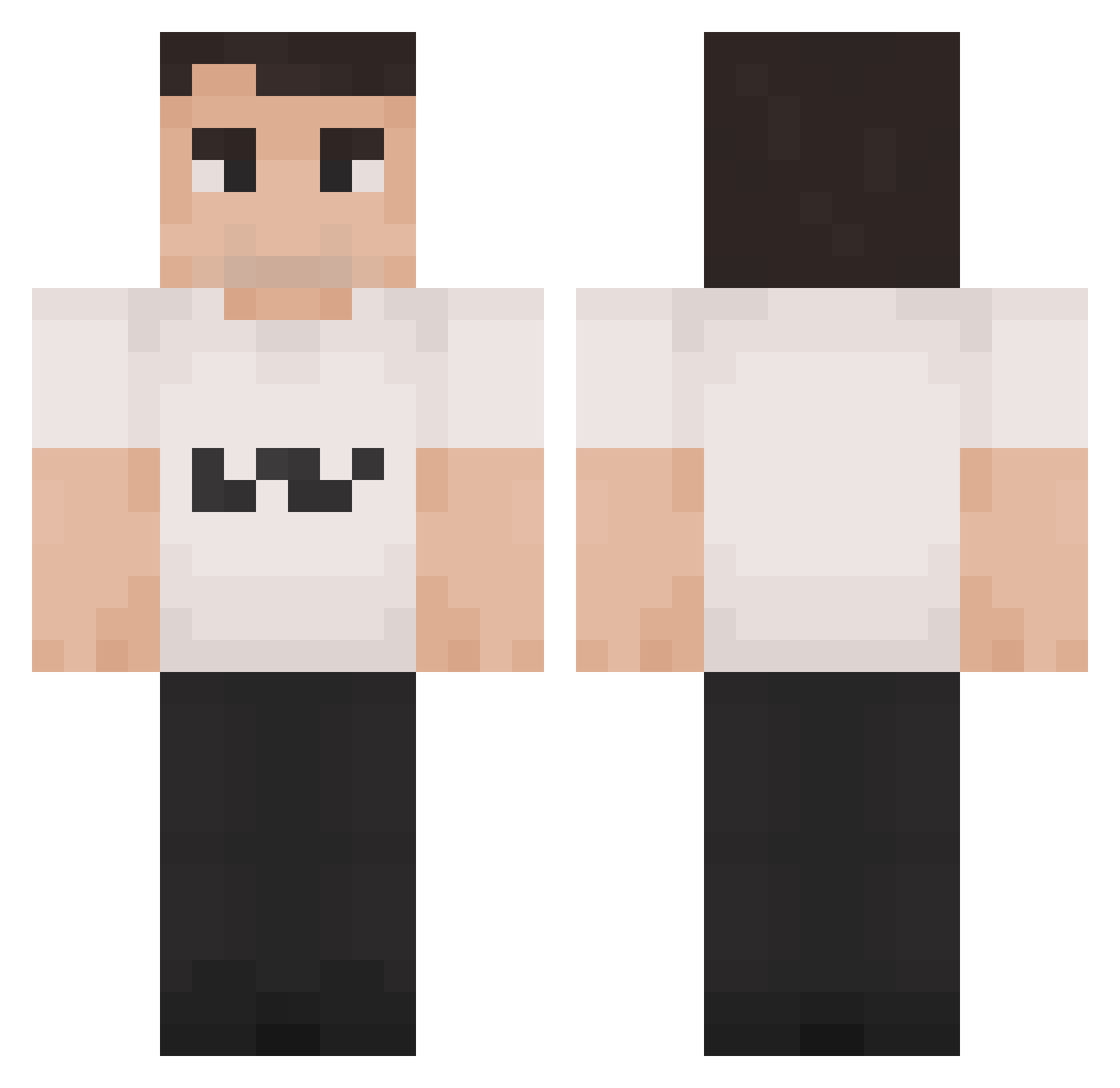
Current Minecraft skin of the player NerdChuckle, loaded from the official Mojang API. Rotate the 3D model with your mouse or finger, then download the skin as a PNG file and use it in Minecraft: Bedrock Edition or Java Edition for free. When NerdChuckle changes their skin, this page updates automatically and the old skin stays in the history below.
Other players with this skin (1419)
NerdChuckle was the 1274th player we have seen with this skin, first spotted on 26.10.2026. The same skin was seen on these players. Open a nickname to see their current skin and skin history.
 _aL3KaY_ uhmear Spoots__ Geeluh MarekPodgorny OnlyPro12 Snicklys Naw_x3 dribblyredard94 Charlie_Kirk69 Super_Pond_Maste Smile567 MonteMies noambanana Alphayusufs cozythegeneral gupbleh just_arock BongWonga T0xic_MiLK Feudner lizzybeast ellinikompifteki Shadow031109 Theerek tomy066 KicoUwU Charlie_Kirk1312 Oldsacke GubbaB pudimbr123 Crypz76 Skyman1218 OLBos124 Ally2trappy TrammyTime Purqes BigBlakGlock blasfemia3962 SerraBell Dieguito_06 SireDookie Notch4r Galacticgod23 BaltiLoca69 Theikos2G MARIO_GAY Probnothuman192 Andreegui AshF2013 Poo420 rrxdrxm Mikakson enderherobrine_ GooseButArabic kecskebeka Lukas_Dntr dreeepy lilCog316 KohKohNut1202
More Schlatt Minecraft skins
How to install the NerdChuckle skin
- Press the Download button above to save the skin as a PNG file.
- Minecraft: Bedrock Edition (PE): open the Dressing Room from the main menu (or tap your character → Edit Character), go to Classic Skins → Owned, press the + (new skin) button, choose the downloaded PNG and pick the Classic (Steve) model. Works on PC and mobile; consoles cannot import custom skins.
- Minecraft: Java Edition: open the Minecraft Launcher, go to the Skins tab, click New Skin, load the PNG, pick the Classic (Steve) model and press Save & Use. You can also upload it at minecraft.net → Profile → Change Skin.
The skin does not show up after import - what should I do?
Restart Minecraft and open the Dressing Room again - imported skins sometimes appear only after a restart. Also make sure you selected the imported skin and picked the Classic (Steve) model.
Which model should I choose, Classic or Slim?
This skin is designed for the Classic (Steve) model. If you pick the wrong model, the arms of the skin will look stretched or squeezed.
Is the skin of NerdChuckle free to download?
Yes. Press Download, save the PNG file and use it in Minecraft: Bedrock Edition or Java Edition - no payment or registration needed. The skin also works on multiplayer servers and Realms.
More skins
Looking for more? Go back to all Minecraft skins and check the top skins of the week, month and all time, or find any player's skin by nickname.