
Nater2230 - Minecraft Skins & Skin History
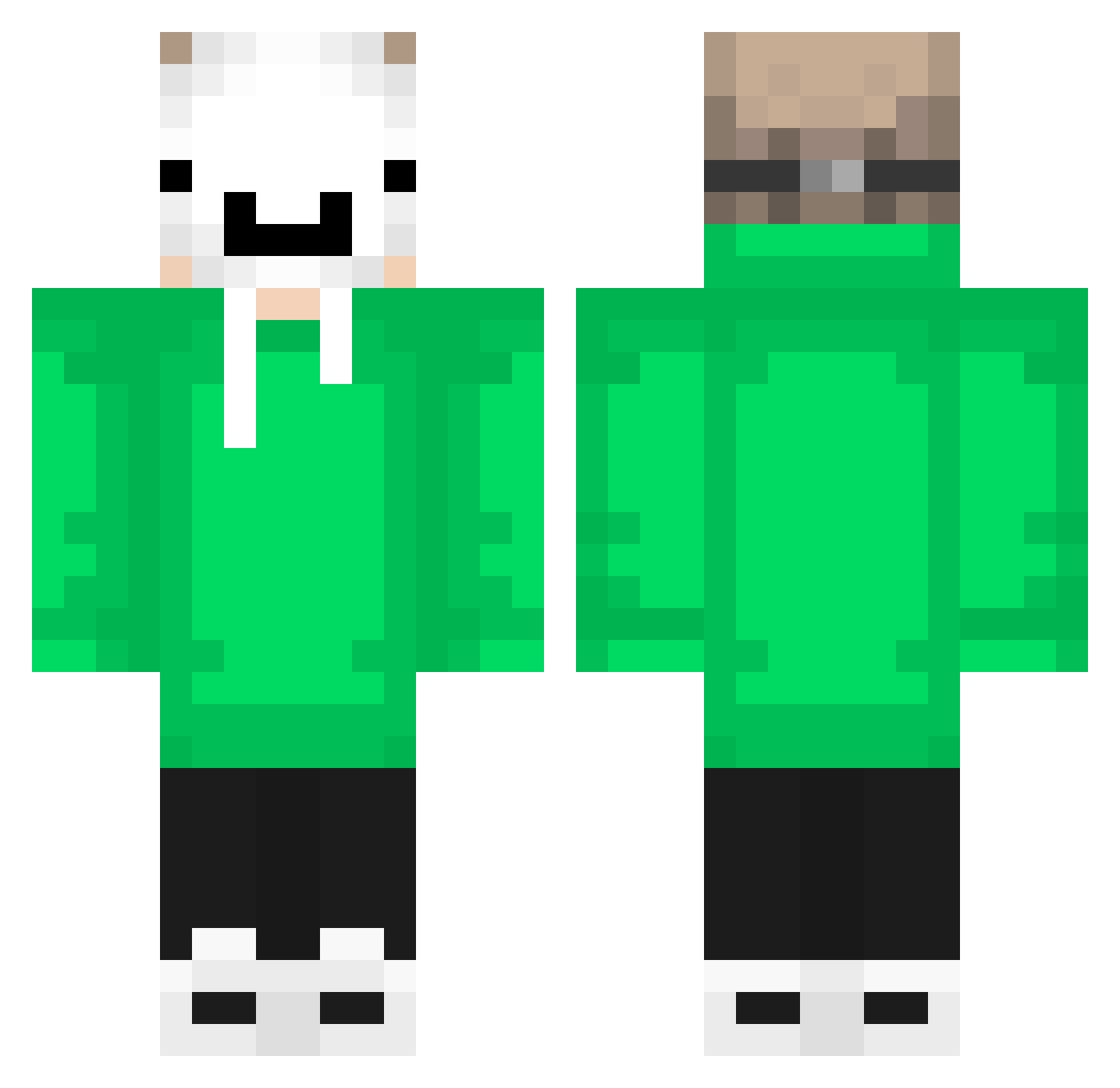
Current Minecraft skin of the player Nater2230, loaded from the official Mojang API. Rotate the 3D model with your mouse or finger, then download the skin as a PNG file and use it in Minecraft: Bedrock Edition or Java Edition for free. When Nater2230 changes their skin, this page updates automatically and the old skin stays in the history below.
Other players with this skin (694)
Nater2230 was the 580th player we have seen with this skin, first spotted on 25.10.2026. The same skin was seen on these players. Open a nickname to see their current skin and skin history.
 CloudFeather2953 yureprudente Benisamuslim Renka9 WesleyMaster999 viuh9997 Fjollis_ Adrianhc460 Rey5106 ippo2 pedrov9 ItzRealBothXD_ Tuts151009 Afza52 Huiiii0819 RevolverNoctis Yuri00007 carlosboladao darkness3929 xItachi31 Chiansak alisaid66 Esche1972 Blakeshens BobiBobi2012 Zeus_uwu07 Makalov4312 Black_R3aper hhxfox PCX4 cobraBuRaK ysfdmn15 xxlollopolloxx Granulado jazzy201065 Bartek716 Kabum1 reyreyryan TermanPUG taise0321 PickMAN227 L0rdZin AlehLP Tekken501 Elbryan0_0 GWAEZ neyl_007 not_xsu leleofc_ SAMGOTBARS 12DiamondNinja Todiroki makaroni432 Luky1402 _only_you_ xyh0213 ThePanCake143 Buchi6937 MEHTAM SrLenonn
More Dream Minecraft skins
How to install the Nater2230 skin
- Press the Download button above to save the skin as a PNG file.
- Minecraft: Bedrock Edition (PE): open the Dressing Room from the main menu (or tap your character → Edit Character), go to Classic Skins → Owned, press the + (new skin) button, choose the downloaded PNG and pick the Classic (Steve) model. Works on PC and mobile; consoles cannot import custom skins.
- Minecraft: Java Edition: open the Minecraft Launcher, go to the Skins tab, click New Skin, load the PNG, pick the Classic (Steve) model and press Save & Use. You can also upload it at minecraft.net → Profile → Change Skin.
The skin does not show up after import - what should I do?
Restart Minecraft and open the Dressing Room again - imported skins sometimes appear only after a restart. Also make sure you selected the imported skin and picked the Classic (Steve) model.
Which model should I choose, Classic or Slim?
This skin is designed for the Classic (Steve) model. If you pick the wrong model, the arms of the skin will look stretched or squeezed.
Is the skin of Nater2230 free to download?
Yes. Press Download, save the PNG file and use it in Minecraft: Bedrock Edition or Java Edition - no payment or registration needed. The skin also works on multiplayer servers and Realms.
More skins
Looking for more? Go back to all Minecraft skins and check the top skins of the week, month and all time, or find any player's skin by nickname.