
Nasiek - Minecraft Skins & Skin History
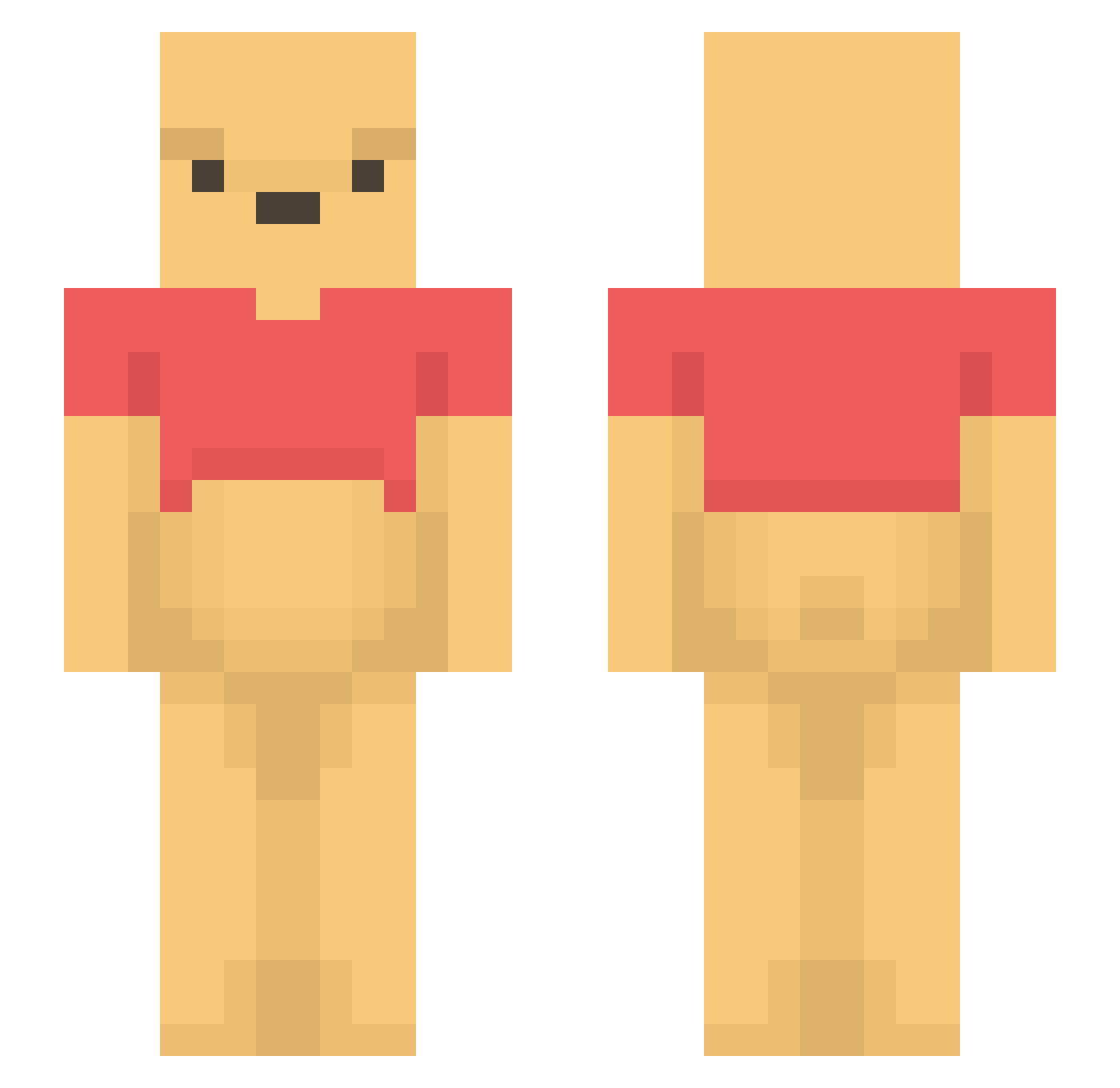
Current Minecraft skin of the player Nasiek, loaded from the official Mojang API. Rotate the 3D model with your mouse or finger, then download the skin as a PNG file and use it in Minecraft: Bedrock Edition or Java Edition for free. When Nasiek changes their skin, this page updates automatically and the old skin stays in the history below.
Other players with this skin (1433)
Nasiek was the 1379th player we have seen with this skin, first spotted on 02.11.2026. The same skin was seen on these players. Open a nickname to see their current skin and skin history.
 Bandicoot1111 EnzoAZ lilizzy145 Sl3yB3y itsMontyz Kirinike lukasdm19 DrlRasit nibuyaro BOBBYSLEEPY ENEKMI miIosz Bobowski66 PeaceDuke08 HBKxSOSA roqhdgo PU__SAN sandra6 Honey1222 WEINIXIAOXIONG tohfu102 sunekichii KorniYT UXIZA puchat3k Jackie10086 Winston387 shing285 HoYeah311 Kaspizz Hedgy4498 iamnoooooob el_nojo Katie890 kristynpat kiki_shu ABZero1 Kor_SOJU Cat_Stalker liji697 UrbanGyarados Keeper_Ole08 naknakLEE Schoenfelder TaylorTheMexican Peacekeeper1203 aidaloltbh MintChoco_14 Calvin4581 sangorani pick1ee Moilyne ProbablySavage LadyMazur Optisong Brian666666 Bullen_ttv InsetBird8787 LiLocParta ToStupidToLive
More Winnie The Pooh Minecraft skins
See all 350 Winnie The Pooh skins
How to install the Nasiek skin
- Press the Download button above to save the skin as a PNG file.
- Minecraft: Bedrock Edition (PE): open the Dressing Room from the main menu (or tap your character → Edit Character), go to Classic Skins → Owned, press the + (new skin) button, choose the downloaded PNG and pick the Slim (Alex) model. Works on PC and mobile; consoles cannot import custom skins.
- Minecraft: Java Edition: open the Minecraft Launcher, go to the Skins tab, click New Skin, load the PNG, pick the Slim (Alex) model and press Save & Use. You can also upload it at minecraft.net → Profile → Change Skin.
The skin does not show up after import - what should I do?
Restart Minecraft and open the Dressing Room again - imported skins sometimes appear only after a restart. Also make sure you selected the imported skin and picked the Slim (Alex) model.
Which model should I choose, Classic or Slim?
This skin is designed for the Slim (Alex) model. If you pick the wrong model, the arms of the skin will look stretched or squeezed.
Is the skin of Nasiek free to download?
Yes. Press Download, save the PNG file and use it in Minecraft: Bedrock Edition or Java Edition - no payment or registration needed. The skin also works on multiplayer servers and Realms.
More skins
Looking for more? Go back to all Minecraft skins and check the top skins of the week, month and all time, or find any player's skin by nickname.