
Nachoo1899 - Minecraft Skins & Skin History
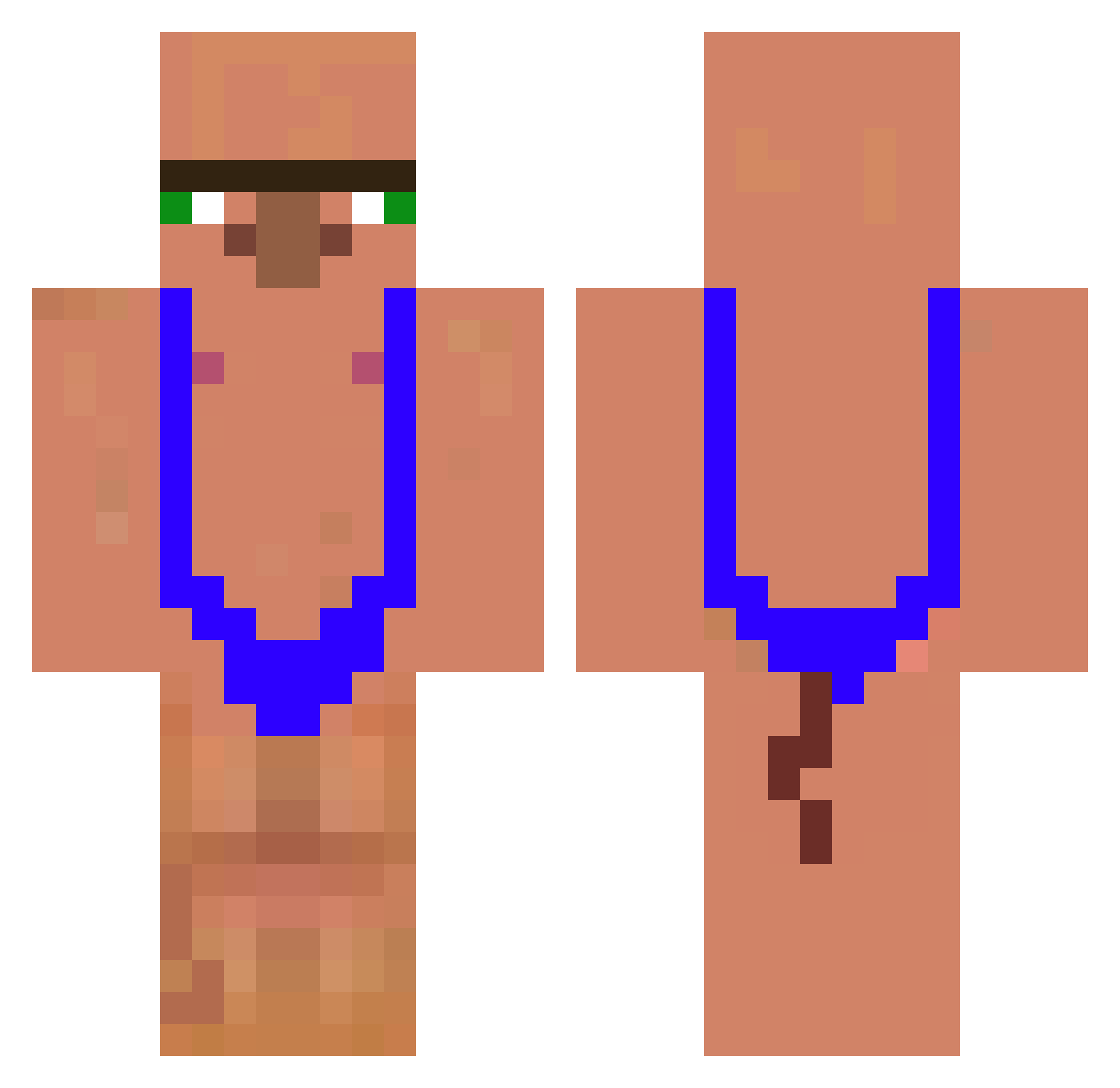
Current Minecraft skin of the player Nachoo1899, loaded from the official Mojang API. Rotate the 3D model with your mouse or finger, then download the skin as a PNG file and use it in Minecraft: Bedrock Edition or Java Edition for free. When Nachoo1899 changes their skin, this page updates automatically and the old skin stays in the history below.
Other players with this skin (209)
Nachoo1899 was the 157th player we have seen with this skin, first spotted on 20.10.2026. The same skin was seen on these players. Open a nickname to see their current skin and skin history.
 Jiinqx Prosedin Flazegod Araujo232 Grainhonore Gabogaming91 costaaw sTeJzAk dalakww XjakubusX iiiVitin_ AsianPete mario23151 Jakefuture2016 Kugesen Igorfighter2009 255880 alsaygh19 PrincessLechuga Ewziix Magister150 Tenater862430 ilpiupiccolo0 pedrorxtr xande44 huaizui michi290405 noming10 Emaille KOJIAeGG OranjeWortel joonyoungmon1 Wuzzbek BABOfrog Denisluffy TEKI_teki Lucifer7403 tjdfud Pxpzin Giuliagamergirl_ franche101yeye Kittenilla HnCrow11 BigGulyX pearlyuyi AliendeVarginha thzzim Imamit CoffeeStudent44 cyan_98 djac2507 kivi6PL Reicraft18 Roan_dv RedQueenRE gatouzz59 Natu_mikan Chaplin2024 Pepon7 aklsjie
More Mankini Minecraft skins
How to install the Nachoo1899 skin
- Press the Download button above to save the skin as a PNG file.
- Minecraft: Bedrock Edition (PE): open the Dressing Room from the main menu (or tap your character → Edit Character), go to Classic Skins → Owned, press the + (new skin) button, choose the downloaded PNG and pick the Classic (Steve) model. Works on PC and mobile; consoles cannot import custom skins.
- Minecraft: Java Edition: open the Minecraft Launcher, go to the Skins tab, click New Skin, load the PNG, pick the Classic (Steve) model and press Save & Use. You can also upload it at minecraft.net → Profile → Change Skin.
The skin does not show up after import - what should I do?
Restart Minecraft and open the Dressing Room again - imported skins sometimes appear only after a restart. Also make sure you selected the imported skin and picked the Classic (Steve) model.
Which model should I choose, Classic or Slim?
This skin is designed for the Classic (Steve) model. If you pick the wrong model, the arms of the skin will look stretched or squeezed.
Is the skin of Nachoo1899 free to download?
Yes. Press Download, save the PNG file and use it in Minecraft: Bedrock Edition or Java Edition - no payment or registration needed. The skin also works on multiplayer servers and Realms.
More skins
Looking for more? Go back to all Minecraft skins and check the top skins of the week, month and all time, or find any player's skin by nickname.