
Mrsapkaa - Minecraft Skins & Skin History
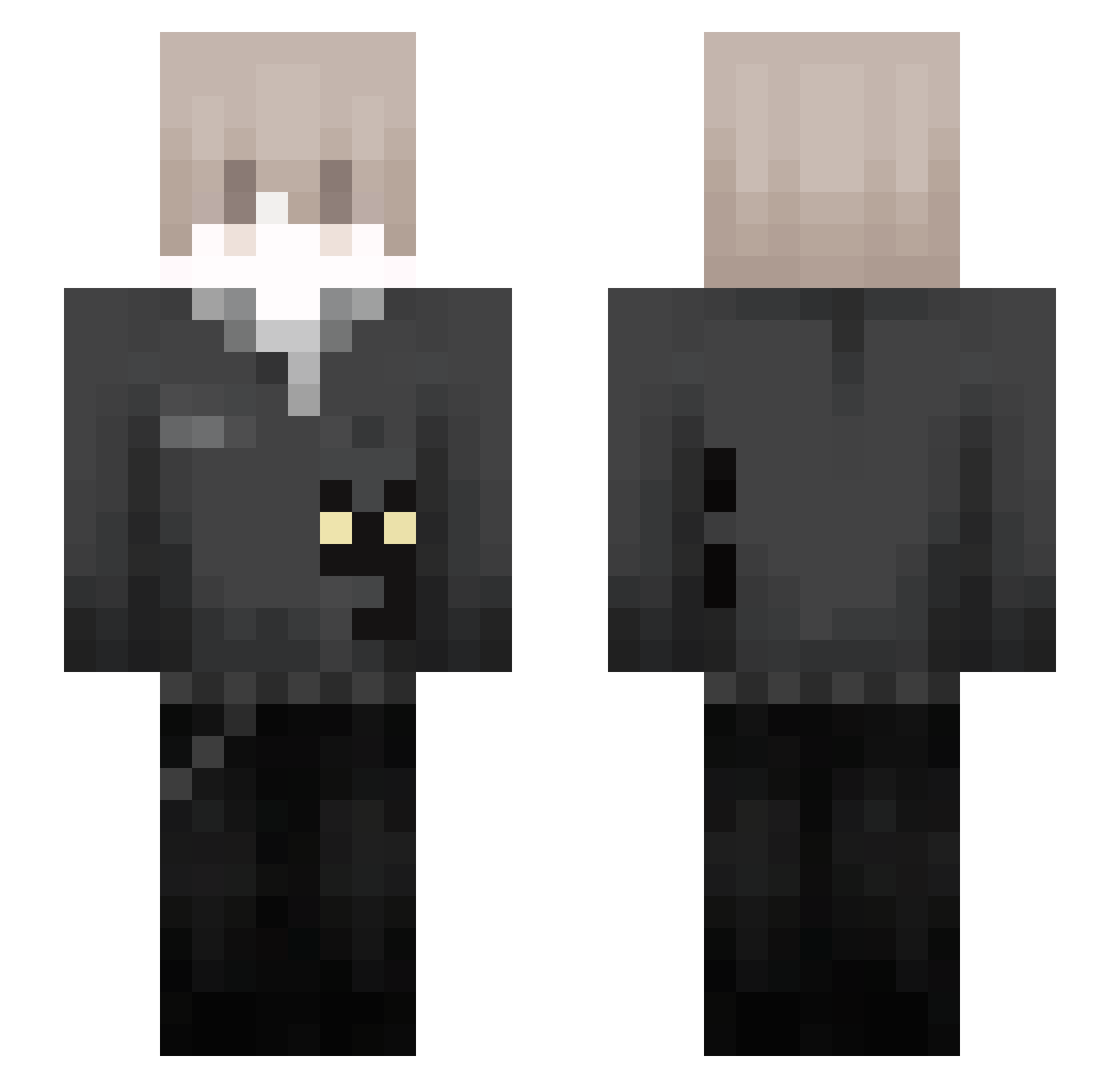
Current Minecraft skin of the player Mrsapkaa, loaded from the official Mojang API. Rotate the 3D model with your mouse or finger, then download the skin as a PNG file and use it in Minecraft: Bedrock Edition or Java Edition for free. When Mrsapkaa changes their skin, this page updates automatically and the old skin stays in the history below.
Other players with this skin (110)
Mrsapkaa was the 90th player we have seen with this skin, first spotted on 19.10.2026. The same skin was seen on these players. Open a nickname to see their current skin and skin history.
 Zmiao66 lmaoEli agreatbunny voidfvz Ghummies Pro0x__ itz_connor2 Reindeer Sprachgefuhl ituvx D1nis_ pulsarmc_ linx9vxd nxll__ Meow_Meowgoat Hayzzllk iRopaNuevita ipuleun JaredSC16 Arianhht xiaoyangao 9__3 SilviuReaper2K MgraczX BartekGaming Konyun babblove li6htning disabilityy_ Underware wvzl wm917 lippy012 BroruzzY1 WOO_0925 SametReis_ bipi55 ghoust_tw NeilChen25 taganka g9tv _Esdras_ Kratorman_ dr1m003 iLcW_ xanremi AmUrFather zhaGleY3 Skyuprxy yeeinng 767837444 appleofyoureye alston001 PoolCm0091 cmikalek LocNguyen_VN LostMind2465 ekittentywa qNirvana Maci_Laci123
How to install the Mrsapkaa skin
- Press the Download button above to save the skin as a PNG file.
- Minecraft: Bedrock Edition (PE): open the Dressing Room from the main menu (or tap your character → Edit Character), go to Classic Skins → Owned, press the + (new skin) button, choose the downloaded PNG and pick the Slim (Alex) model. Works on PC and mobile; consoles cannot import custom skins.
- Minecraft: Java Edition: open the Minecraft Launcher, go to the Skins tab, click New Skin, load the PNG, pick the Slim (Alex) model and press Save & Use. You can also upload it at minecraft.net → Profile → Change Skin.
The skin does not show up after import - what should I do?
Restart Minecraft and open the Dressing Room again - imported skins sometimes appear only after a restart. Also make sure you selected the imported skin and picked the Slim (Alex) model.
Which model should I choose, Classic or Slim?
This skin is designed for the Slim (Alex) model. If you pick the wrong model, the arms of the skin will look stretched or squeezed.
Is the skin of Mrsapkaa free to download?
Yes. Press Download, save the PNG file and use it in Minecraft: Bedrock Edition or Java Edition - no payment or registration needed. The skin also works on multiplayer servers and Realms.
More skins
Looking for more? Go back to all Minecraft skins and check the top skins of the week, month and all time, or find any player's skin by nickname.