
MrUglyGuy - Minecraft Skins & Skin History
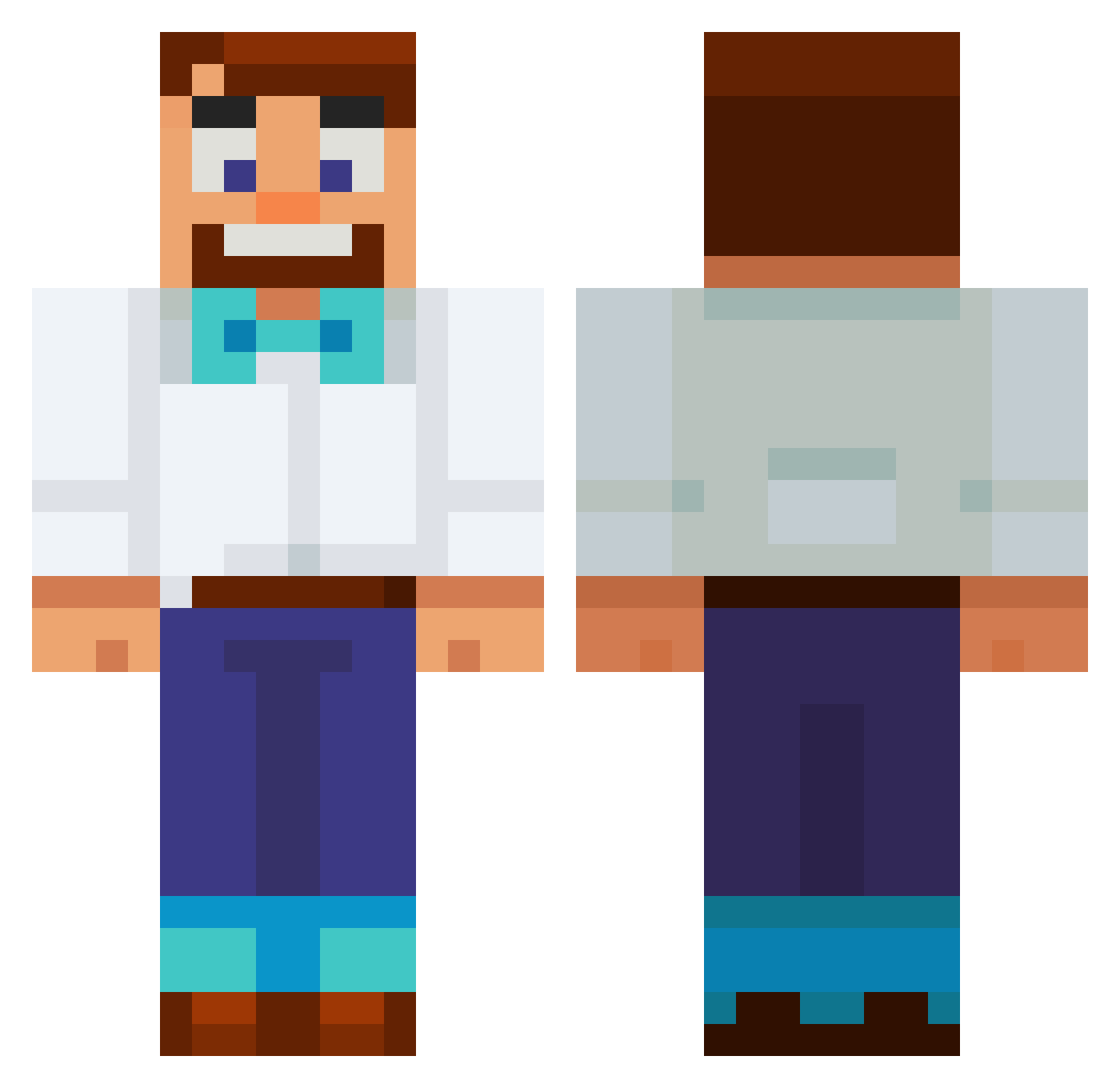
Current Minecraft skin of the player MrUglyGuy, loaded from the official Mojang API. Rotate the 3D model with your mouse or finger, then download the skin as a PNG file and use it in Minecraft: Bedrock Edition or Java Edition for free. When MrUglyGuy changes their skin, this page updates automatically and the old skin stays in the history below.
Other players with this skin (708)
MrUglyGuy was the 670th player we have seen with this skin, first spotted on 06.11.2026. The same skin was seen on these players. Open a nickname to see their current skin and skin history.
 Saprsti Milan1605 xdcarter3 VXRail2835 Amoghhhh04 Cubbbz FoZYyy1 SeongJun4 Fabty03 Hitmanhill89 D0MIN0M HTFHappy STEEVLIFE lukmaster100 ehvagu Xyrpx Henkku1466 g3l_antoine Altaxx_ Pluxim FORCe_eYE jhohj digibeuk BENT_10 d0njuan3 DadFromOhio SB_DNuY9e froggiewan DA_ONG 5kimi Ussops_nose Kuzuma0512 PaNaedits SS_b0i Shury9 JohnyCy LukeyPoo6969 PapaPotato1528 FriedhelmWinter AhmetPvo Cr1ppl3r Youseflind sammz91 gsandy1 XantosX Lil_Rainny Horsebert FelixKetchup13 ExtraSalTNutz MangoFloryan MCOverlords Claude_Code gorilabasher Leydas JUANie_ PHRESHY im_JoJoJoshi_999 brup100 EventHorizon0101 Andre_Sal
More Bowtie Minecraft skins
How to install the MrUglyGuy skin
- Press the Download button above to save the skin as a PNG file.
- Minecraft: Bedrock Edition (PE): open the Dressing Room from the main menu (or tap your character → Edit Character), go to Classic Skins → Owned, press the + (new skin) button, choose the downloaded PNG and pick the Classic (Steve) model. Works on PC and mobile; consoles cannot import custom skins.
- Minecraft: Java Edition: open the Minecraft Launcher, go to the Skins tab, click New Skin, load the PNG, pick the Classic (Steve) model and press Save & Use. You can also upload it at minecraft.net → Profile → Change Skin.
The skin does not show up after import - what should I do?
Restart Minecraft and open the Dressing Room again - imported skins sometimes appear only after a restart. Also make sure you selected the imported skin and picked the Classic (Steve) model.
Which model should I choose, Classic or Slim?
This skin is designed for the Classic (Steve) model. If you pick the wrong model, the arms of the skin will look stretched or squeezed.
Is the skin of MrUglyGuy free to download?
Yes. Press Download, save the PNG file and use it in Minecraft: Bedrock Edition or Java Edition - no payment or registration needed. The skin also works on multiplayer servers and Realms.
More skins
Looking for more? Go back to all Minecraft skins and check the top skins of the week, month and all time, or find any player's skin by nickname.