
Moros_Prime - Minecraft Skins & Skin History
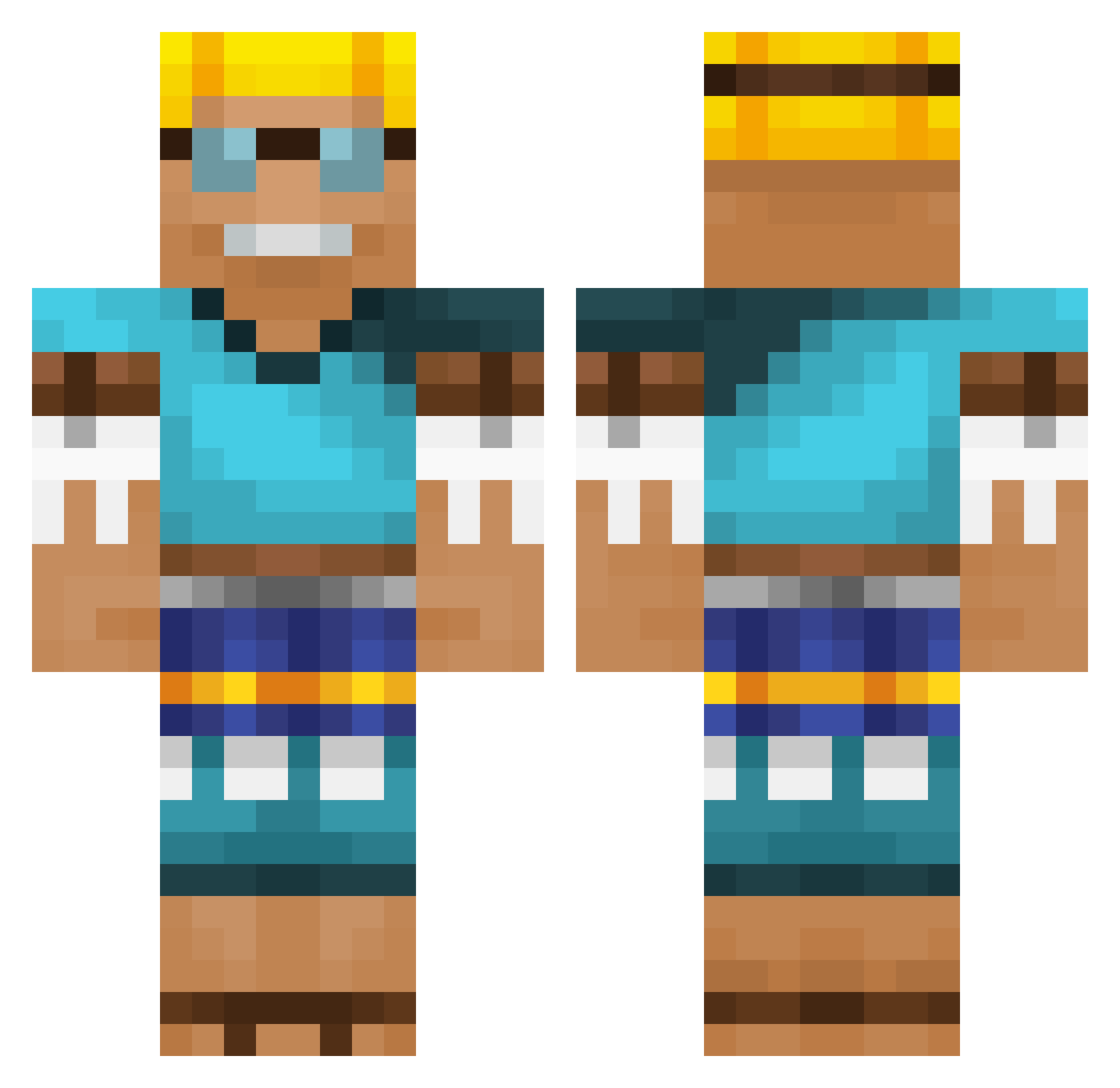
Current Minecraft skin of the player Moros_Prime, loaded from the official Mojang API. Rotate the 3D model with your mouse or finger, then download the skin as a PNG file and use it in Minecraft: Bedrock Edition or Java Edition for free. When Moros_Prime changes their skin, this page updates automatically and the old skin stays in the history below.
Other players with this skin (666)
Moros_Prime was the 646th player we have seen with this skin, first spotted on 06.11.2026. The same skin was seen on these players. Open a nickname to see their current skin and skin history.
 socki005 musakana Karius21 Speedyboi1369 KerkFleet philippsch0 OneLucho Gamer_1693_ Steasy123 HomieDMarshall adirmir Teylaer Cyw00d SvenWeber Botaa1 Markus7825 monkies71 Bundesbeamter Browjack YTDOLLAR2424k SherlockTaPz BOLLA5724 Funkadelic_Sloth Max07032001 Elits123 jeje_hj MO_R06 eichgo11 Leo1205 Dominant17 whyimhere11 Charlister CodeWize nutfam jap_power LinseCed Brumm103 smalljap KAEB0x mzrdisi 5F1NX saltybeavers Armisoft sHab1337 MxttOn mairou111 Pietje9 yarii_1 Petacho sozak3711 billy2807 lannian william12317 WalecznyTomus CharBB17 bjhsmile SirCorkyDaVinci _tOxiq BiggieTone Proxima280
More Adventurer Minecraft skins
How to install the Moros_Prime skin
- Press the Download button above to save the skin as a PNG file.
- Minecraft: Bedrock Edition (PE): open the Dressing Room from the main menu (or tap your character → Edit Character), go to Classic Skins → Owned, press the + (new skin) button, choose the downloaded PNG and pick the Classic (Steve) model. Works on PC and mobile; consoles cannot import custom skins.
- Minecraft: Java Edition: open the Minecraft Launcher, go to the Skins tab, click New Skin, load the PNG, pick the Classic (Steve) model and press Save & Use. You can also upload it at minecraft.net → Profile → Change Skin.
The skin does not show up after import - what should I do?
Restart Minecraft and open the Dressing Room again - imported skins sometimes appear only after a restart. Also make sure you selected the imported skin and picked the Classic (Steve) model.
Which model should I choose, Classic or Slim?
This skin is designed for the Classic (Steve) model. If you pick the wrong model, the arms of the skin will look stretched or squeezed.
Is the skin of Moros_Prime free to download?
Yes. Press Download, save the PNG file and use it in Minecraft: Bedrock Edition or Java Edition - no payment or registration needed. The skin also works on multiplayer servers and Realms.
More skins
Looking for more? Go back to all Minecraft skins and check the top skins of the week, month and all time, or find any player's skin by nickname.