
MoncheB - Minecraft Skins & Skin History
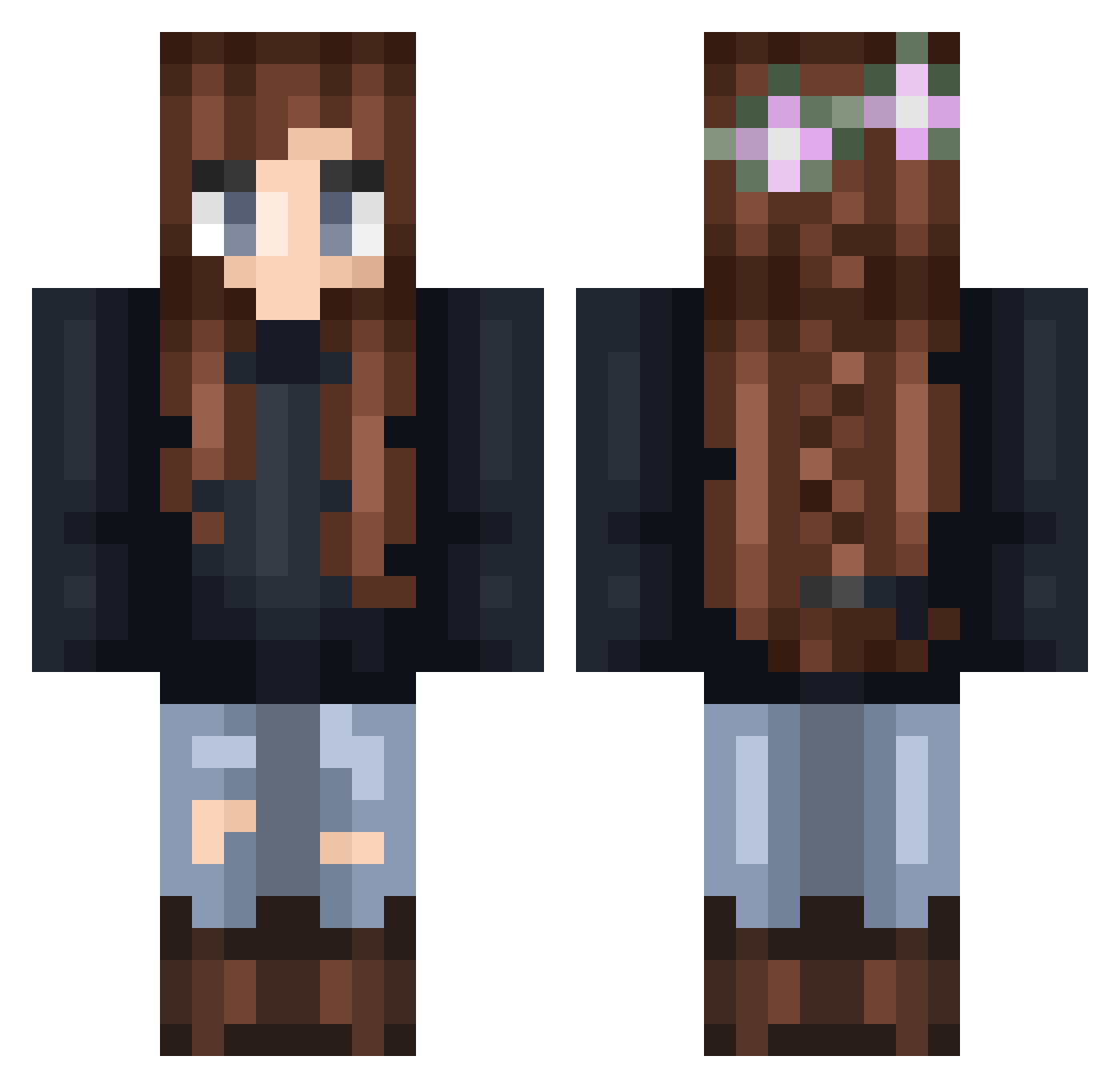
Current Minecraft skin of the player MoncheB, loaded from the official Mojang API. Rotate the 3D model with your mouse or finger, then download the skin as a PNG file and use it in Minecraft: Bedrock Edition or Java Edition for free. When MoncheB changes their skin, this page updates automatically and the old skin stays in the history below.
Other players with this skin (293)
MoncheB was the 261st player we have seen with this skin, first spotted on 26.10.2026. The same skin was seen on these players. Open a nickname to see their current skin and skin history.
 jing21 SushiRoll_6 ChoiJunhong phronesys AllisonX Vanestc ItCouldBeWorse0 Hanhanhan812 Liveachen YukinaMori xSlightlyPsychox Magdalena95 constansec nerdy_ninja167 boxcubes Olive__V Aelinerys ErinAnn Nasci0302 TiredHuman69 lunshine madyruggie Dianajudith27 jordsickle Wolfhard56 cookiiie17 nRgLu Neeneemacaloo fyrthpine SunshinesPower ojurka Breeze69 L0uNa22 fl0rk4 Fantasji lidlgoldfish Ashlynnxoxoxo Dafleia elelbean IKUSA0723 MysticalPrism StretchyKid Frizzlie Nounou25 Nocturnallie leejy2860 duckytheduck12 Claudia_28 ElzieBear praclarush Kinsino Lionstorm Judjou rnd_reads_books BlackWolf2613 Korak139 Bhabyleilei IRON_LADY_E Hermiona0926 sandyy__
More Braid Minecraft skins
How to install the MoncheB skin
- Press the Download button above to save the skin as a PNG file.
- Minecraft: Bedrock Edition (PE): open the Dressing Room from the main menu (or tap your character → Edit Character), go to Classic Skins → Owned, press the + (new skin) button, choose the downloaded PNG and pick the Classic (Steve) model. Works on PC and mobile; consoles cannot import custom skins.
- Minecraft: Java Edition: open the Minecraft Launcher, go to the Skins tab, click New Skin, load the PNG, pick the Classic (Steve) model and press Save & Use. You can also upload it at minecraft.net → Profile → Change Skin.
The skin does not show up after import - what should I do?
Restart Minecraft and open the Dressing Room again - imported skins sometimes appear only after a restart. Also make sure you selected the imported skin and picked the Classic (Steve) model.
Which model should I choose, Classic or Slim?
This skin is designed for the Classic (Steve) model. If you pick the wrong model, the arms of the skin will look stretched or squeezed.
Is the skin of MoncheB free to download?
Yes. Press Download, save the PNG file and use it in Minecraft: Bedrock Edition or Java Edition - no payment or registration needed. The skin also works on multiplayer servers and Realms.
More skins
Looking for more? Go back to all Minecraft skins and check the top skins of the week, month and all time, or find any player's skin by nickname.