
Mateito843 - Minecraft Skins & Skin History
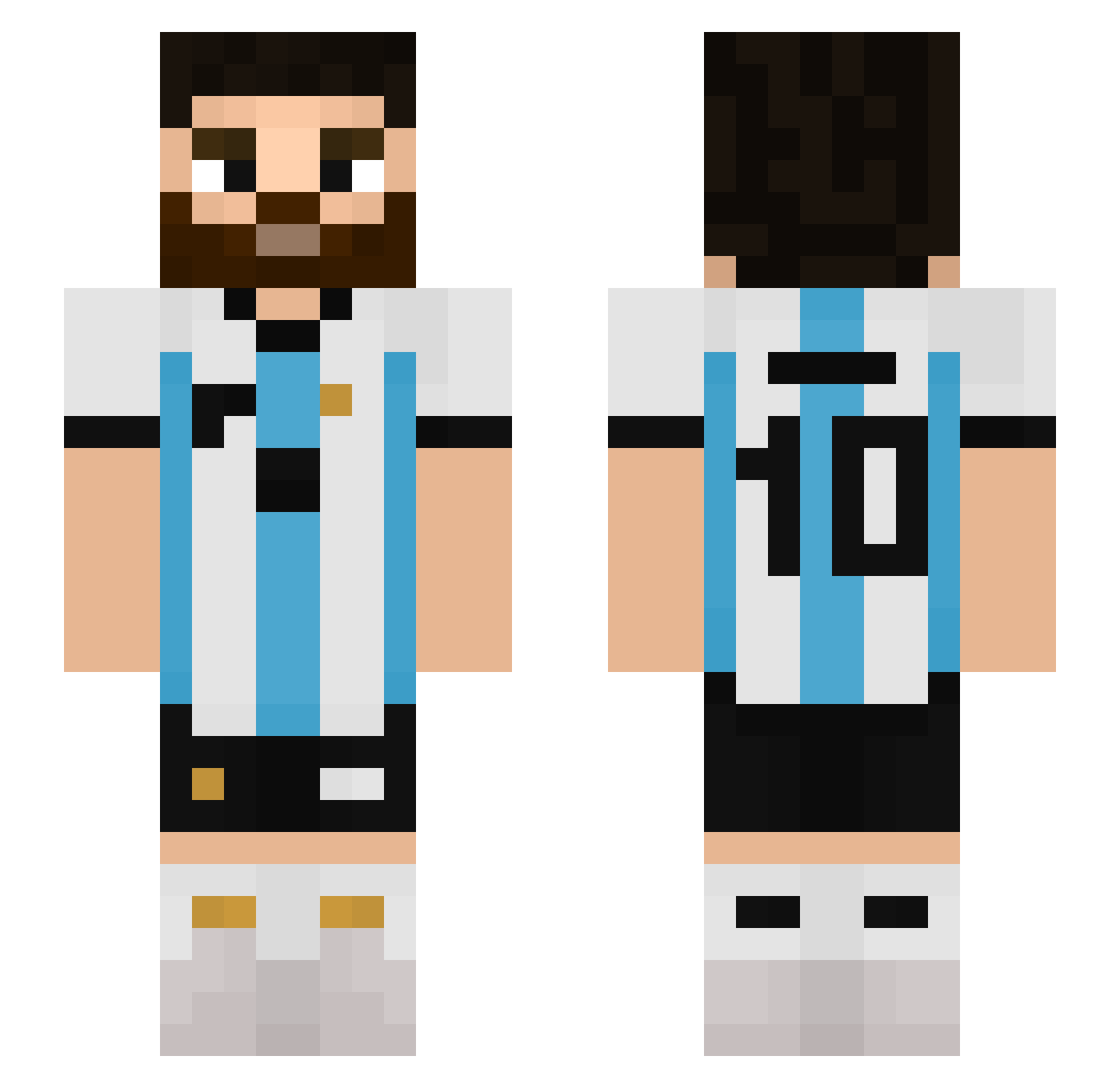
Current Minecraft skin of the player Mateito843, loaded from the official Mojang API. Rotate the 3D model with your mouse or finger, then download the skin as a PNG file and use it in Minecraft: Bedrock Edition or Java Edition for free. When Mateito843 changes their skin, this page updates automatically and the old skin stays in the history below.
Other players with this skin (647)
Mateito843 was the 554th player we have seen with this skin, first spotted on 28.10.2026. The same skin was seen on these players. Open a nickname to see their current skin and skin history.
 Ferkoslingo Shildo8 Maniac5835 DarkNixiie alfafix alpoalp elgordoklaus Light_piglin K_Bieniek24 Puen08 GGacek Nakabaya RAFHA11 Oliveira523 Flacko3750 doriitto pinkplayer404 M1steryyy iTheZack Pablogamer_75 LeoMessi__ Dylan0702 fer_gmer991 Nedzera CiscoPro Woolvees Cooper914 T1IBUPROFENO elsuk0 hubercik112 Dominique29 Zeromessi weptisoopp khouly kusayals10 Sakyng EIKO115 Ynato78 ATLASBROOK Boramen81 Mattheo38780 SoSONGO Jose_500 joaaa088 oRogerioLima __Bode m99gamerbr Nico435 Munichss ili_11 SL7V4 Christians453CCC ALVAROG07 MegaFryta10 winter1608 Mati0925 pig10211 Diegol2003 manzo09 BOB121314
More Argentina Minecraft skins
How to install the Mateito843 skin
- Press the Download button above to save the skin as a PNG file.
- Minecraft: Bedrock Edition (PE): open the Dressing Room from the main menu (or tap your character → Edit Character), go to Classic Skins → Owned, press the + (new skin) button, choose the downloaded PNG and pick the Slim (Alex) model. Works on PC and mobile; consoles cannot import custom skins.
- Minecraft: Java Edition: open the Minecraft Launcher, go to the Skins tab, click New Skin, load the PNG, pick the Slim (Alex) model and press Save & Use. You can also upload it at minecraft.net → Profile → Change Skin.
The skin does not show up after import - what should I do?
Restart Minecraft and open the Dressing Room again - imported skins sometimes appear only after a restart. Also make sure you selected the imported skin and picked the Slim (Alex) model.
Which model should I choose, Classic or Slim?
This skin is designed for the Slim (Alex) model. If you pick the wrong model, the arms of the skin will look stretched or squeezed.
Is the skin of Mateito843 free to download?
Yes. Press Download, save the PNG file and use it in Minecraft: Bedrock Edition or Java Edition - no payment or registration needed. The skin also works on multiplayer servers and Realms.
More skins
Looking for more? Go back to all Minecraft skins and check the top skins of the week, month and all time, or find any player's skin by nickname.