
Marsolh07 - Minecraft Skins & Skin History
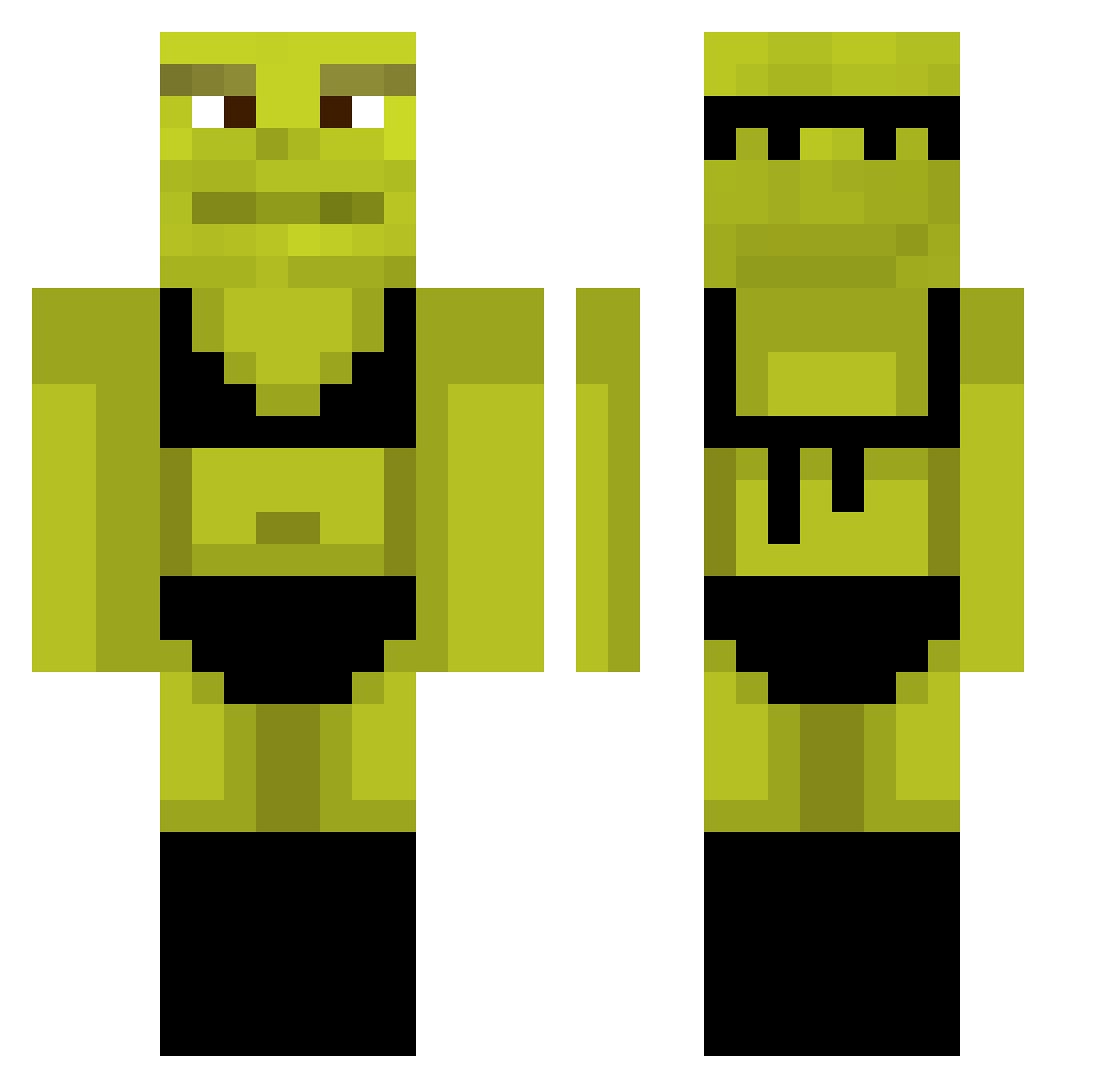
Current Minecraft skin of the player Marsolh07, loaded from the official Mojang API. Rotate the 3D model with your mouse or finger, then download the skin as a PNG file and use it in Minecraft: Bedrock Edition or Java Edition for free. When Marsolh07 changes their skin, this page updates automatically and the old skin stays in the history below.
Other players with this skin (983)
Marsolh07 was the 728th player we have seen with this skin, first spotted on 17.10.2026. The same skin was seen on these players. Open a nickname to see their current skin and skin history.
 johnothebuilder sergeant_apple Sister_Fister_ iraianul0 DucBanban xyzkira Masyta Coconut9108 ValuluuG sTalek23 Ardano AnneLiseee gui_arrascaxt YourNewStepMommy Vixen63 Hairy_Pastrami venooM1313 izunaahsx D4V1D1234 Rattyrootat StormCrow_36 Skrelix godawfullucid Qurty_Games revllos CraftyKnight96 misterban16 PeiLiu_ soggypringles cupofcoffey2060 melisatpv NauticaVoyage d3lici0us iLUVP1CKL3S Luke_2608 Em5ke giospizza01 kuramasik CampoArvin iddih SpookedMf bambulim Hikox_ gagaliga olegak47_pvp FalseApocalypse SolDieur JuJu009BR PzychoYT SirCumquat Spejson_123 jeanine2431 vk4l P3Nl tjdgur0116 0pantsu IL_COMPO SirDeni08 Qewbee Myrlen3
More Shrek Minecraft skins
How to install the Marsolh07 skin
- Press the Download button above to save the skin as a PNG file.
- Minecraft: Bedrock Edition (PE): open the Dressing Room from the main menu (or tap your character → Edit Character), go to Classic Skins → Owned, press the + (new skin) button, choose the downloaded PNG and pick the Classic (Steve) model. Works on PC and mobile; consoles cannot import custom skins.
- Minecraft: Java Edition: open the Minecraft Launcher, go to the Skins tab, click New Skin, load the PNG, pick the Classic (Steve) model and press Save & Use. You can also upload it at minecraft.net → Profile → Change Skin.
The skin does not show up after import - what should I do?
Restart Minecraft and open the Dressing Room again - imported skins sometimes appear only after a restart. Also make sure you selected the imported skin and picked the Classic (Steve) model.
Which model should I choose, Classic or Slim?
This skin is designed for the Classic (Steve) model. If you pick the wrong model, the arms of the skin will look stretched or squeezed.
Is the skin of Marsolh07 free to download?
Yes. Press Download, save the PNG file and use it in Minecraft: Bedrock Edition or Java Edition - no payment or registration needed. The skin also works on multiplayer servers and Realms.
More skins
Looking for more? Go back to all Minecraft skins and check the top skins of the week, month and all time, or find any player's skin by nickname.