
MadOverUwU - Minecraft Skins & Skin History
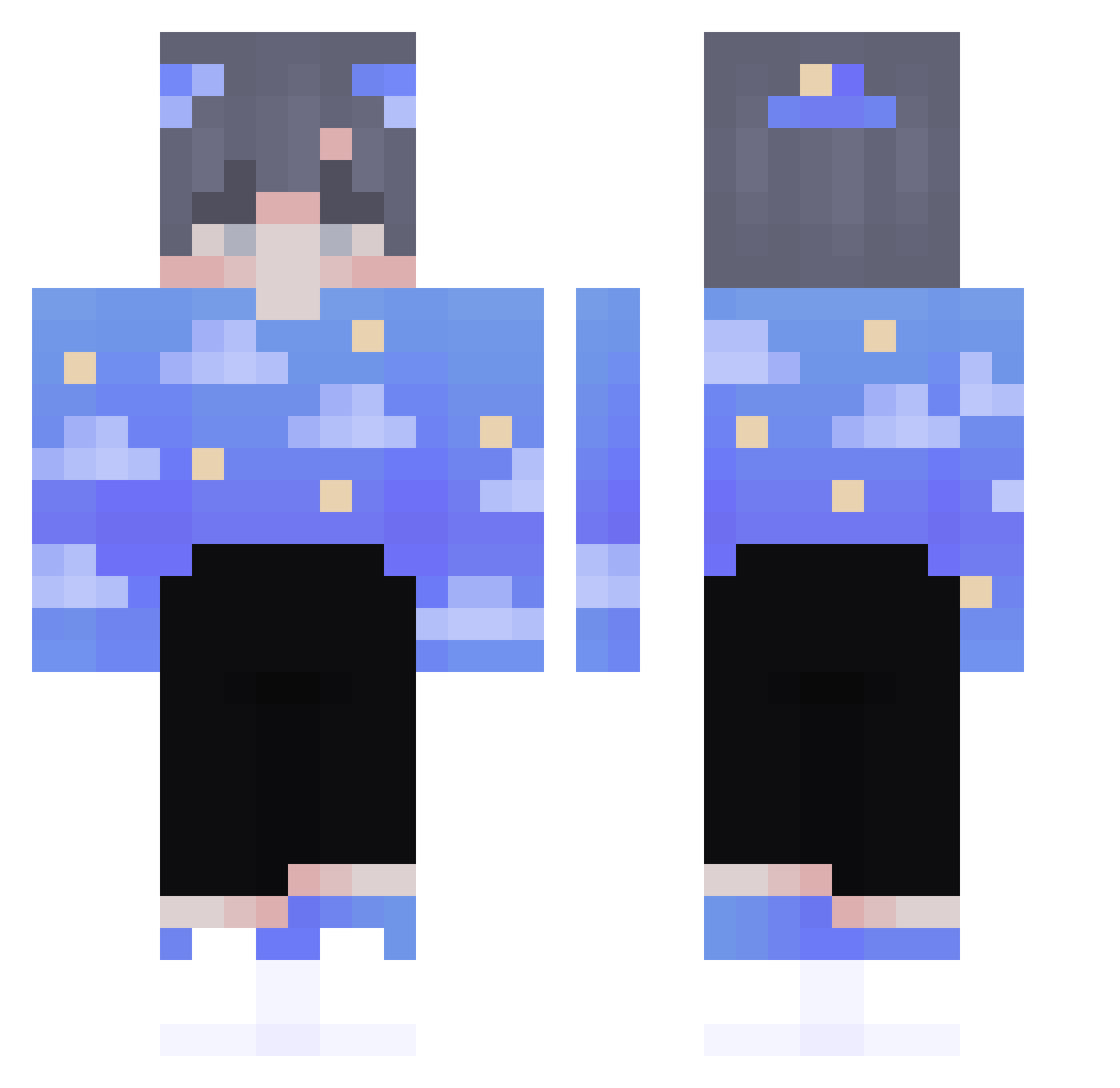
Current Minecraft skin of the player MadOverUwU, loaded from the official Mojang API. Rotate the 3D model with your mouse or finger, then download the skin as a PNG file and use it in Minecraft: Bedrock Edition or Java Edition for free. When MadOverUwU changes their skin, this page updates automatically and the old skin stays in the history below.
Other players with this skin (105)
MadOverUwU was the 86th player we have seen with this skin, first spotted on 22.10.2026. The same skin was seen on these players. Open a nickname to see their current skin and skin history.
 Maekier CozmoWasHere BoomJoon BadHaku Shinerabbit ByPusatTR Shuaum saratejamais Jooonass xhubem1k FreeSkill43 _NGC1277_ Hinata33 Mellulu MrTetros KeeganHutch BarouM Louie1666 TheSmallSeven Alen212 B4st0u mydumbeledoom7 odaoda404 _hawajska_ YungWillis Amoost hwiryeong_ polkunus SSaik Marcelocraftdar Simplycrafted615 agedango VitaminCD hehateme321 Toxic_Dorijan SavingGrace1231 ZheJin2333 So113n GonCGzapp buttercse Slimjim21 sh1n1_ Dayipnida LaoWangZi Murooxx okaymax Jerumeuh yLunik_ Sanhang OatsForMeal Niqthcall Amorado1005 Potter_baka FrewFFS Gomochka osuwo YowieYahoo FilipDOA XIAOBOO ilysvetlana
More Night Sky Minecraft skins
How to install the MadOverUwU skin
- Press the Download button above to save the skin as a PNG file.
- Minecraft: Bedrock Edition (PE): open the Dressing Room from the main menu (or tap your character → Edit Character), go to Classic Skins → Owned, press the + (new skin) button, choose the downloaded PNG and pick the Classic (Steve) model. Works on PC and mobile; consoles cannot import custom skins.
- Minecraft: Java Edition: open the Minecraft Launcher, go to the Skins tab, click New Skin, load the PNG, pick the Classic (Steve) model and press Save & Use. You can also upload it at minecraft.net → Profile → Change Skin.
The skin does not show up after import - what should I do?
Restart Minecraft and open the Dressing Room again - imported skins sometimes appear only after a restart. Also make sure you selected the imported skin and picked the Classic (Steve) model.
Which model should I choose, Classic or Slim?
This skin is designed for the Classic (Steve) model. If you pick the wrong model, the arms of the skin will look stretched or squeezed.
Is the skin of MadOverUwU free to download?
Yes. Press Download, save the PNG file and use it in Minecraft: Bedrock Edition or Java Edition - no payment or registration needed. The skin also works on multiplayer servers and Realms.
More skins
Looking for more? Go back to all Minecraft skins and check the top skins of the week, month and all time, or find any player's skin by nickname.