
Maartennp - Minecraft Skins & Skin History
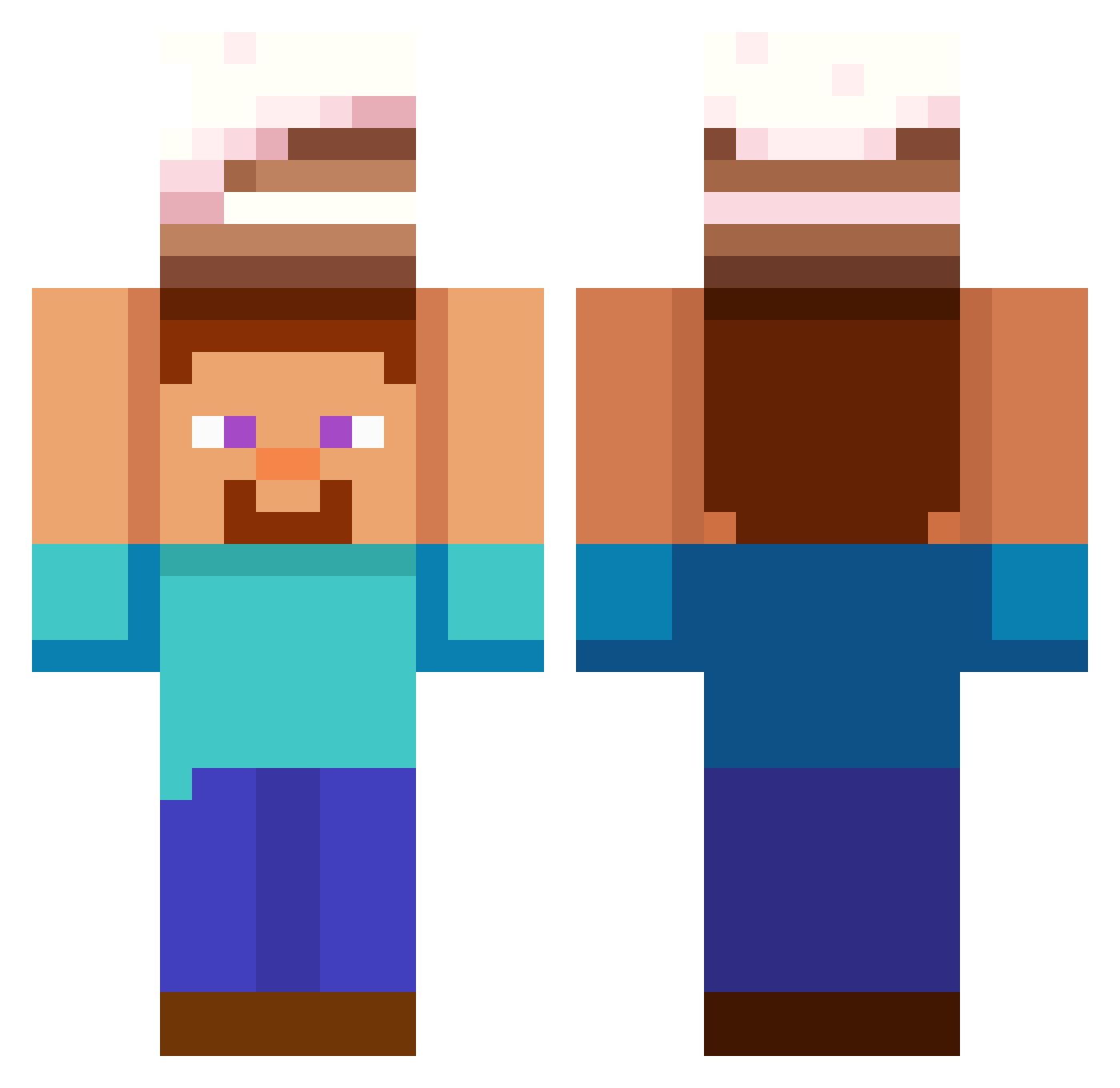
Current Minecraft skin of the player Maartennp, loaded from the official Mojang API. Rotate the 3D model with your mouse or finger, then download the skin as a PNG file and use it in Minecraft: Bedrock Edition or Java Edition for free. When Maartennp changes their skin, this page updates automatically and the old skin stays in the history below.
Other players with this skin (565)
Maartennp was the 487th player we have seen with this skin, first spotted on 22.10.2026. The same skin was seen on these players. Open a nickname to see their current skin and skin history.
 nitzan4 player4521 Tyrony65 sonicexe3 Zach54848 Laz1k2 PrS3v050 MakXS1 Shack_rack AcanNub Cianillo sergio213 Omniversal_Star sdwgslwtt88 womba1 TacTies3 Maffew17 insano32 ExDOOD oepelkatje Benexderswaggy vocho0781 Bedwars15 CrystalEnjoyer_ ILOVEYOUDENJI Manuelzin FreeMCAlts_H1FHT terryvrse Flyingfrog2224 Nayder31 Duke_Oak KimHamin456 Deaddy96 sagafronta_ sarpfr imthegoat12345 muck122 qhflek lukinhaoi pedrooook NoobTyler32 cheun1 Melonsoda3251 TheLastBrain3ell edusouza MrMooMooMan4028 bossquinho Luico indian_lad Limesoda123 WETMEN2005 OHSUUUU Sottotoka babyGib Minichez1132 thamir_1 EzTheManDuis Timuraplay adddddam CesarMamh0n
More Cake Minecraft skins
How to install the Maartennp skin
- Press the Download button above to save the skin as a PNG file.
- Minecraft: Bedrock Edition (PE): open the Dressing Room from the main menu (or tap your character → Edit Character), go to Classic Skins → Owned, press the + (new skin) button, choose the downloaded PNG and pick the Classic (Steve) model. Works on PC and mobile; consoles cannot import custom skins.
- Minecraft: Java Edition: open the Minecraft Launcher, go to the Skins tab, click New Skin, load the PNG, pick the Classic (Steve) model and press Save & Use. You can also upload it at minecraft.net → Profile → Change Skin.
The skin does not show up after import - what should I do?
Restart Minecraft and open the Dressing Room again - imported skins sometimes appear only after a restart. Also make sure you selected the imported skin and picked the Classic (Steve) model.
Which model should I choose, Classic or Slim?
This skin is designed for the Classic (Steve) model. If you pick the wrong model, the arms of the skin will look stretched or squeezed.
Is the skin of Maartennp free to download?
Yes. Press Download, save the PNG file and use it in Minecraft: Bedrock Edition or Java Edition - no payment or registration needed. The skin also works on multiplayer servers and Realms.
More skins
Looking for more? Go back to all Minecraft skins and check the top skins of the week, month and all time, or find any player's skin by nickname.