
MAOJIANGJUN - Minecraft Skins & Skin History
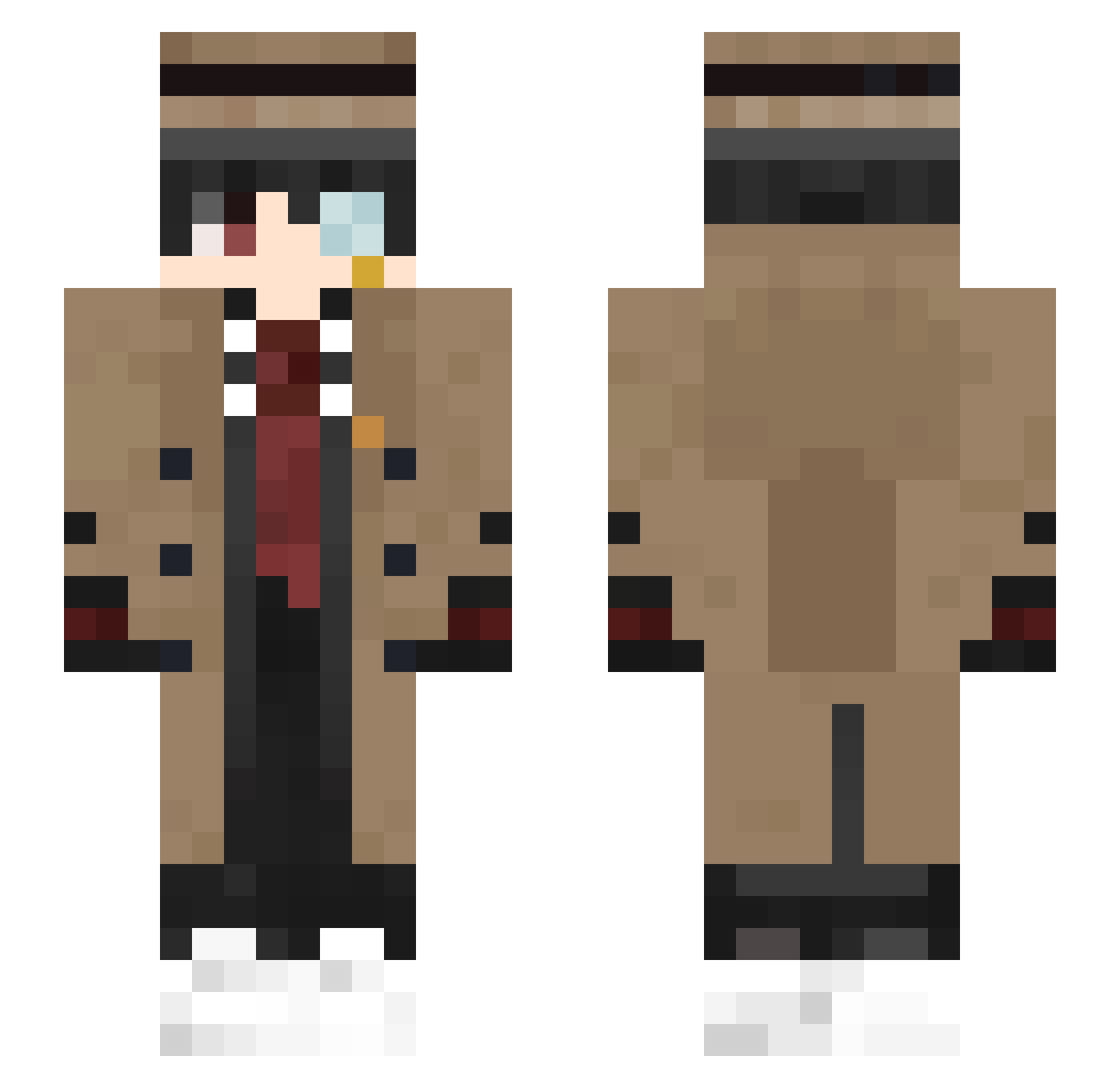
Current Minecraft skin of the player MAOJIANGJUN, loaded from the official Mojang API. Rotate the 3D model with your mouse or finger, then download the skin as a PNG file and use it in Minecraft: Bedrock Edition or Java Edition for free. When MAOJIANGJUN changes their skin, this page updates automatically and the old skin stays in the history below.
Other players with this skin (472)
MAOJIANGJUN was the 371st player we have seen with this skin, first spotted on 22.10.2026. The same skin was seen on these players. Open a nickname to see their current skin and skin history.
 zio_Pepp sono_semo jorgefuradeiras zzHaydayday DiegoAmbro03 MengKiri MiaoWaOVO FusionxL_ KAELOOOO Douglas_Chang jiuyoujiu Hoypu Rock_N_Roll_Noah Patricklenketeur Dad_hub iiTzKevin Arthur747 SpringNaughty Mahito_New LHG127 greenjerry02 FasTreno ssteva 7MraF rxchxrq Huston270 Nhathoa2605 albert103145 kaiga12 whexat cangshu10086 EGBS_ MaleKeqs zakialzoubi Voluspaa Kronos_EP baimengshi etoZheLight HEDERI07 Lisen_1234 SeyaroQ Sephtis23 wen_jun0416 PineappI3 luquita_uwu Tuangok ItsMrCube_ Dango05 zzzoo7 Gandalf_QM Yukinosee Michael_Barlev Yogalo Flexable1 dong235711 FanJin_ Sherlock_OvO BagdadCola CR1STOFFER axel1605_
More Yugi Amane Minecraft skins
How to install the MAOJIANGJUN skin
- Press the Download button above to save the skin as a PNG file.
- Minecraft: Bedrock Edition (PE): open the Dressing Room from the main menu (or tap your character → Edit Character), go to Classic Skins → Owned, press the + (new skin) button, choose the downloaded PNG and pick the Slim (Alex) model. Works on PC and mobile; consoles cannot import custom skins.
- Minecraft: Java Edition: open the Minecraft Launcher, go to the Skins tab, click New Skin, load the PNG, pick the Slim (Alex) model and press Save & Use. You can also upload it at minecraft.net → Profile → Change Skin.
The skin does not show up after import - what should I do?
Restart Minecraft and open the Dressing Room again - imported skins sometimes appear only after a restart. Also make sure you selected the imported skin and picked the Slim (Alex) model.
Which model should I choose, Classic or Slim?
This skin is designed for the Slim (Alex) model. If you pick the wrong model, the arms of the skin will look stretched or squeezed.
Is the skin of MAOJIANGJUN free to download?
Yes. Press Download, save the PNG file and use it in Minecraft: Bedrock Edition or Java Edition - no payment or registration needed. The skin also works on multiplayer servers and Realms.
More skins
Looking for more? Go back to all Minecraft skins and check the top skins of the week, month and all time, or find any player's skin by nickname.