
M4DOCK - Minecraft Skins & Skin History
Current Minecraft skin of the player M4DOCK, loaded from the official Mojang API. Rotate the 3D model with your mouse or finger, then download the skin as a PNG file and use it in Minecraft: Bedrock Edition or Java Edition for free. When M4DOCK changes their skin, this page updates automatically and the old skin stays in the history below.
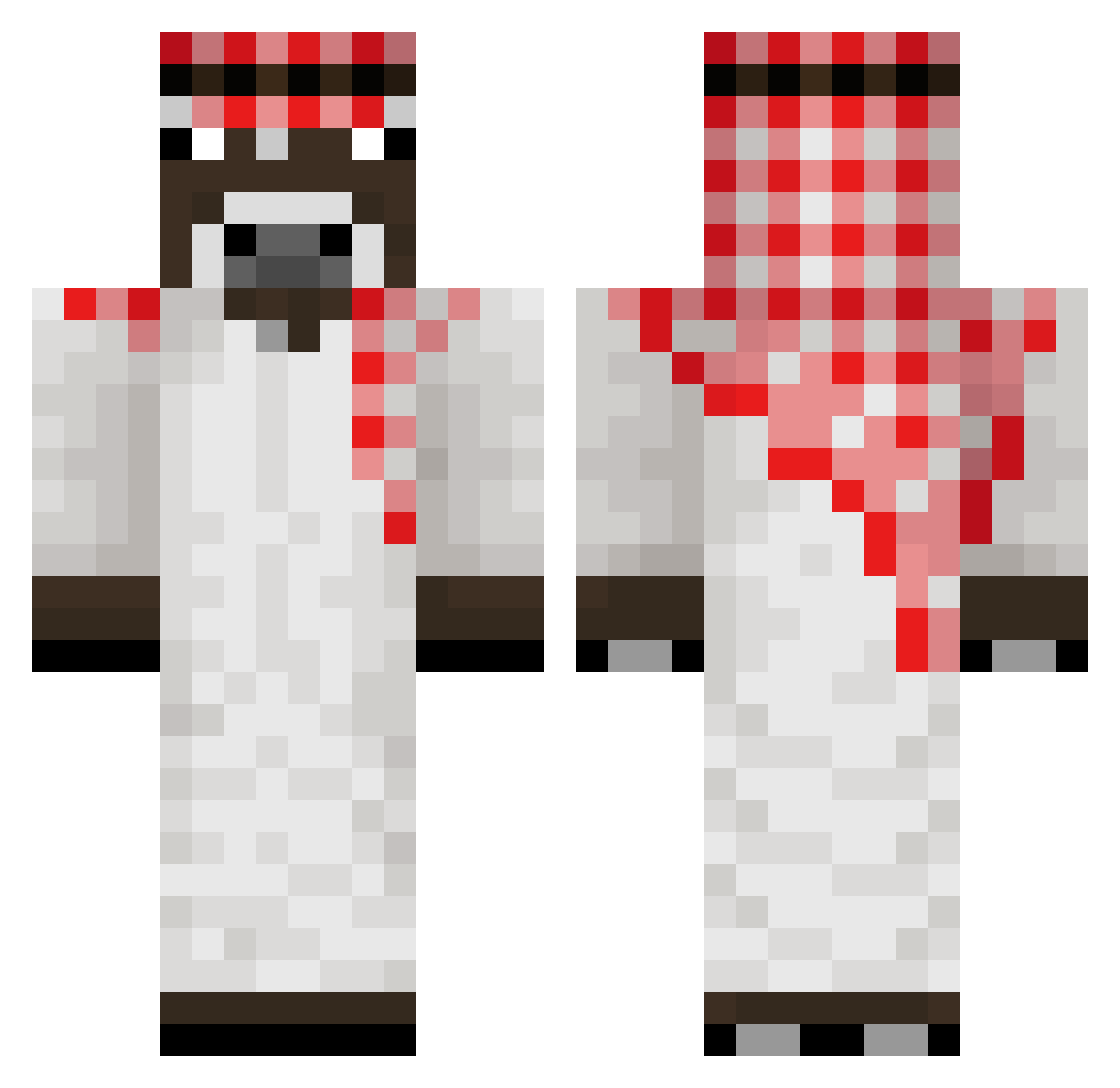
Other players with this skin (225)
M4DOCK was the 179th player we have seen with this skin, first spotted on 21.10.2026. The same skin was seen on these players. Open a nickname to see their current skin and skin history.
 Nick2100 Zaylev78 davilucas2013 Krazling Amonguslegends terridaac Papafrita321 um_ye carrotatak floodmyserver Myouiee Saile905 ozone2557 p_2jt SIMVOLER Dako_fr Wojtekpio 00Triver iKosta Doom_Slayer1221 CecHoiBu1 TheRaykan Duckhhy Longvy_Akarai summer_night1 n0nkxlyychs jakeeeeeeeeeee5 sesdwa iloveanel Cribzzy Chocolatadasida Mohamed_MUU fefezzoo Fuze1_23 Obsranejaja6767 me1inn09 Timot332412 connection_l0st daphai StarKev78 TRAUMATAB Sk4doosh jullessboxytb666 JOTAseven izizim Slodkimlecuszek I_L_S30K SimaK matheo77x Silverbuzz95 M7MD446 fatality_wasabi OmerRyan Xandyyyyyyyyyyy Pindoleczek sz1lko Labertante123 Atan0 iwasneverthere_ snipiii
More Donkey Minecraft skins
How to install the M4DOCK skin
- Press the Download button above to save the skin as a PNG file.
- Minecraft: Bedrock Edition (PE): open the Dressing Room from the main menu (or tap your character → Edit Character), go to Classic Skins → Owned, press the + (new skin) button, choose the downloaded PNG and pick the Classic (Steve) model. Works on PC and mobile; consoles cannot import custom skins.
- Minecraft: Java Edition: open the Minecraft Launcher, go to the Skins tab, click New Skin, load the PNG, pick the Classic (Steve) model and press Save & Use. You can also upload it at minecraft.net → Profile → Change Skin.
The skin does not show up after import - what should I do?
Restart Minecraft and open the Dressing Room again - imported skins sometimes appear only after a restart. Also make sure you selected the imported skin and picked the Classic (Steve) model.
Which model should I choose, Classic or Slim?
This skin is designed for the Classic (Steve) model. If you pick the wrong model, the arms of the skin will look stretched or squeezed.
Is the skin of M4DOCK free to download?
Yes. Press Download, save the PNG file and use it in Minecraft: Bedrock Edition or Java Edition - no payment or registration needed. The skin also works on multiplayer servers and Realms.
More skins
Looking for more? Go back to all Minecraft skins and check the top skins of the week, month and all time, or find any player's skin by nickname.