
Lyxik - Minecraft Skins & Skin History
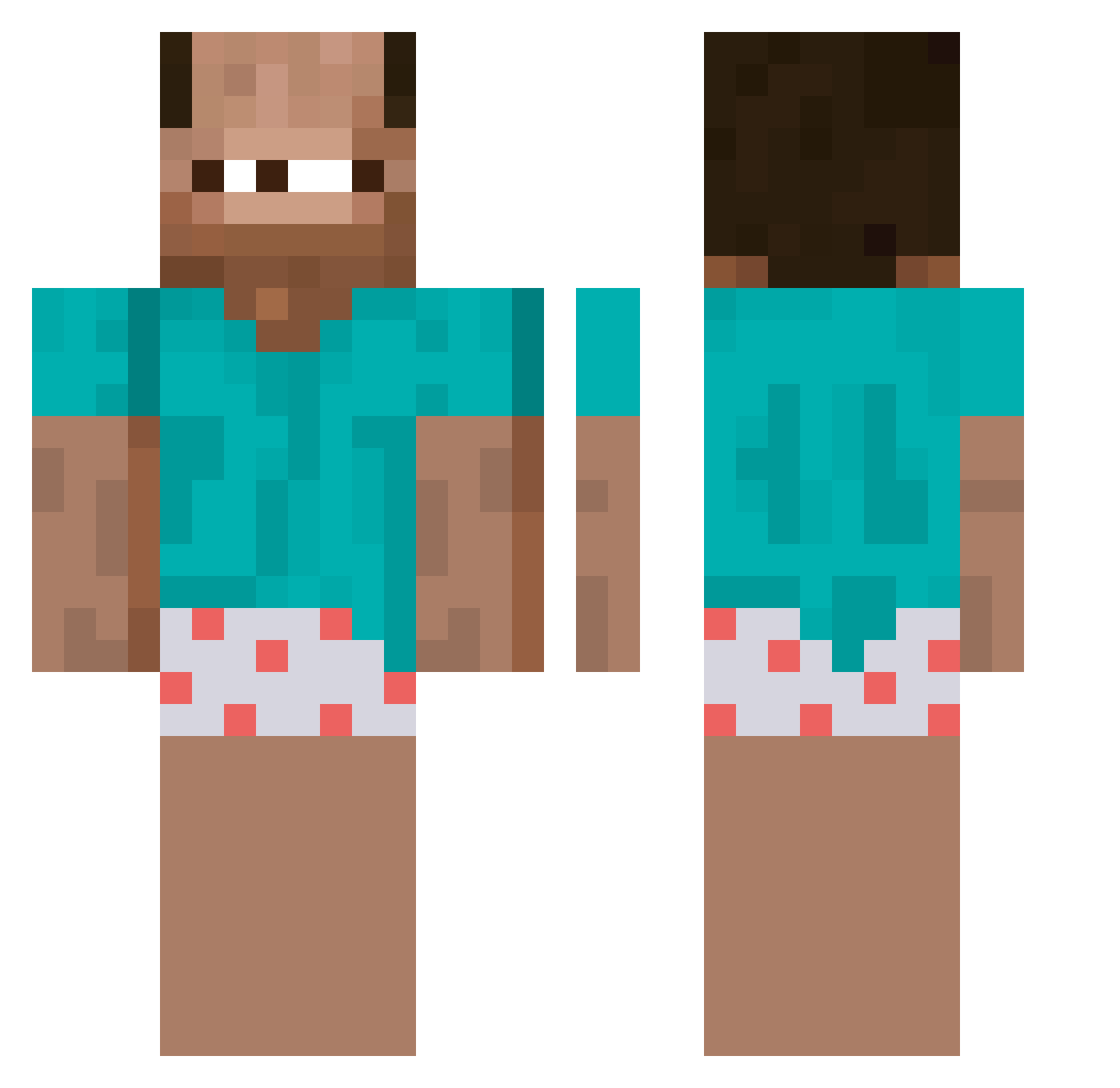
Current Minecraft skin of the player Lyxik, loaded from the official Mojang API. Rotate the 3D model with your mouse or finger, then download the skin as a PNG file and use it in Minecraft: Bedrock Edition or Java Edition for free. When Lyxik changes their skin, this page updates automatically and the old skin stays in the history below.
Other players with this skin (313)
Lyxik was the 276th player we have seen with this skin, first spotted on 27.10.2026. The same skin was seen on these players. Open a nickname to see their current skin and skin history.
 Lima_beans_nutel Reyz_xc teteubigo CupiddLuvv GoBluesLiam618 CAIOZIN12 Mykayl_66 pewxy_ RockstarMiral Vazzelt Cheesetonguess AlphaChamp37 henryhogan12 lefortovnapasov yardenberger MiniPurse Aqxxa thiagoadbr jorgerei dermakka derpole076 brunohvs Pepperpains KingDelux99 buttercreeper18 LordFungass 17kronej Sacred8717 MayitoX69 GanAjong_TW Crazyboom437 syausaubi Y4ZH1 ComplexBasket86 Tuish28 Stormy9234 Snugo2K UnkownArts DreamzSpace LowkeyFat TekoFree Nenese Mafiu_0 Estaaaa janohrasko Bartozin12 Callmefishken _Darkghost_ ratt87 Off6775 Joja_34 Jonas07112010 ekdnjs_ Jamieabi NiChouSha_SB lazardGVGF GreenToadfish Gabi_1608_ s3bbee Teo0410
More Baba Minecraft skins
How to install the Lyxik skin
- Press the Download button above to save the skin as a PNG file.
- Minecraft: Bedrock Edition (PE): open the Dressing Room from the main menu (or tap your character → Edit Character), go to Classic Skins → Owned, press the + (new skin) button, choose the downloaded PNG and pick the Classic (Steve) model. Works on PC and mobile; consoles cannot import custom skins.
- Minecraft: Java Edition: open the Minecraft Launcher, go to the Skins tab, click New Skin, load the PNG, pick the Classic (Steve) model and press Save & Use. You can also upload it at minecraft.net → Profile → Change Skin.
The skin does not show up after import - what should I do?
Restart Minecraft and open the Dressing Room again - imported skins sometimes appear only after a restart. Also make sure you selected the imported skin and picked the Classic (Steve) model.
Which model should I choose, Classic or Slim?
This skin is designed for the Classic (Steve) model. If you pick the wrong model, the arms of the skin will look stretched or squeezed.
Is the skin of Lyxik free to download?
Yes. Press Download, save the PNG file and use it in Minecraft: Bedrock Edition or Java Edition - no payment or registration needed. The skin also works on multiplayer servers and Realms.
More skins
Looking for more? Go back to all Minecraft skins and check the top skins of the week, month and all time, or find any player's skin by nickname.