
LongJiuJiu - Minecraft Skins & Skin History
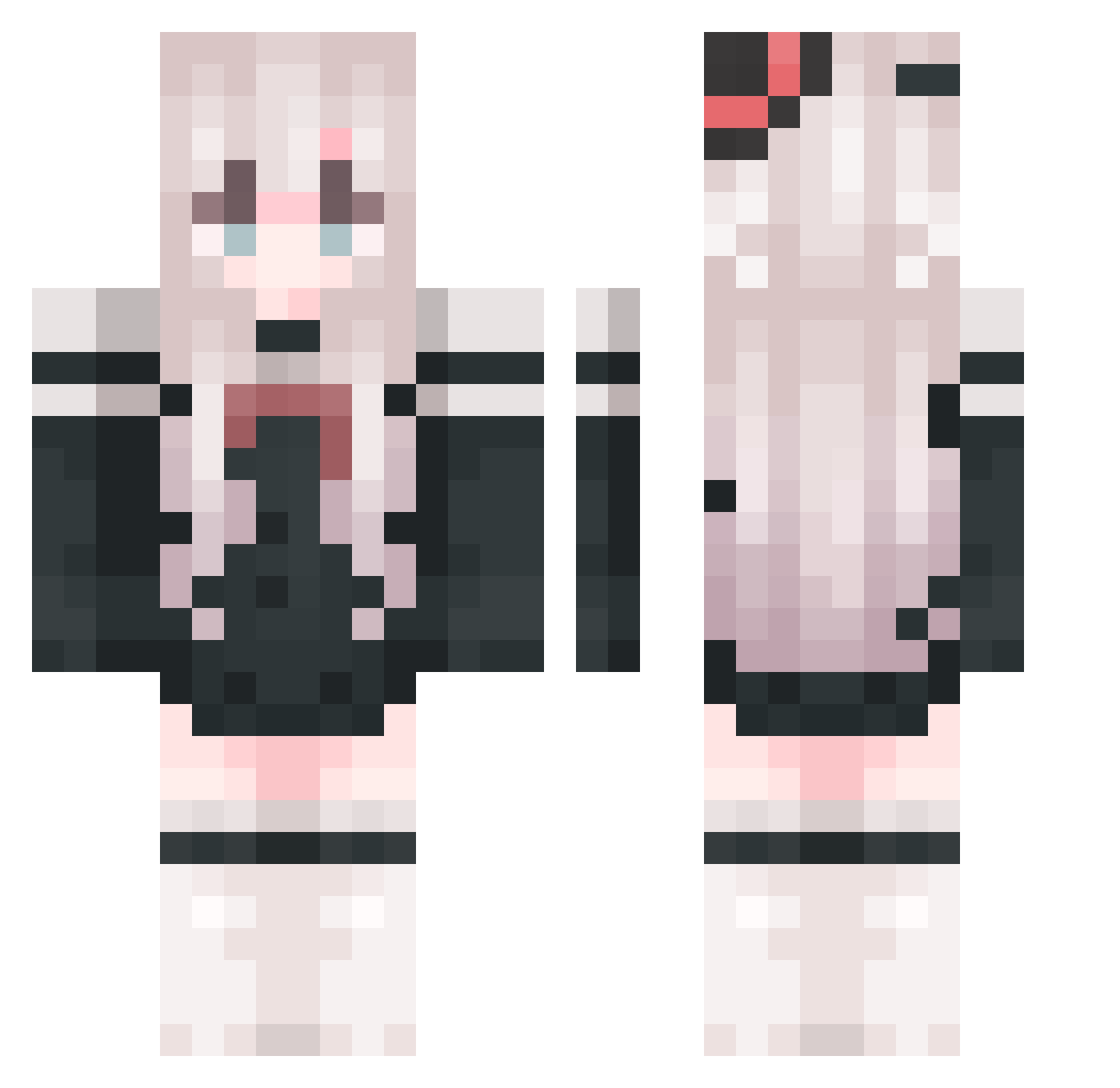
Current Minecraft skin of the player LongJiuJiu, loaded from the official Mojang API. Rotate the 3D model with your mouse or finger, then download the skin as a PNG file and use it in Minecraft: Bedrock Edition or Java Edition for free. When LongJiuJiu changes their skin, this page updates automatically and the old skin stays in the history below.
Other players with this skin (1054)
LongJiuJiu was the 1053rd player we have seen with this skin, first spotted on 12.11.2026. The same skin was seen on these players. Open a nickname to see their current skin and skin history.
 Funny_lmz Xiao_pan77 RhCl4 Xuan227 ParadiseYYYY biaobiao6 aijlu07 SweeneyWest chuliuboyi Baka327 Lqncia asdsadsda StarfallWeaver Ljiale Fallenil Lelegla aaaoccc cfb666 6k4823 MC_QJ XiaoYu0623 FSRMCJ skullchan123 kml900 mjxs123 YKLSS Redamancy_Shmily Shiyang125 Iskanderaya caimingxuan 1i58 TAI777666 xuehuahua cjj5916 Nopzy_02 GO_BEYOND_DEATH ChouBaiChi Lrcoo PlanckLenght elEctroNeko GreatEOE CSQN_ Novrae saldkw whxkxn QAQcong 244064521 MISSZZY emt1107 _XiaoBao_ wuwu001 qinyuhang1 C_Angela biusome Chirlo cacacaca123 SharLinH X_Kim m_sw2 Sukxiao
More Top Hat Minecraft skins
How to install the LongJiuJiu skin
- Press the Download button above to save the skin as a PNG file.
- Minecraft: Bedrock Edition (PE): open the Dressing Room from the main menu (or tap your character → Edit Character), go to Classic Skins → Owned, press the + (new skin) button, choose the downloaded PNG and pick the Classic (Steve) model. Works on PC and mobile; consoles cannot import custom skins.
- Minecraft: Java Edition: open the Minecraft Launcher, go to the Skins tab, click New Skin, load the PNG, pick the Classic (Steve) model and press Save & Use. You can also upload it at minecraft.net → Profile → Change Skin.
The skin does not show up after import - what should I do?
Restart Minecraft and open the Dressing Room again - imported skins sometimes appear only after a restart. Also make sure you selected the imported skin and picked the Classic (Steve) model.
Which model should I choose, Classic or Slim?
This skin is designed for the Classic (Steve) model. If you pick the wrong model, the arms of the skin will look stretched or squeezed.
Is the skin of LongJiuJiu free to download?
Yes. Press Download, save the PNG file and use it in Minecraft: Bedrock Edition or Java Edition - no payment or registration needed. The skin also works on multiplayer servers and Realms.
More skins
Looking for more? Go back to all Minecraft skins and check the top skins of the week, month and all time, or find any player's skin by nickname.