
LonelyAt3am - Minecraft Skins & Skin History
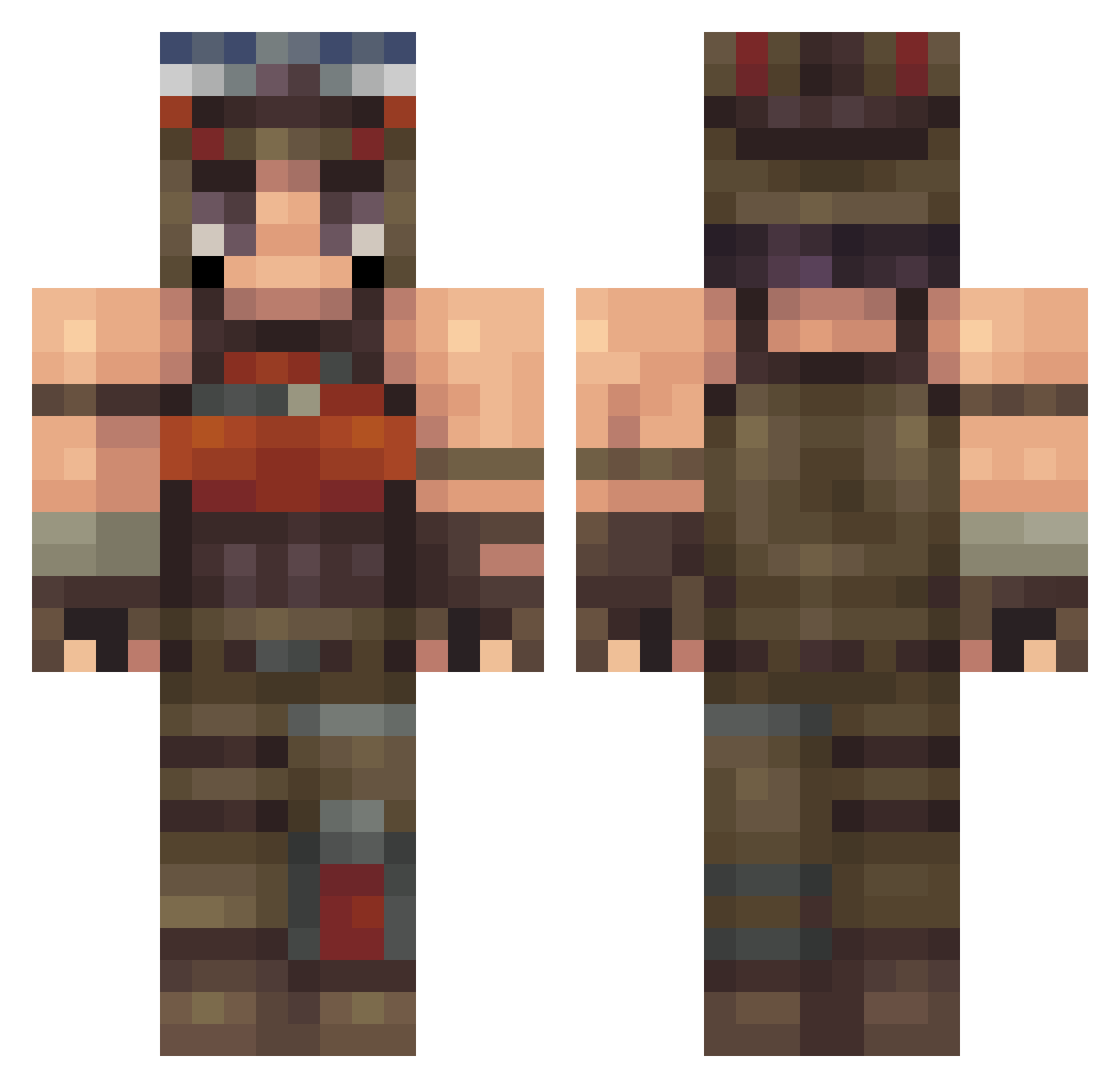
Current Minecraft skin of the player LonelyAt3am, loaded from the official Mojang API. Rotate the 3D model with your mouse or finger, then download the skin as a PNG file and use it in Minecraft: Bedrock Edition or Java Edition for free. When LonelyAt3am changes their skin, this page updates automatically and the old skin stays in the history below.
Other players with this skin (233)
LonelyAt3am was the 226th player we have seen with this skin, first spotted on 08.11.2026. The same skin was seen on these players. Open a nickname to see their current skin and skin history.
 Aanzer TOMMY123567 Tethrinaa Yung_Juch TheLastElite Xaol Locol72 baked_sushi M4S0N1221 egirl_kane bmfxlol P0CION tjanlol3 zaifr T3ddyBear911 pelotinha NRG_DXN PS4IsSuperior SakuraMahina Prinz_Markus zwxlmmaa Khalilx41 JanLikesFish kohtys todi25 OVA_Noahrreylie kouchan_ aimwherenet gouda_9 N7ll_ ZaneSG StickyRazor Saturce CuteCat2008 aaronmai Lexzus_ artyomz Wsted11 RenegadeRanster Krabban1234 wzvtr TWITCH_winter BubbaSheik yLogn LennardTDT PalssonM CyberLord8080 ziadgmp_UM danielhede05 Unknulz ONE9TNT Gillebil Wooster0 hexa37 zizw bl4st neko10ra iHxtman jacklehto06 _Reb1rth_
More Apocalyptic Survivor Minecraft skins
See all 315 Apocalyptic Survivor skins
How to install the LonelyAt3am skin
- Press the Download button above to save the skin as a PNG file.
- Minecraft: Bedrock Edition (PE): open the Dressing Room from the main menu (or tap your character → Edit Character), go to Classic Skins → Owned, press the + (new skin) button, choose the downloaded PNG and pick the Classic (Steve) model. Works on PC and mobile; consoles cannot import custom skins.
- Minecraft: Java Edition: open the Minecraft Launcher, go to the Skins tab, click New Skin, load the PNG, pick the Classic (Steve) model and press Save & Use. You can also upload it at minecraft.net → Profile → Change Skin.
The skin does not show up after import - what should I do?
Restart Minecraft and open the Dressing Room again - imported skins sometimes appear only after a restart. Also make sure you selected the imported skin and picked the Classic (Steve) model.
Which model should I choose, Classic or Slim?
This skin is designed for the Classic (Steve) model. If you pick the wrong model, the arms of the skin will look stretched or squeezed.
Is the skin of LonelyAt3am free to download?
Yes. Press Download, save the PNG file and use it in Minecraft: Bedrock Edition or Java Edition - no payment or registration needed. The skin also works on multiplayer servers and Realms.
More skins
Looking for more? Go back to all Minecraft skins and check the top skins of the week, month and all time, or find any player's skin by nickname.