
Little_Sythe - Minecraft Skins & Skin History
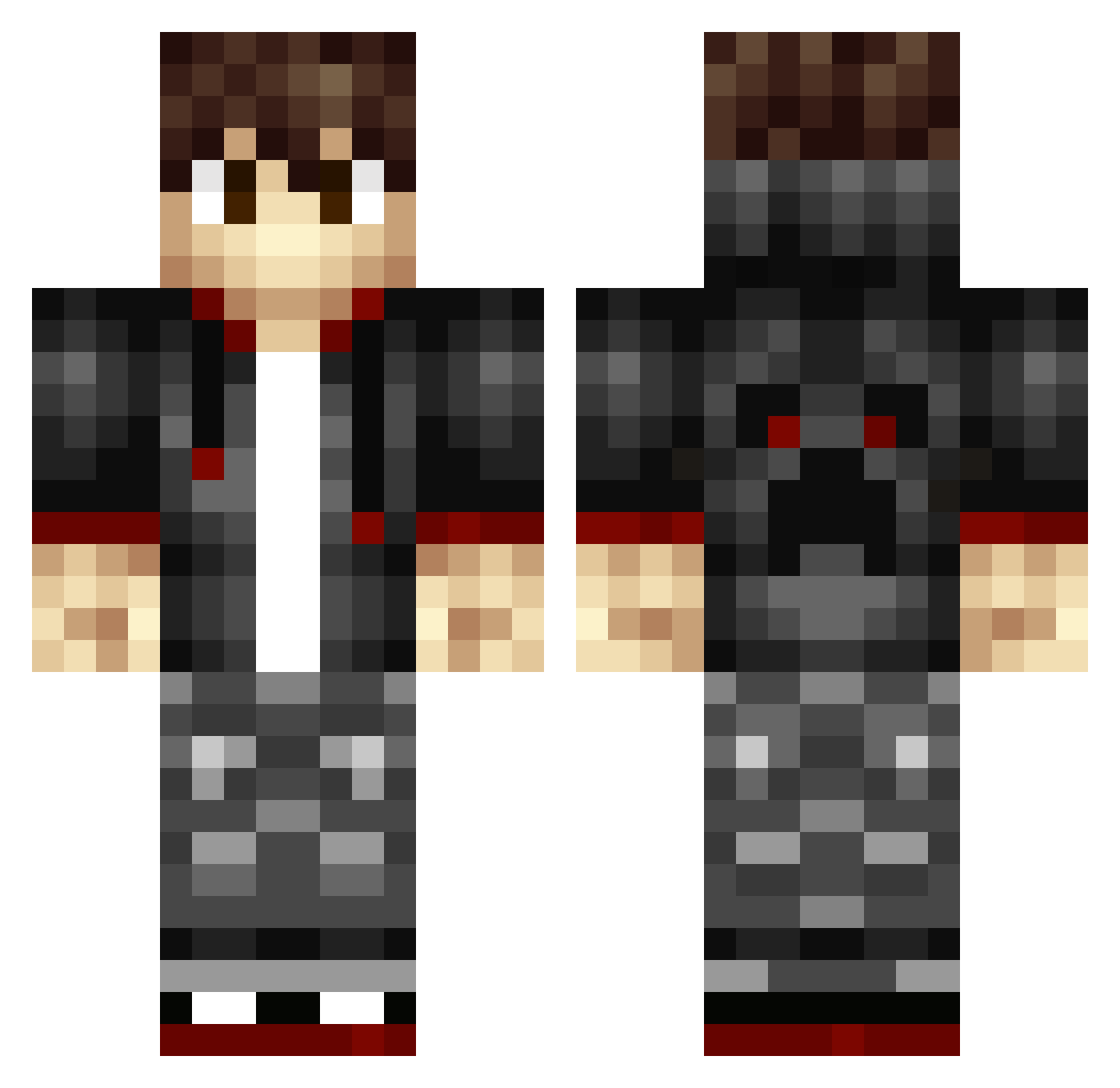
Current Minecraft skin of the player Little_Sythe, loaded from the official Mojang API. Rotate the 3D model with your mouse or finger, then download the skin as a PNG file and use it in Minecraft: Bedrock Edition or Java Edition for free. When Little_Sythe changes their skin, this page updates automatically and the old skin stays in the history below.
Other players with this skin (341)
Little_Sythe was the 297th player we have seen with this skin, first spotted on 26.10.2026. The same skin was seen on these players. Open a nickname to see their current skin and skin history.
 Lukaslund EricLe202 robinko Itz_B3nji BWithey Camoy_MK SpencerC007 Bamino pixel8r89 Severus_Aurelius StrudelKing cassam357 TheLegend7777 stormdag Avve1000 Anthony4194 BrandonMooney jjheupel Buggy_J xamalvaro moonvox12 skinner2k Malcator mnance777 Death28320 idarkgamer382 SuperDaniel2009 F_Tier mobster2005 jpettic PurpleWalrus26 DarthSpidey Driego R4GE_PvP BoundingSlinky kasper1263 JuiceBox747 skier88 Red35 RasmusRavn15 bonjorno Mc4Lif3 dopePVP123 1212Yuyu LabClan fragstealern the_COCONUT_KING StarboardCrabb29 JediJoeUK Farmer_Andreas keien83 CreeperCraft_HD_ zouteharing scrimbros MrDempsey95 PuppetGames colindw Ferryblom2000 GoldenerBiber Mazanti
How to install the Little_Sythe skin
- Press the Download button above to save the skin as a PNG file.
- Minecraft: Bedrock Edition (PE): open the Dressing Room from the main menu (or tap your character → Edit Character), go to Classic Skins → Owned, press the + (new skin) button, choose the downloaded PNG and pick the Classic (Steve) model. Works on PC and mobile; consoles cannot import custom skins.
- Minecraft: Java Edition: open the Minecraft Launcher, go to the Skins tab, click New Skin, load the PNG, pick the Classic (Steve) model and press Save & Use. You can also upload it at minecraft.net → Profile → Change Skin.
The skin does not show up after import - what should I do?
Restart Minecraft and open the Dressing Room again - imported skins sometimes appear only after a restart. Also make sure you selected the imported skin and picked the Classic (Steve) model.
Which model should I choose, Classic or Slim?
This skin is designed for the Classic (Steve) model. If you pick the wrong model, the arms of the skin will look stretched or squeezed.
Is the skin of Little_Sythe free to download?
Yes. Press Download, save the PNG file and use it in Minecraft: Bedrock Edition or Java Edition - no payment or registration needed. The skin also works on multiplayer servers and Realms.
More skins
Looking for more? Go back to all Minecraft skins and check the top skins of the week, month and all time, or find any player's skin by nickname.