
Lilith_MC - Minecraft Skins & Skin History
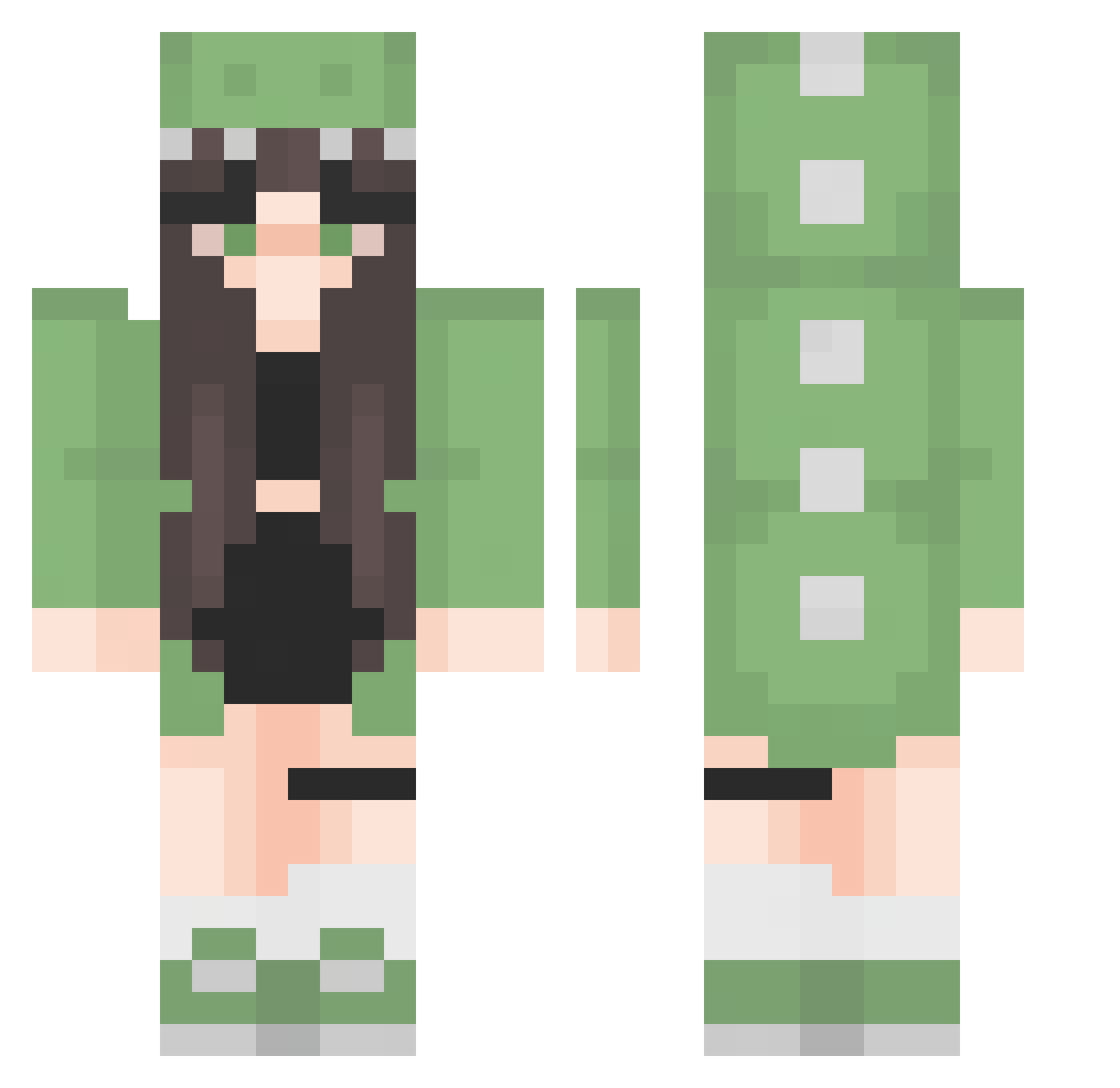
Current Minecraft skin of the player Lilith_MC, loaded from the official Mojang API. Rotate the 3D model with your mouse or finger, then download the skin as a PNG file and use it in Minecraft: Bedrock Edition or Java Edition for free. When Lilith_MC changes their skin, this page updates automatically and the old skin stays in the history below.
Other players with this skin (360)
Lilith_MC was the 313th player we have seen with this skin, first spotted on 29.10.2026. The same skin was seen on these players. Open a nickname to see their current skin and skin history.
 _KaleLettuce_ grrgrgrgr andrea202 Horsk_2 BFGB hw6_6 DurinaRivageh Powlaire Admired_ aroaonunca dobidowa Aranttxa DragonG_1456 KawaiiOnParade tynus2339 Biscotte_Dorer Chilipepper1414 Andromedaaaaa mariluw HoshizoraSaya Louvingg ant4ik beanssss14 DaDa4990 megane1323 brianlin0107 Tian_Xiu233 PotDrainer Aivy Tuffo Azashaoo Bella_2000 reah15 dojojules Divan_08 Miss25 Neptune276 stephufu soran1009 yumoroll AlwaysSterre Auttecr_Gaure Yoyoyoeri MaiSP kazunoko428k oliwiera_ sweartyy Micalexi Olcis_ XAthenaMoonX JSTTSJ73 Honnie2u 11_steph_11 Maozeboo Taylin2412 Mandarine_8 SecretsOfThePast Cookiiees_ L3tici4 MayaSL12345678
More Dinosaur Onesie Minecraft skins
See all 743 Dinosaur Onesie skins
How to install the Lilith_MC skin
- Press the Download button above to save the skin as a PNG file.
- Minecraft: Bedrock Edition (PE): open the Dressing Room from the main menu (or tap your character → Edit Character), go to Classic Skins → Owned, press the + (new skin) button, choose the downloaded PNG and pick the Classic (Steve) model. Works on PC and mobile; consoles cannot import custom skins.
- Minecraft: Java Edition: open the Minecraft Launcher, go to the Skins tab, click New Skin, load the PNG, pick the Classic (Steve) model and press Save & Use. You can also upload it at minecraft.net → Profile → Change Skin.
The skin does not show up after import - what should I do?
Restart Minecraft and open the Dressing Room again - imported skins sometimes appear only after a restart. Also make sure you selected the imported skin and picked the Classic (Steve) model.
Which model should I choose, Classic or Slim?
This skin is designed for the Classic (Steve) model. If you pick the wrong model, the arms of the skin will look stretched or squeezed.
Is the skin of Lilith_MC free to download?
Yes. Press Download, save the PNG file and use it in Minecraft: Bedrock Edition or Java Edition - no payment or registration needed. The skin also works on multiplayer servers and Realms.
More skins
Looking for more? Go back to all Minecraft skins and check the top skins of the week, month and all time, or find any player's skin by nickname.