
KyleGabriel - Minecraft Skins & Skin History
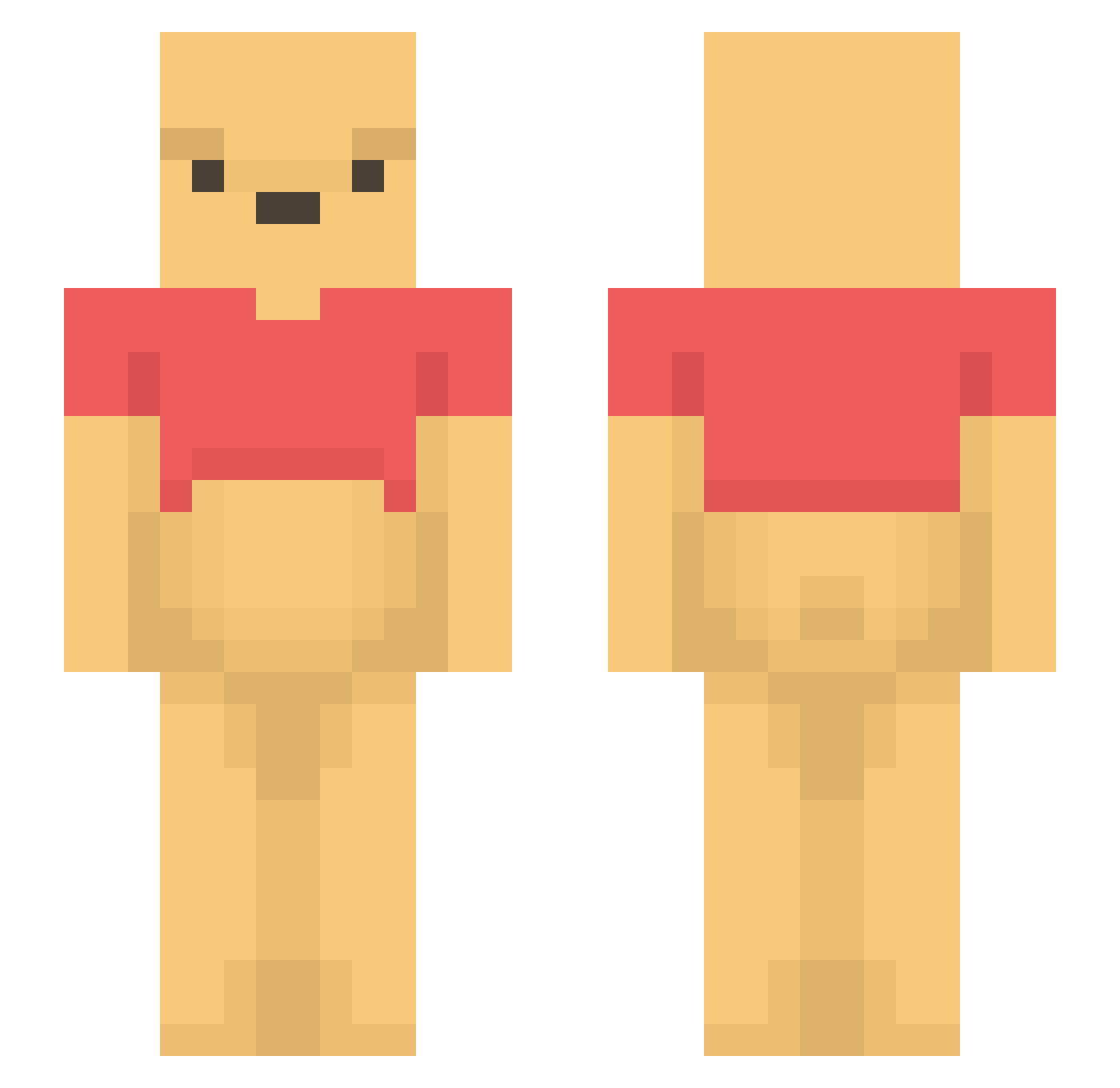
Current Minecraft skin of the player KyleGabriel, loaded from the official Mojang API. Rotate the 3D model with your mouse or finger, then download the skin as a PNG file and use it in Minecraft: Bedrock Edition or Java Edition for free. When KyleGabriel changes their skin, this page updates automatically and the old skin stays in the history below.
Other players with this skin (1523)
KyleGabriel was the 1098th player we have seen with this skin, first spotted on 16.10.2026. The same skin was seen on these players. Open a nickname to see their current skin and skin history.
 GummyQueen123 joc0318 Purplepuma13 K1m_win__yun Smoothie_Mango WinnieChato YzQb secagaderisa DefHan felom7 ScReeNy09 Gelberbonsai WinniePoor Trkkn nichtemma wingni2 Asterion1917 hongminhyeok Evilroue chairhamster woochan1206 W1nn1e1 Choidoby LilMessi12 Jesus_Morbstie Domm09 A1T4R pala112 _N1chtLeon1e_ _mufassa_ Vinny1122 ryeche Benep1 bunny_toes zaziking6969 itzrealjacxy Hanx030609 TyTheMuffinMan sunshine1004 Bijer RigiCloud jjianii Clammynator Oswin0 Miakajik Taejun13 Halebu KASTIWLOCH namong0603 Winter7_oO rvoabs miblr Jhoya miodek2133 justinryan txwiin cami2 tenben10 LxJabba12 Dupdup24
More Winnie The Pooh Minecraft skins
See all 361 Winnie The Pooh skins
How to install the KyleGabriel skin
- Press the Download button above to save the skin as a PNG file.
- Minecraft: Bedrock Edition (PE): open the Dressing Room from the main menu (or tap your character → Edit Character), go to Classic Skins → Owned, press the + (new skin) button, choose the downloaded PNG and pick the Slim (Alex) model. Works on PC and mobile; consoles cannot import custom skins.
- Minecraft: Java Edition: open the Minecraft Launcher, go to the Skins tab, click New Skin, load the PNG, pick the Slim (Alex) model and press Save & Use. You can also upload it at minecraft.net → Profile → Change Skin.
The skin does not show up after import - what should I do?
Restart Minecraft and open the Dressing Room again - imported skins sometimes appear only after a restart. Also make sure you selected the imported skin and picked the Slim (Alex) model.
Which model should I choose, Classic or Slim?
This skin is designed for the Slim (Alex) model. If you pick the wrong model, the arms of the skin will look stretched or squeezed.
Is the skin of KyleGabriel free to download?
Yes. Press Download, save the PNG file and use it in Minecraft: Bedrock Edition or Java Edition - no payment or registration needed. The skin also works on multiplayer servers and Realms.
More skins
Looking for more? Go back to all Minecraft skins and check the top skins of the week, month and all time, or find any player's skin by nickname.