
KurageLvy - Minecraft Skins & Skin History
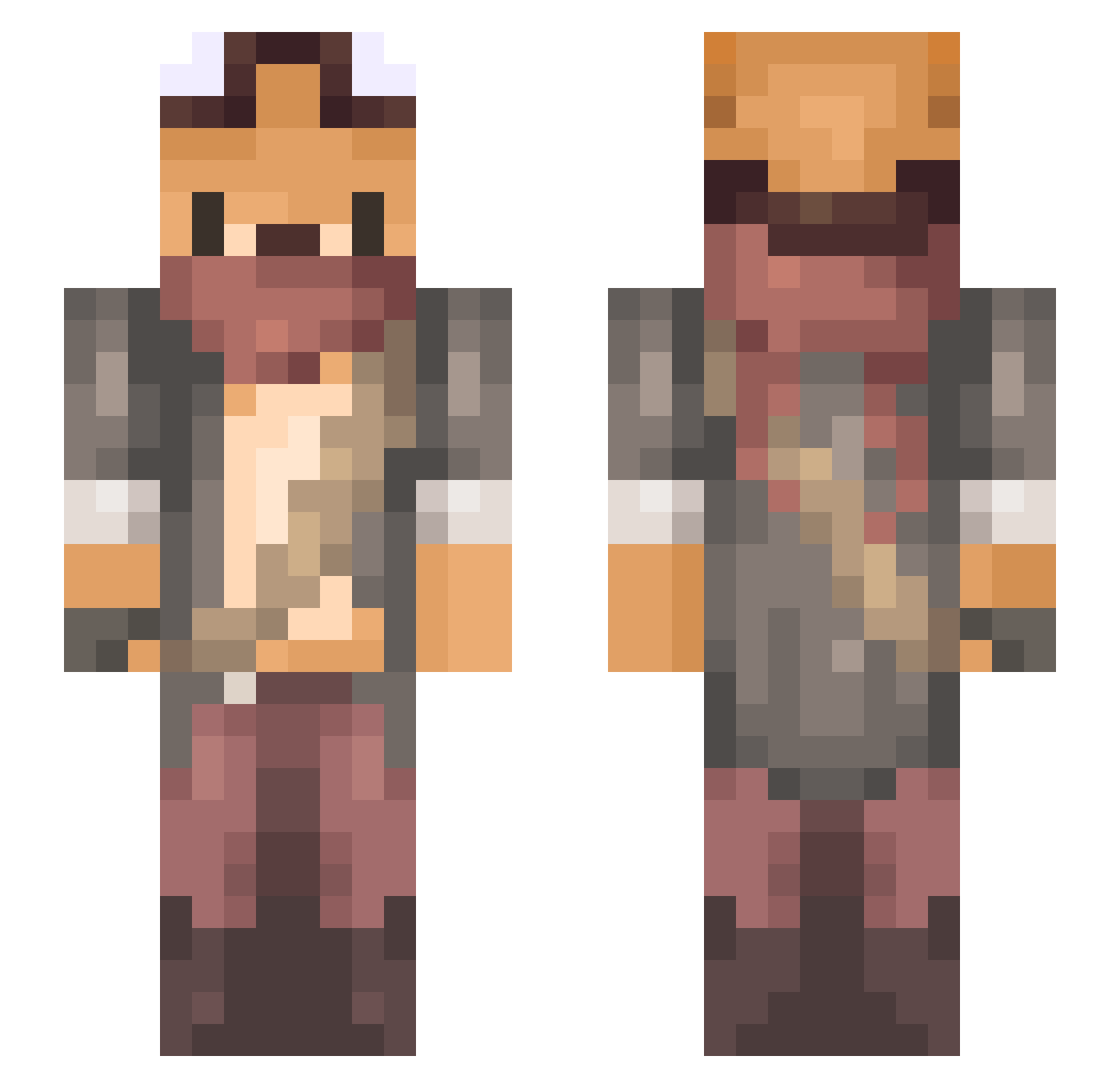
Current Minecraft skin of the player KurageLvy, loaded from the official Mojang API. Rotate the 3D model with your mouse or finger, then download the skin as a PNG file and use it in Minecraft: Bedrock Edition or Java Edition for free. When KurageLvy changes their skin, this page updates automatically and the old skin stays in the history below.
Other players with this skin (734)
KurageLvy was the 702nd player we have seen with this skin, first spotted on 01.11.2026. The same skin was seen on these players. Open a nickname to see their current skin and skin history.
 jeanny9845 mins3o BrightHuman TosanBird PapiJulio Krizalx Snowwyy8640 KompletLepinja ayyjayy3 FoXDeN ALPA_ _Blud7_ IV4N25 SirGipz GodLee2 Tutish GwangChil Kiddo2004 SUN35P svilobid IndigoJellyfish foxy_clone banjiban FKNKing swishpoosh SassyJerry TheNaughtyFox Eggbad szymat tailssss Dinshee L_Neko_ MoonAmon gksruf47 Zero_nos NoA9909 Muzzias LamaVert Addicus DrifHL FOXi1318 Larusia tyooo000 kubex02120 SoumiPerkeli LamFan2233 Nitrogamou dylliedog furikake2010 MellstroyAmAmAm Archangell7 jxllybxlly ArmusBelkeo dear_mxxn eviehyh MisterStalingrad DonMrle avacado_icecream koala581 JadedNevada18
More Scavenger Minecraft skins
How to install the KurageLvy skin
- Press the Download button above to save the skin as a PNG file.
- Minecraft: Bedrock Edition (PE): open the Dressing Room from the main menu (or tap your character → Edit Character), go to Classic Skins → Owned, press the + (new skin) button, choose the downloaded PNG and pick the Slim (Alex) model. Works on PC and mobile; consoles cannot import custom skins.
- Minecraft: Java Edition: open the Minecraft Launcher, go to the Skins tab, click New Skin, load the PNG, pick the Slim (Alex) model and press Save & Use. You can also upload it at minecraft.net → Profile → Change Skin.
The skin does not show up after import - what should I do?
Restart Minecraft and open the Dressing Room again - imported skins sometimes appear only after a restart. Also make sure you selected the imported skin and picked the Slim (Alex) model.
Which model should I choose, Classic or Slim?
This skin is designed for the Slim (Alex) model. If you pick the wrong model, the arms of the skin will look stretched or squeezed.
Is the skin of KurageLvy free to download?
Yes. Press Download, save the PNG file and use it in Minecraft: Bedrock Edition or Java Edition - no payment or registration needed. The skin also works on multiplayer servers and Realms.
More skins
Looking for more? Go back to all Minecraft skins and check the top skins of the week, month and all time, or find any player's skin by nickname.