
KirkerPounder - Minecraft Skins & Skin History
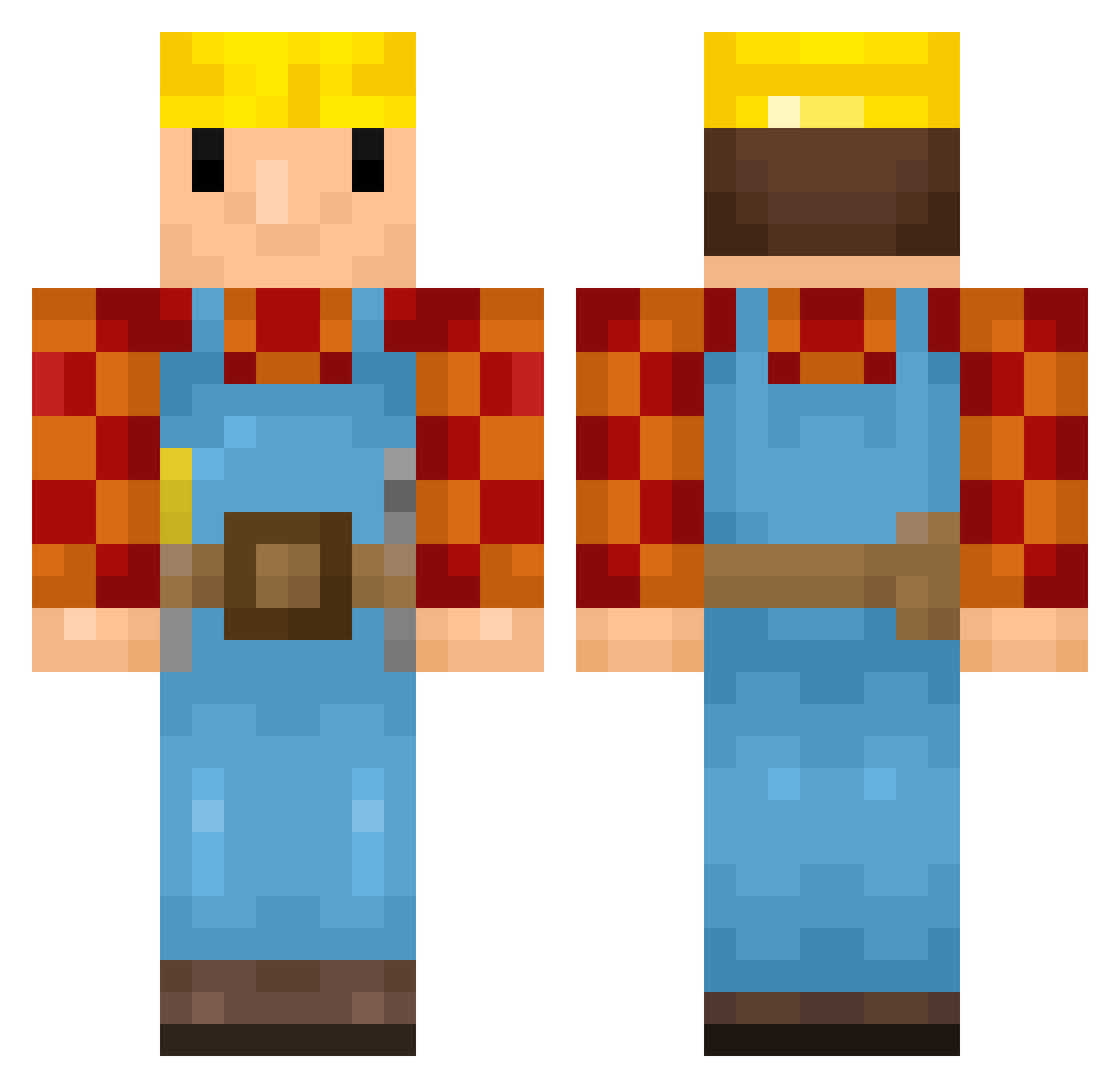
Current Minecraft skin of the player KirkerPounder, loaded from the official Mojang API. Rotate the 3D model with your mouse or finger, then download the skin as a PNG file and use it in Minecraft: Bedrock Edition or Java Edition for free. When KirkerPounder changes their skin, this page updates automatically and the old skin stays in the history below.
Other players with this skin (447)
KirkerPounder was the 423rd player we have seen with this skin, first spotted on 06.11.2026. The same skin was seen on these players. Open a nickname to see their current skin and skin history.
 MartinKHD ChickenTendrRoll Thanh_Thi THEBESTALL_MIGHT nbrees02 Hunterra670 ferdikrafter Tenkabo Laquazius Dilman_ guniiiiiiiiiiii Vinkie05 Auggiiee Hoinard Pabolo2 Davegy TommieBoy07 dankmemer808 Carlzzonz1 espressobean seanjunior MangoKILLERX_X 3cia_p kuz0uto CR_on KizzyVibes KingLW1 sramwamnaklaty yoshiman22789 Ben0602 Ultimate_200 iTimoor DJCrazy2245 AxelZ_2500 HellyeahgamesBB Parker1_ Neumis2403 Bobthebuilder597 NASA_Man_80 Jem7803 KoalaBoi114 OleBrumm98 henryqu1 a_usten MDX56 BloosBoye ayocracky Osamabinladen459 WardingWorks DoctorDogface Norrade Aapo682 Olav_Aleksander ni4ll Thelolman2 Davvzzzi D0D0FY daedei djh0gan Panna100
More Bob The Builder Minecraft skins
See all 74 Bob The Builder skins
How to install the KirkerPounder skin
- Press the Download button above to save the skin as a PNG file.
- Minecraft: Bedrock Edition (PE): open the Dressing Room from the main menu (or tap your character → Edit Character), go to Classic Skins → Owned, press the + (new skin) button, choose the downloaded PNG and pick the Classic (Steve) model. Works on PC and mobile; consoles cannot import custom skins.
- Minecraft: Java Edition: open the Minecraft Launcher, go to the Skins tab, click New Skin, load the PNG, pick the Classic (Steve) model and press Save & Use. You can also upload it at minecraft.net → Profile → Change Skin.
The skin does not show up after import - what should I do?
Restart Minecraft and open the Dressing Room again - imported skins sometimes appear only after a restart. Also make sure you selected the imported skin and picked the Classic (Steve) model.
Which model should I choose, Classic or Slim?
This skin is designed for the Classic (Steve) model. If you pick the wrong model, the arms of the skin will look stretched or squeezed.
Is the skin of KirkerPounder free to download?
Yes. Press Download, save the PNG file and use it in Minecraft: Bedrock Edition or Java Edition - no payment or registration needed. The skin also works on multiplayer servers and Realms.
More skins
Looking for more? Go back to all Minecraft skins and check the top skins of the week, month and all time, or find any player's skin by nickname.