
KillerShadow21 - Minecraft Skins & Skin History
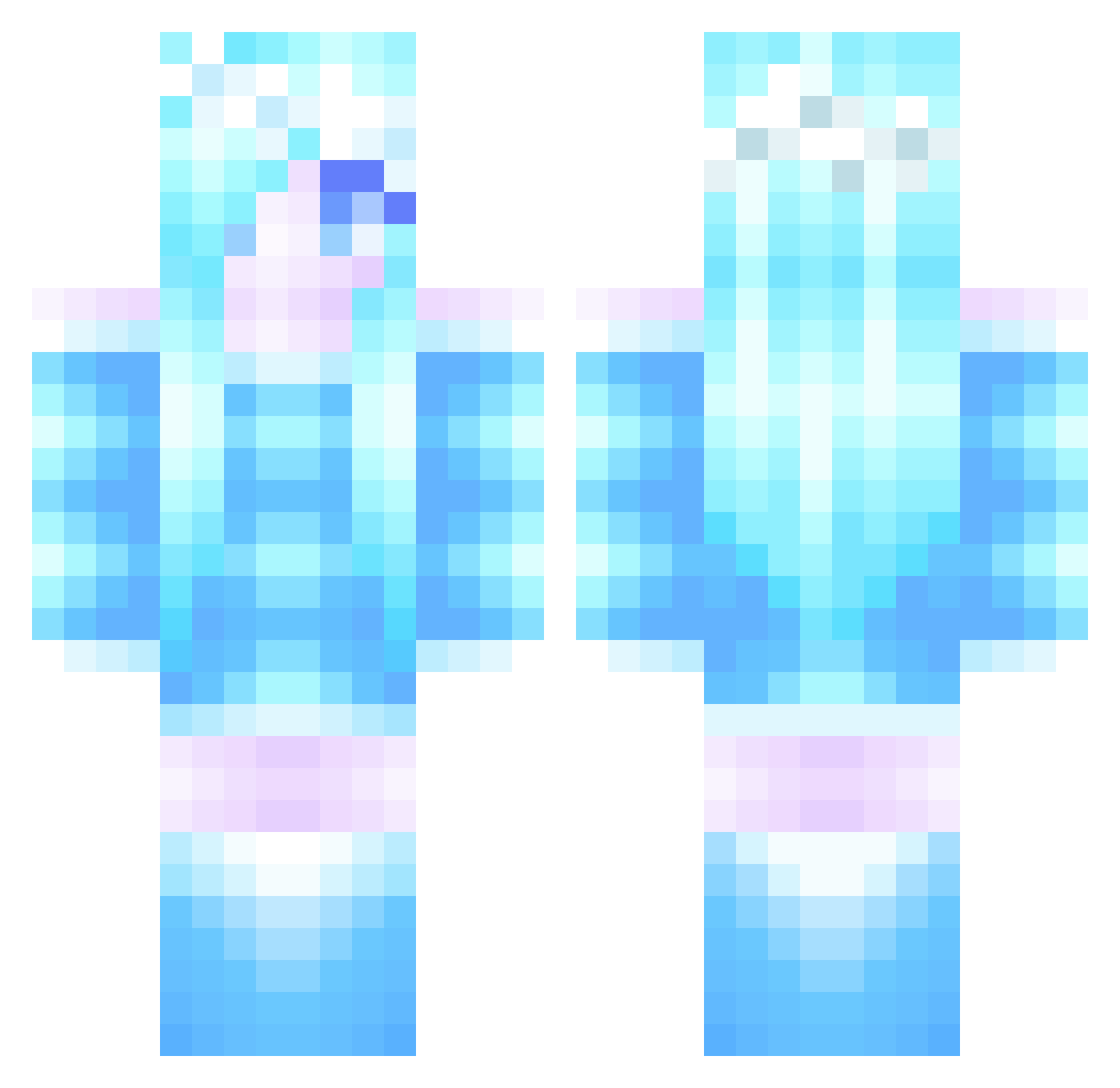
Current Minecraft skin of the player KillerShadow21, loaded from the official Mojang API. Rotate the 3D model with your mouse or finger, then download the skin as a PNG file and use it in Minecraft: Bedrock Edition or Java Edition for free. When KillerShadow21 changes their skin, this page updates automatically and the old skin stays in the history below.
Other players with this skin (357)
KillerShadow21 was the 300th player we have seen with this skin, first spotted on 25.10.2026. The same skin was seen on these players. Open a nickname to see their current skin and skin history.
 k8er13 Tabut Dovregade9 bhara5 sunshinesoap Ocean_Reef GamingRainbow Lizzy241 LunarDragon1121 jordankarate AsylAfghan heres_bobby EnseFont SnowflakeGirl87 CrazyCatLadie Lady_Shalott Emily4426 Sandysarah blackopsman1245 Leafbaby2000 Irmamojang Chrissya izzywizzy34 coolcatk KatMarsh remix105 LeilaLouB Elena3122 Dakapon Undermag LillyV1 Kronkite Shadowcadet266 Therileyclan Welovekurosawa 2blu4u DicteDB DarthLarsa Niibaa_ hailJ x13Thirtys3v3nx Merrywin amy_greenan moonstonequartz Yuki0_05 akimat Ponydream Kaliosa radbatrobot Power_XY erin0504 DismalBrilliance sunsetrays22 awesomeness1401 PrinzessinJasmin WoClassAC XZizuX angelicheart23 TwinLune mupamupamupamupa
More Ice Queen Minecraft skins
How to install the KillerShadow21 skin
- Press the Download button above to save the skin as a PNG file.
- Minecraft: Bedrock Edition (PE): open the Dressing Room from the main menu (or tap your character → Edit Character), go to Classic Skins → Owned, press the + (new skin) button, choose the downloaded PNG and pick the Classic (Steve) model. Works on PC and mobile; consoles cannot import custom skins.
- Minecraft: Java Edition: open the Minecraft Launcher, go to the Skins tab, click New Skin, load the PNG, pick the Classic (Steve) model and press Save & Use. You can also upload it at minecraft.net → Profile → Change Skin.
The skin does not show up after import - what should I do?
Restart Minecraft and open the Dressing Room again - imported skins sometimes appear only after a restart. Also make sure you selected the imported skin and picked the Classic (Steve) model.
Which model should I choose, Classic or Slim?
This skin is designed for the Classic (Steve) model. If you pick the wrong model, the arms of the skin will look stretched or squeezed.
Is the skin of KillerShadow21 free to download?
Yes. Press Download, save the PNG file and use it in Minecraft: Bedrock Edition or Java Edition - no payment or registration needed. The skin also works on multiplayer servers and Realms.
More skins
Looking for more? Go back to all Minecraft skins and check the top skins of the week, month and all time, or find any player's skin by nickname.