
Kaka4514 - Minecraft Skins & Skin History
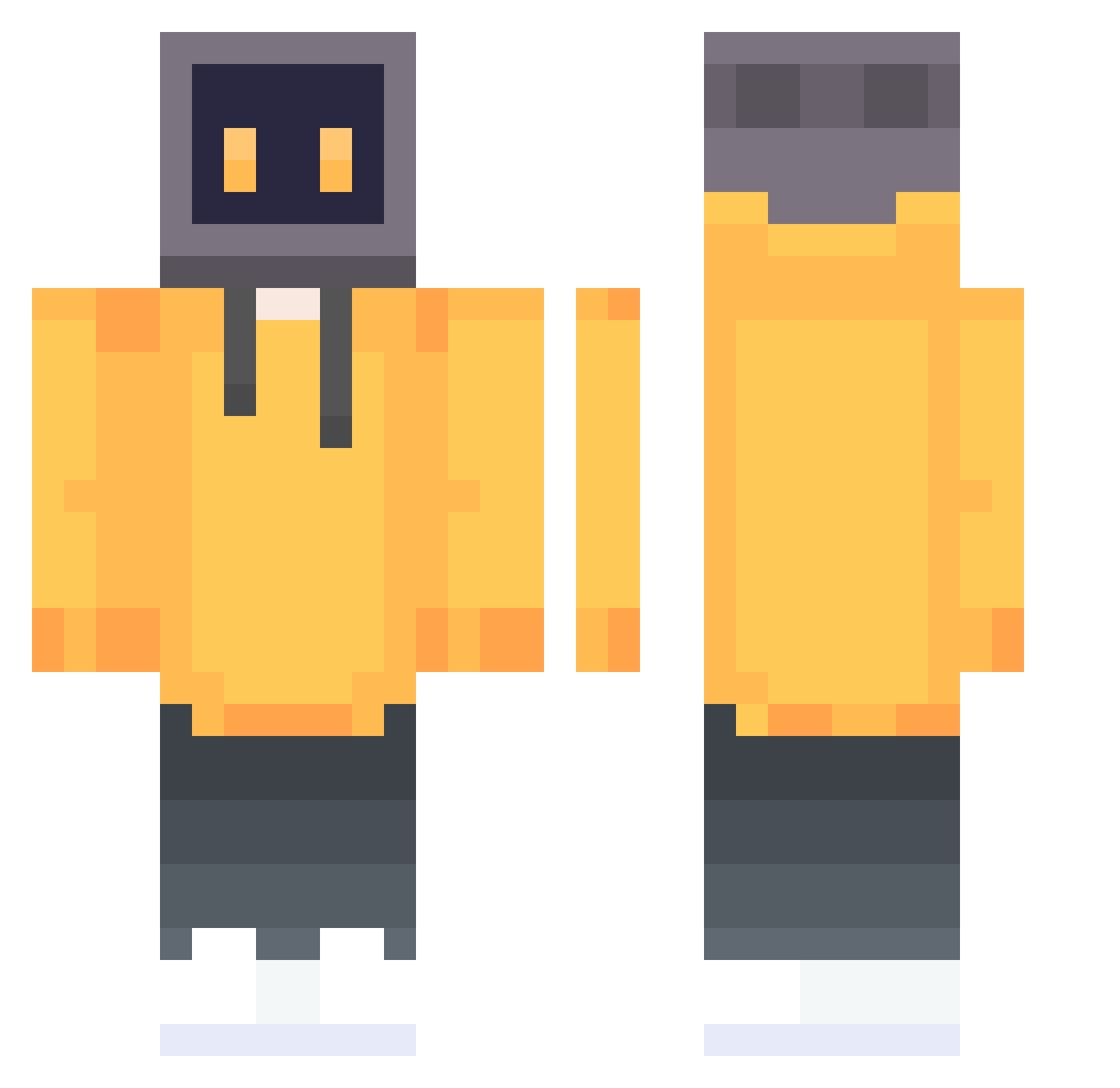
Current Minecraft skin of the player Kaka4514, loaded from the official Mojang API. Rotate the 3D model with your mouse or finger, then download the skin as a PNG file and use it in Minecraft: Bedrock Edition or Java Edition for free. When Kaka4514 changes their skin, this page updates automatically and the old skin stays in the history below.
Other players with this skin (808)
Kaka4514 was the 711th player we have seen with this skin, first spotted on 28.10.2026. The same skin was seen on these players. Open a nickname to see their current skin and skin history.
 ScarfaceNinja enterprisespace Syxuan2580 ChenTian55 MirageOff wz231 Woliblt Stan0123 DtrezA jekgren Krzysio12 Rigen_ Spandun LiuGuanZhang GOLDFISH_CN SaEtL vialtraveler DoneZzz LYNX114 Joshhhhhh620 WSW6666 runawayyyy10 hehe_happy JaOYanG saber2021 Nelson_Ki9 SAVICHEN Official_Hermes JIMHANA RRX34 subcolor Peterich XieQiZhao ChrisYeZi yyyy321 Tonyhuang littengod Lucho178 lying2411 ovOchAnC boN11to YLkey WillLecter111 FormalBand ZHANGYUXUANA kukaka alibaba816 Xuweber jk6shiliu PeppaNebula kskito Forstree B00b12345 ings00 Onemoreshot UV_Gordon Compucraft_ ooooooooh_my_god c02025 KANON_1013
More TV Head Minecraft skins
How to install the Kaka4514 skin
- Press the Download button above to save the skin as a PNG file.
- Minecraft: Bedrock Edition (PE): open the Dressing Room from the main menu (or tap your character → Edit Character), go to Classic Skins → Owned, press the + (new skin) button, choose the downloaded PNG and pick the Classic (Steve) model. Works on PC and mobile; consoles cannot import custom skins.
- Minecraft: Java Edition: open the Minecraft Launcher, go to the Skins tab, click New Skin, load the PNG, pick the Classic (Steve) model and press Save & Use. You can also upload it at minecraft.net → Profile → Change Skin.
The skin does not show up after import - what should I do?
Restart Minecraft and open the Dressing Room again - imported skins sometimes appear only after a restart. Also make sure you selected the imported skin and picked the Classic (Steve) model.
Which model should I choose, Classic or Slim?
This skin is designed for the Classic (Steve) model. If you pick the wrong model, the arms of the skin will look stretched or squeezed.
Is the skin of Kaka4514 free to download?
Yes. Press Download, save the PNG file and use it in Minecraft: Bedrock Edition or Java Edition - no payment or registration needed. The skin also works on multiplayer servers and Realms.
More skins
Looking for more? Go back to all Minecraft skins and check the top skins of the week, month and all time, or find any player's skin by nickname.