
JuicyJugsJarryd - Minecraft Skins & Skin History
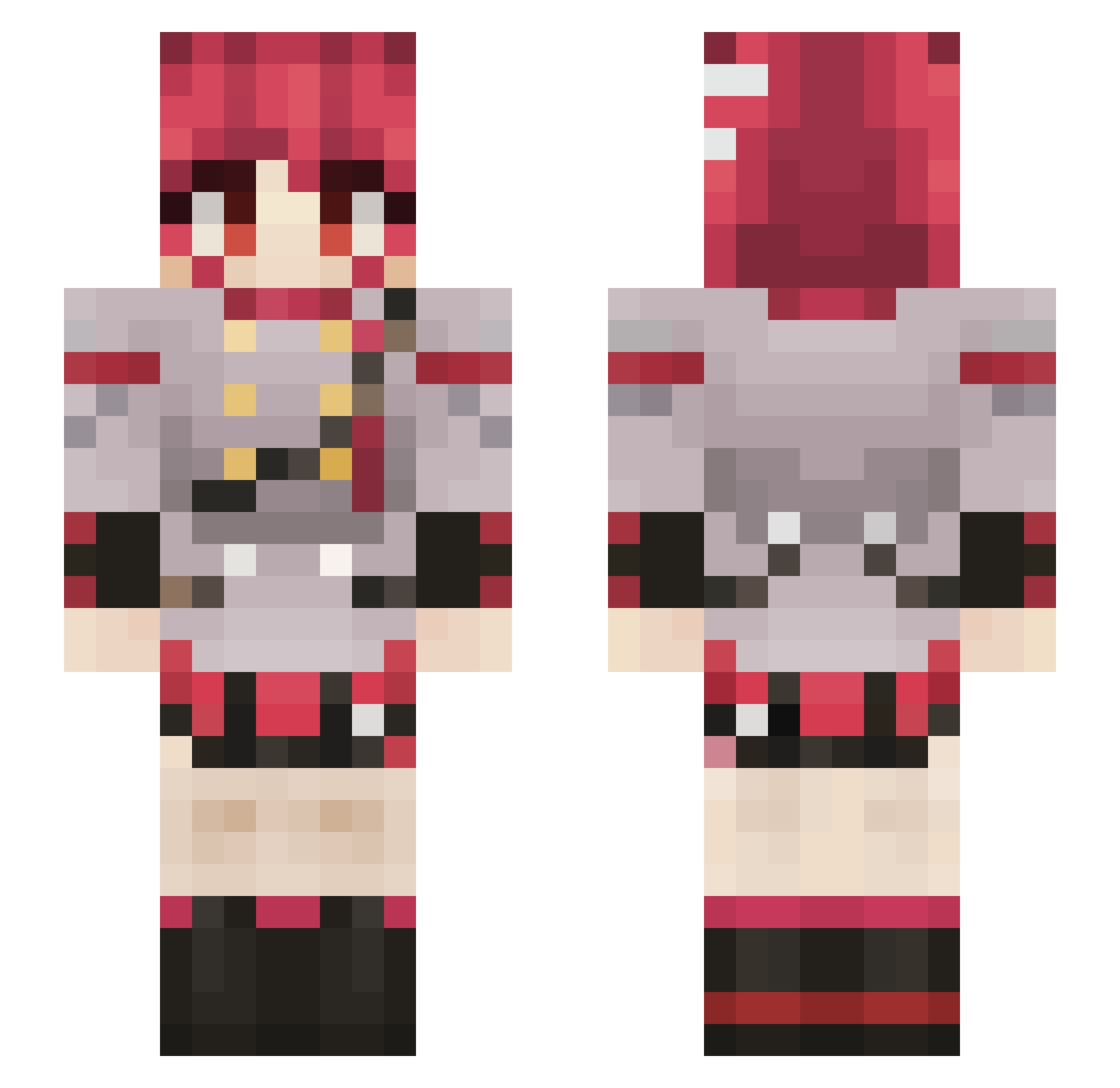
Current Minecraft skin of the player JuicyJugsJarryd, loaded from the official Mojang API. Rotate the 3D model with your mouse or finger, then download the skin as a PNG file and use it in Minecraft: Bedrock Edition or Java Edition for free. When JuicyJugsJarryd changes their skin, this page updates automatically and the old skin stays in the history below.
Other players with this skin (844)
JuicyJugsJarryd was the 696th player we have seen with this skin, first spotted on 22.10.2026. The same skin was seen on these players. Open a nickname to see their current skin and skin history.
 PIXLols Eating_dirt_Lol Vaxmi Pirrique221 R4T7Z Wellensittichosu graine__sombre Eggrollzzz johnson1417 Scarias141 microHAVEN LoudInVoid StripesMC Phantom1213 TheTrueKiwi2 pascul Danrai300 june07420 shadoweeper tito4581 CrimsonFighter agalamaga BrunoxKi ContortedSpy81 MonkeOwnerMario sfven55 Foxhound2531 L0rdser Not_Fridge_Jr asx1504 Parakeetgod Ar11safar RabbiWabi GlyphicTaco div0notnull M1xUP Catmaster675 XCherrryX WonderRaine Besi3ge Guciokk Ceo_of_Bruh Fatima25 Inepta Justar3gularguy Pushina Mango_Slushiii yi_zhi_teto ink_1212 Expi_00 LunarieeFK PauDreamer MikeNekk RumblyThunder GlitzWat Lankwig Elbisias SilverWS103 saku39moon rd_sweltering970
More Idol Minecraft skins
How to install the JuicyJugsJarryd skin
- Press the Download button above to save the skin as a PNG file.
- Minecraft: Bedrock Edition (PE): open the Dressing Room from the main menu (or tap your character → Edit Character), go to Classic Skins → Owned, press the + (new skin) button, choose the downloaded PNG and pick the Slim (Alex) model. Works on PC and mobile; consoles cannot import custom skins.
- Minecraft: Java Edition: open the Minecraft Launcher, go to the Skins tab, click New Skin, load the PNG, pick the Slim (Alex) model and press Save & Use. You can also upload it at minecraft.net → Profile → Change Skin.
The skin does not show up after import - what should I do?
Restart Minecraft and open the Dressing Room again - imported skins sometimes appear only after a restart. Also make sure you selected the imported skin and picked the Slim (Alex) model.
Which model should I choose, Classic or Slim?
This skin is designed for the Slim (Alex) model. If you pick the wrong model, the arms of the skin will look stretched or squeezed.
Is the skin of JuicyJugsJarryd free to download?
Yes. Press Download, save the PNG file and use it in Minecraft: Bedrock Edition or Java Edition - no payment or registration needed. The skin also works on multiplayer servers and Realms.
More skins
Looking for more? Go back to all Minecraft skins and check the top skins of the week, month and all time, or find any player's skin by nickname.