
JoseHMS - Minecraft Skins & Skin History
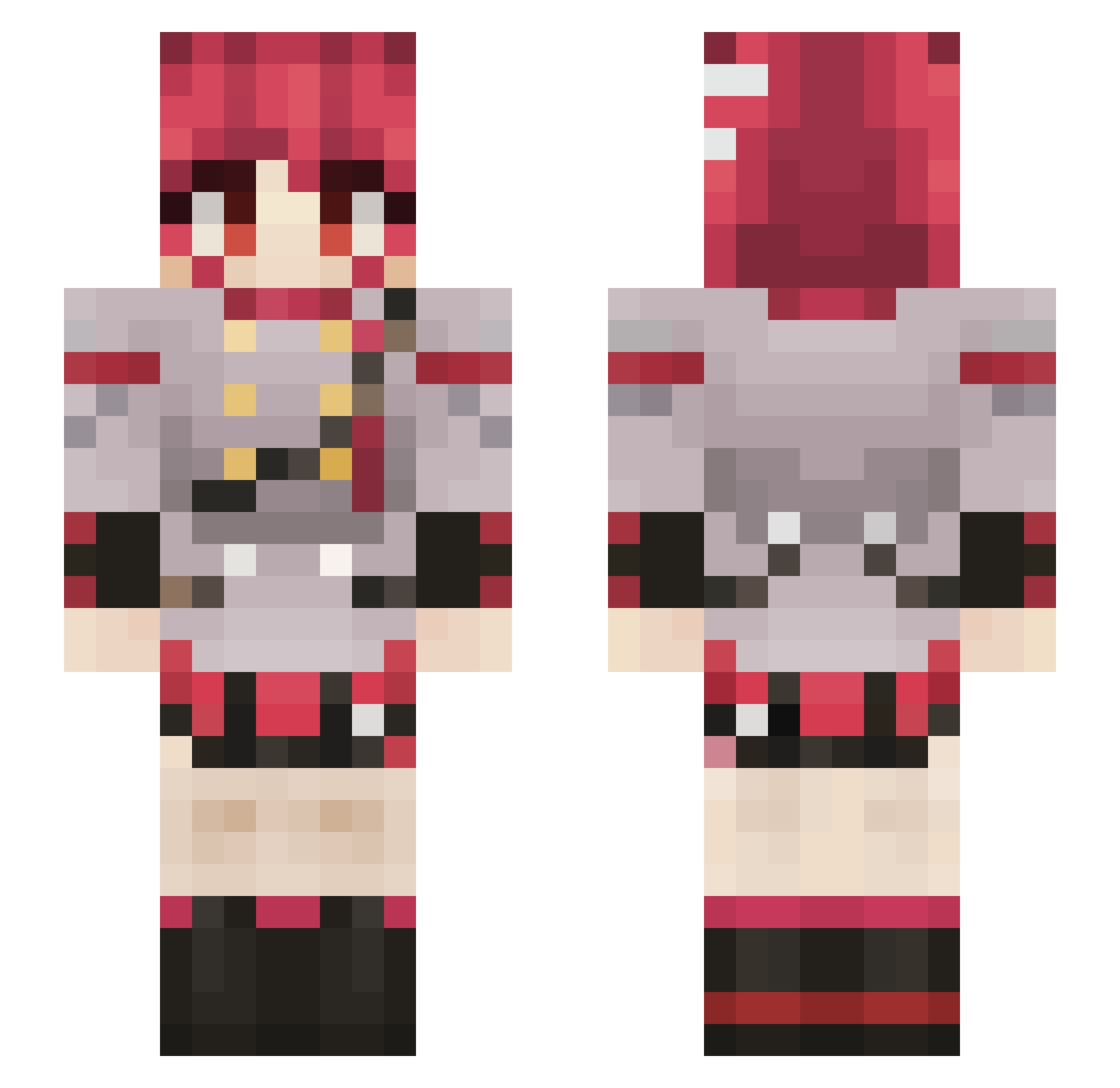
Current Minecraft skin of the player JoseHMS, loaded from the official Mojang API. Rotate the 3D model with your mouse or finger, then download the skin as a PNG file and use it in Minecraft: Bedrock Edition or Java Edition for free. When JoseHMS changes their skin, this page updates automatically and the old skin stays in the history below.
Other players with this skin (844)
JoseHMS was the 800th player we have seen with this skin, first spotted on 05.11.2026. The same skin was seen on these players. Open a nickname to see their current skin and skin history.
 Clonons Rzkax_ Fenrictor EternaiSkywalker koomtxn TheQuiet_1 M4xu5 Mogudragon DamainHowl FatTeto Aqua_Lunarite ShoelessDog Sotoru lakudese ATxARI Mazafezio04 332432 Jakwenas M1rkus sophchi Dori_AmSh Drekkeit TetoNamJeyeon PolskiCebulsonn Lo4fy NikGhost_ RanaRat l1ma_limoeiro dodoszijndood Raleigh69 Sv2SirsstiKPNSv2 MackenLayzma _Avuhx_ SharpWhite _4byss_ Purify_6 55555mmjn Brenton001 RestanKrompir froyolko Pumpkin_Ael stellec CrocoDial64 monkeyball32 JorgeOabutre Sammycr7 Krnjinac Zsombor199 AnxietyTuna chudball Danicalvo Henningi El_Blueberry freakwiggleworth Octably JustCat_965 SundryMaple7788 RushingCamper KeanoKool StaleUser
More Idol Minecraft skins
How to install the JoseHMS skin
- Press the Download button above to save the skin as a PNG file.
- Minecraft: Bedrock Edition (PE): open the Dressing Room from the main menu (or tap your character → Edit Character), go to Classic Skins → Owned, press the + (new skin) button, choose the downloaded PNG and pick the Slim (Alex) model. Works on PC and mobile; consoles cannot import custom skins.
- Minecraft: Java Edition: open the Minecraft Launcher, go to the Skins tab, click New Skin, load the PNG, pick the Slim (Alex) model and press Save & Use. You can also upload it at minecraft.net → Profile → Change Skin.
The skin does not show up after import - what should I do?
Restart Minecraft and open the Dressing Room again - imported skins sometimes appear only after a restart. Also make sure you selected the imported skin and picked the Slim (Alex) model.
Which model should I choose, Classic or Slim?
This skin is designed for the Slim (Alex) model. If you pick the wrong model, the arms of the skin will look stretched or squeezed.
Is the skin of JoseHMS free to download?
Yes. Press Download, save the PNG file and use it in Minecraft: Bedrock Edition or Java Edition - no payment or registration needed. The skin also works on multiplayer servers and Realms.
More skins
Looking for more? Go back to all Minecraft skins and check the top skins of the week, month and all time, or find any player's skin by nickname.