
JonyXlexP - Minecraft Skins & Skin History
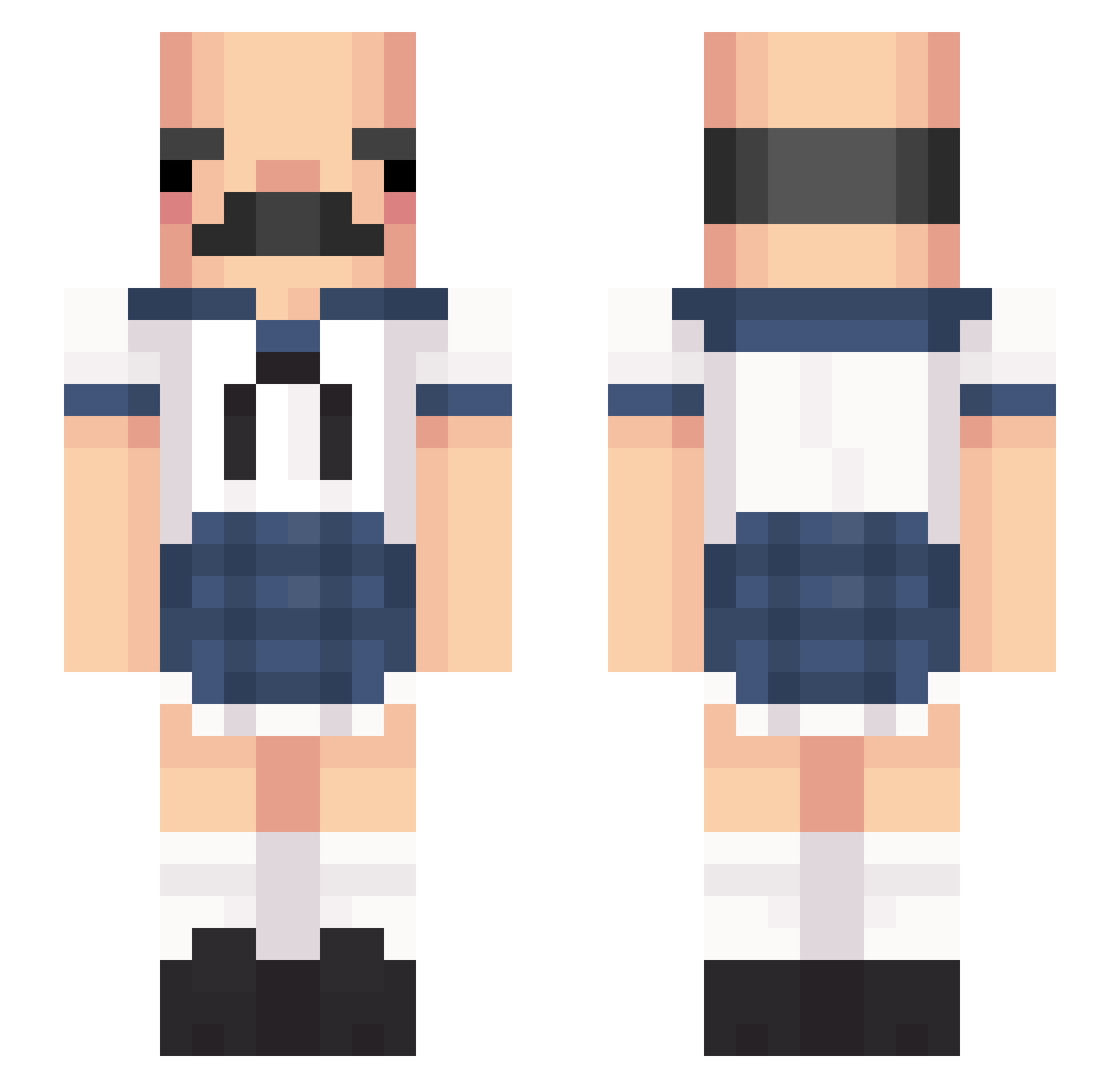
Current Minecraft skin of the player JonyXlexP, loaded from the official Mojang API. Rotate the 3D model with your mouse or finger, then download the skin as a PNG file and use it in Minecraft: Bedrock Edition or Java Edition for free. When JonyXlexP changes their skin, this page updates automatically and the old skin stays in the history below.
Other players with this skin (429)
JonyXlexP was the 374th player we have seen with this skin, first spotted on 24.10.2026. The same skin was seen on these players. Open a nickname to see their current skin and skin history.
 Drypt Ditteliten hoonnam14 waequr apnalhyoja_0617 KKikura Watermewons tjdsl Slash_roblox2 newsem Daipao AL_______ Me1e00r fuc1ngtelepyzik a1ikea LebronsNephew Noum_11 jamezwerr krinebb jejae chiinchu42 HandsomeElias KIM_D4LHO Josapo im_jakeMC CoRTeZz211 R0py xXDragonKiler57X SuniWuni00 wasfle Mousta45 ur_local_potato mwo0y Ryussy giaonno Dortenix Ren_X_dok CABw cykablyats qwer1234uiop7890 GraveyardBxtch AwesoemeGamer Aaoba FreddyFiveDimes kimbongsoon BigPapiDuck Chopstickz101 kangjaemin0824 Suitsidnik_ DoriaBoy Brina_Sa happyrhino030 Ja1_V1tor Kit0il komiriori icuminmicrowaves 77n8than CHINGCHENGPONG CrazyHamsterCTRL MrBubblelicious
More Sailor Uniform Minecraft skins
See all 260 Sailor Uniform skins
How to install the JonyXlexP skin
- Press the Download button above to save the skin as a PNG file.
- Minecraft: Bedrock Edition (PE): open the Dressing Room from the main menu (or tap your character → Edit Character), go to Classic Skins → Owned, press the + (new skin) button, choose the downloaded PNG and pick the Slim (Alex) model. Works on PC and mobile; consoles cannot import custom skins.
- Minecraft: Java Edition: open the Minecraft Launcher, go to the Skins tab, click New Skin, load the PNG, pick the Slim (Alex) model and press Save & Use. You can also upload it at minecraft.net → Profile → Change Skin.
The skin does not show up after import - what should I do?
Restart Minecraft and open the Dressing Room again - imported skins sometimes appear only after a restart. Also make sure you selected the imported skin and picked the Slim (Alex) model.
Which model should I choose, Classic or Slim?
This skin is designed for the Slim (Alex) model. If you pick the wrong model, the arms of the skin will look stretched or squeezed.
Is the skin of JonyXlexP free to download?
Yes. Press Download, save the PNG file and use it in Minecraft: Bedrock Edition or Java Edition - no payment or registration needed. The skin also works on multiplayer servers and Realms.
More skins
Looking for more? Go back to all Minecraft skins and check the top skins of the week, month and all time, or find any player's skin by nickname.