
Jmill0123 - Minecraft Skins & Skin History
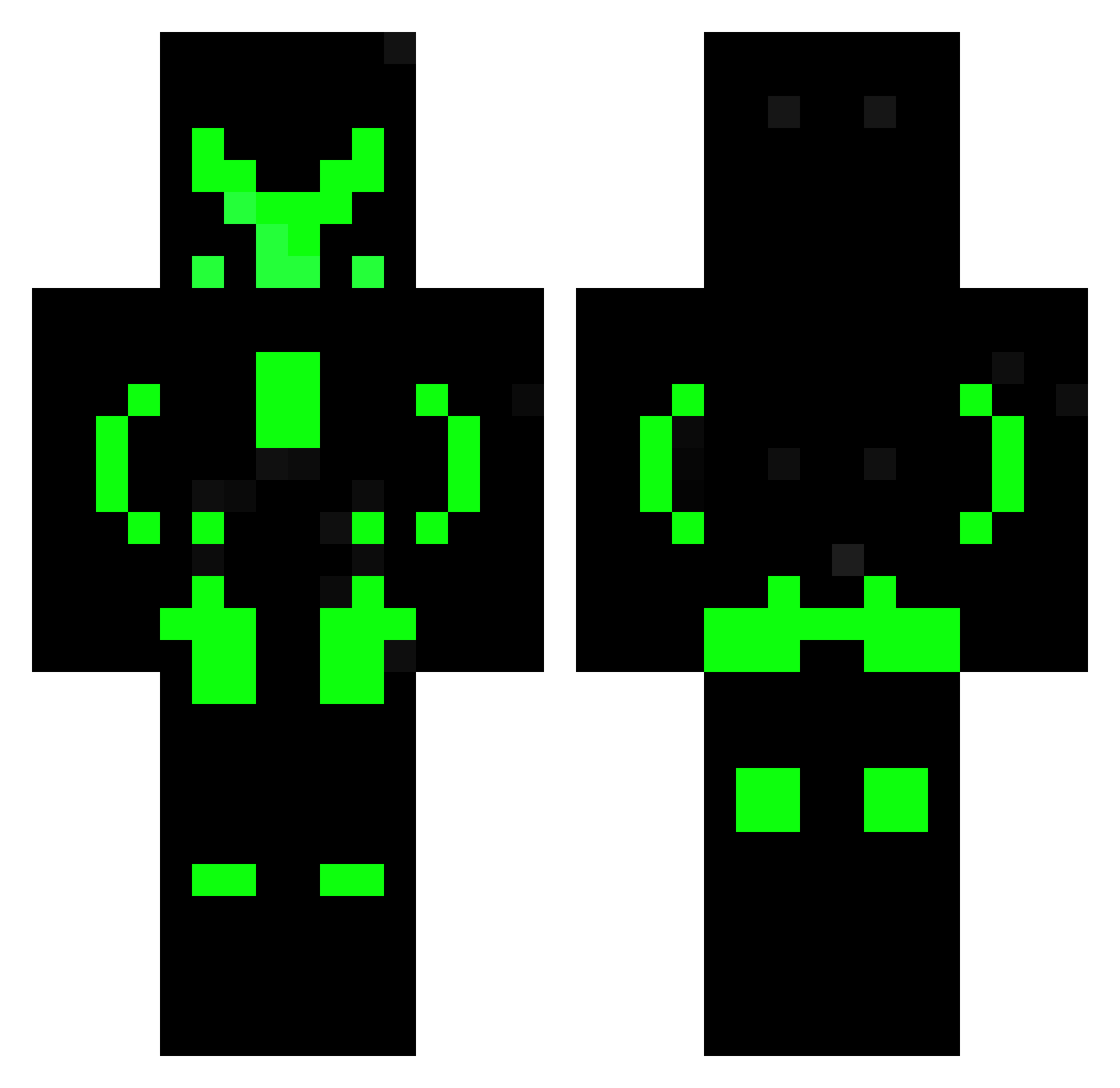
Current Minecraft skin of the player Jmill0123, loaded from the official Mojang API. Rotate the 3D model with your mouse or finger, then download the skin as a PNG file and use it in Minecraft: Bedrock Edition or Java Edition for free. When Jmill0123 changes their skin, this page updates automatically and the old skin stays in the history below.
Other players with this skin (169)
Jmill0123 was the 138th player we have seen with this skin, first spotted on 24.10.2026. The same skin was seen on these players. Open a nickname to see their current skin and skin history.
 Shockfirewave TashaVel marco_papi Just_Hype85 Ondrus dragonvolcanic Stuuart Jacovalley XxDestinedxX AvoidingCorn Blackfoot74 vinotaur 7_Sunburns Lloyd4th MuchoDinero KIR44 RSV4 Simax Tjijpen Ostras_finest Sparki007 RevengeOfNico05 Peter_H33 toninhodf PenguinDaddy2016 11CTRLPLAY Imth1 SKYBIGD7788 Kekz_TTV XxSt3n2000xX Jean_Gab captainduckjr Iribarne BlackPhoenixe lufy123456 windblade_master ParkRegis Ac1d6urn WonkaBR MexicanMzt XDido xammigration Jordan2 Linglingdk2 AdriCraft_07 eliotsBR FinlandBoss XxDerSchwabexX markuss11 JJMicah2014 danguleo MusicTurn Z3yn MuhammadMama Defour71 krish0603 Lime007 MDJ0801 JakeyLadd WolfCrit
More Glow Minecraft skins
How to install the Jmill0123 skin
- Press the Download button above to save the skin as a PNG file.
- Minecraft: Bedrock Edition (PE): open the Dressing Room from the main menu (or tap your character → Edit Character), go to Classic Skins → Owned, press the + (new skin) button, choose the downloaded PNG and pick the Classic (Steve) model. Works on PC and mobile; consoles cannot import custom skins.
- Minecraft: Java Edition: open the Minecraft Launcher, go to the Skins tab, click New Skin, load the PNG, pick the Classic (Steve) model and press Save & Use. You can also upload it at minecraft.net → Profile → Change Skin.
The skin does not show up after import - what should I do?
Restart Minecraft and open the Dressing Room again - imported skins sometimes appear only after a restart. Also make sure you selected the imported skin and picked the Classic (Steve) model.
Which model should I choose, Classic or Slim?
This skin is designed for the Classic (Steve) model. If you pick the wrong model, the arms of the skin will look stretched or squeezed.
Is the skin of Jmill0123 free to download?
Yes. Press Download, save the PNG file and use it in Minecraft: Bedrock Edition or Java Edition - no payment or registration needed. The skin also works on multiplayer servers and Realms.
More skins
Looking for more? Go back to all Minecraft skins and check the top skins of the week, month and all time, or find any player's skin by nickname.