
JiuMingHU - Minecraft Skins & Skin History
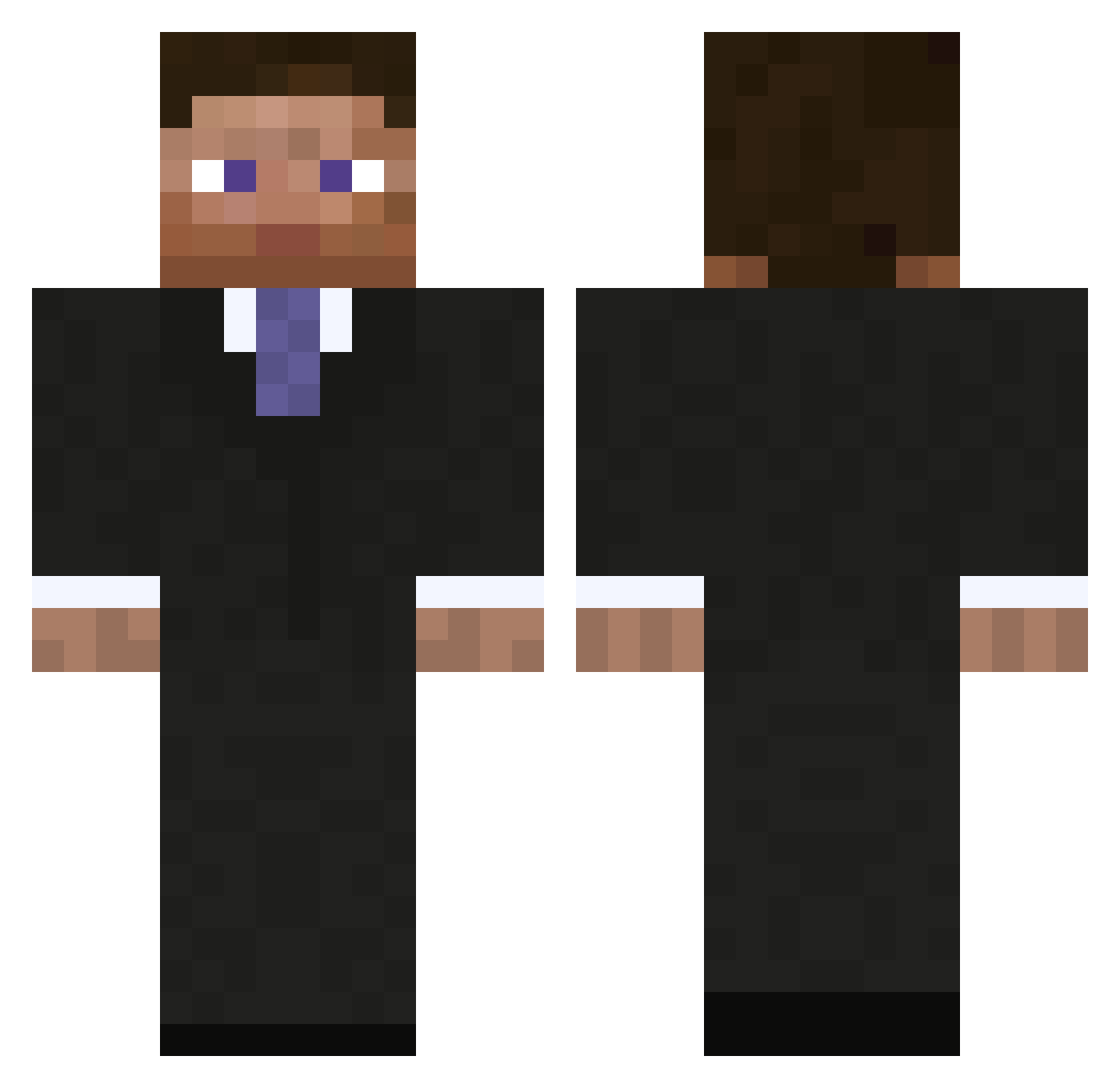
Current Minecraft skin of the player JiuMingHU, loaded from the official Mojang API. Rotate the 3D model with your mouse or finger, then download the skin as a PNG file and use it in Minecraft: Bedrock Edition or Java Edition for free. When JiuMingHU changes their skin, this page updates automatically and the old skin stays in the history below.
Other players with this skin (297)
JiuMingHU was the 273rd player we have seen with this skin, first spotted on 29.10.2026. The same skin was seen on these players. Open a nickname to see their current skin and skin history.
 Sterner__ xCombos11 kzerius01 SlideNutz SniperShrimp RoosterSr PanchoALVa Antareskd AGoat01 Andgon pyro4erebus saturncampus Tommolo91 PixDie_ Pharrael StanWan gowden07 isAimbotEnabled Icy_XDD Mixxut M2IT073 ArmenTheExplorer Bot_Harit Builder1339 Ionatan_Petru Jefrycito ablevessel2720 Kaclkpflaume o0AVCI0o bencalt L4rry_B4rry Doublewaffle19 _Proteus ItsAltus CriticalLootRNG WDNM237 MyNameIsChirs Tommy_b_10 KENZAT Peppelino12 MitchTheKid00 Portawatch JoeDew BrX1991 felixs0 Bebertcorp Haide_171 Rukumura techwizrd Barteklegus Lebarren viviankiwi Bunyamin_abi nono_7_ rattsean Fredoomof PoYEETo69 Lonsgi10 LazyMiau zpxpfm
More Businessman Minecraft skins
See all 6735 Businessman skins
How to install the JiuMingHU skin
- Press the Download button above to save the skin as a PNG file.
- Minecraft: Bedrock Edition (PE): open the Dressing Room from the main menu (or tap your character → Edit Character), go to Classic Skins → Owned, press the + (new skin) button, choose the downloaded PNG and pick the Classic (Steve) model. Works on PC and mobile; consoles cannot import custom skins.
- Minecraft: Java Edition: open the Minecraft Launcher, go to the Skins tab, click New Skin, load the PNG, pick the Classic (Steve) model and press Save & Use. You can also upload it at minecraft.net → Profile → Change Skin.
The skin does not show up after import - what should I do?
Restart Minecraft and open the Dressing Room again - imported skins sometimes appear only after a restart. Also make sure you selected the imported skin and picked the Classic (Steve) model.
Which model should I choose, Classic or Slim?
This skin is designed for the Classic (Steve) model. If you pick the wrong model, the arms of the skin will look stretched or squeezed.
Is the skin of JiuMingHU free to download?
Yes. Press Download, save the PNG file and use it in Minecraft: Bedrock Edition or Java Edition - no payment or registration needed. The skin also works on multiplayer servers and Realms.
More skins
Looking for more? Go back to all Minecraft skins and check the top skins of the week, month and all time, or find any player's skin by nickname.