
Jcbmry - Minecraft Skins & Skin History
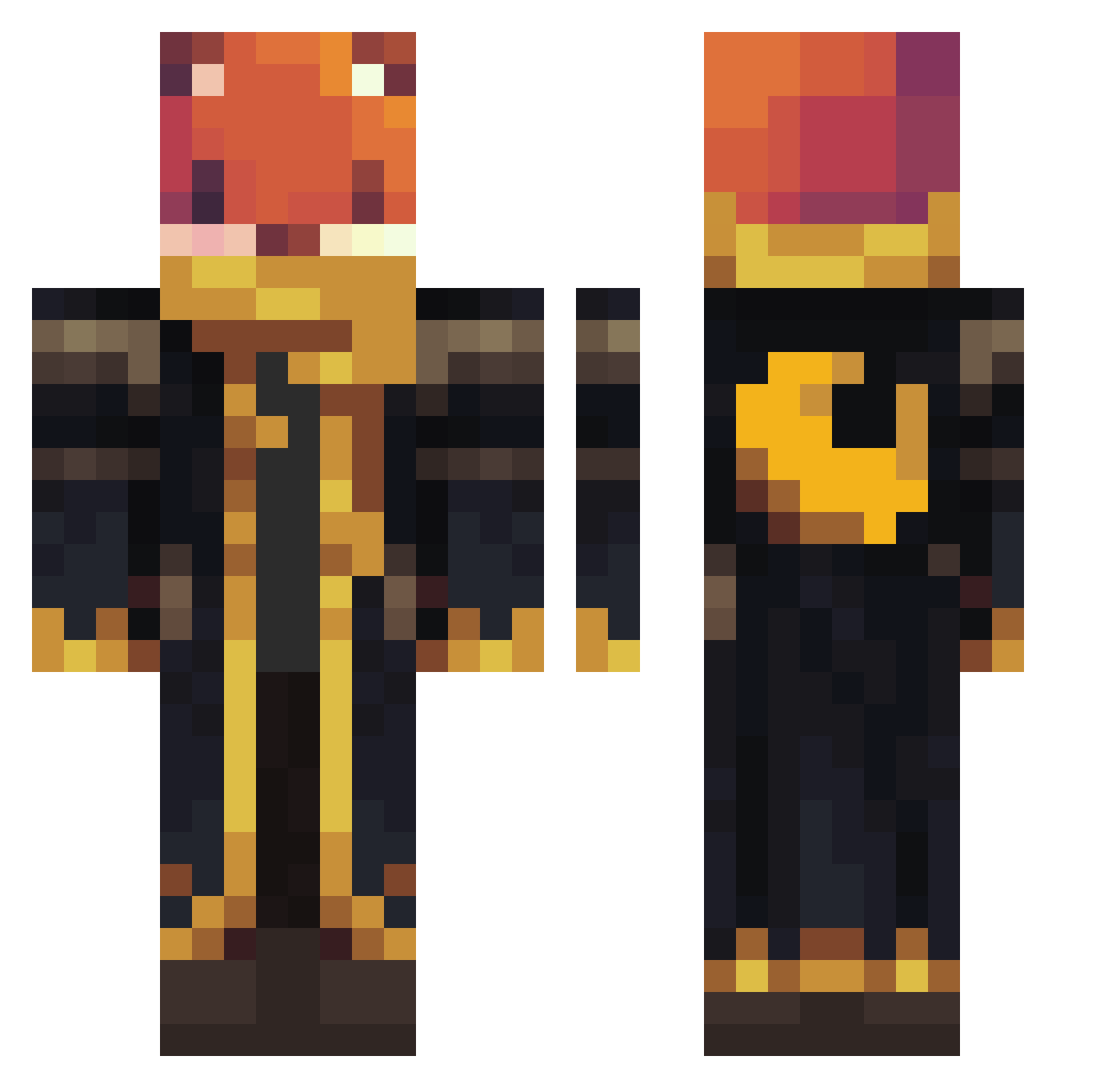
Current Minecraft skin of the player Jcbmry, loaded from the official Mojang API. Rotate the 3D model with your mouse or finger, then download the skin as a PNG file and use it in Minecraft: Bedrock Edition or Java Edition for free. When Jcbmry changes their skin, this page updates automatically and the old skin stays in the history below.
Other players with this skin (1184)
Jcbmry was the 1114th player we have seen with this skin, first spotted on 04.11.2026. The same skin was seen on these players. Open a nickname to see their current skin and skin history.
 JoeEleazar demond52 PirateGavin ElSantos2004 takuma1107 XKSUS deJesse zanfanta orzeszek16 Blixx_Grimm Lukaslu2011 KekoDerGecko1 Suavespark Hondal TheRedPanda007 Ajolote_uwu jor94 FABRIMUSTA davnomnom Doom_Toon hugaodopao A1xion PostmanA ThomasNL87 maria001213 Strijkplank1 Erexnoh8ers Savageturtle24 Fox_of_The_Night Konstiberius TheGazelle19 Patt1n FewWolverine Corrupted_Knight lilImilonIsigma1 lansort iamanewdev11 dorukmakto Bannann potatro Need_Some_Ammo Levi2k15 MacisPain LiLwaLLsTr ahdudgus7 smartie15 StainlessUgboka MissGalactic Reanu_Keeves_1 VeRychard EVESV drakexzn jonahappy Soul2829 Siimenich97 Broccolibill Ethan20150410 just1ng1 triforce1200 LibertaSama
More Crescent Moon Minecraft skins
See all 301 Crescent Moon skins
How to install the Jcbmry skin
- Press the Download button above to save the skin as a PNG file.
- Minecraft: Bedrock Edition (PE): open the Dressing Room from the main menu (or tap your character → Edit Character), go to Classic Skins → Owned, press the + (new skin) button, choose the downloaded PNG and pick the Classic (Steve) model. Works on PC and mobile; consoles cannot import custom skins.
- Minecraft: Java Edition: open the Minecraft Launcher, go to the Skins tab, click New Skin, load the PNG, pick the Classic (Steve) model and press Save & Use. You can also upload it at minecraft.net → Profile → Change Skin.
The skin does not show up after import - what should I do?
Restart Minecraft and open the Dressing Room again - imported skins sometimes appear only after a restart. Also make sure you selected the imported skin and picked the Classic (Steve) model.
Which model should I choose, Classic or Slim?
This skin is designed for the Classic (Steve) model. If you pick the wrong model, the arms of the skin will look stretched or squeezed.
Is the skin of Jcbmry free to download?
Yes. Press Download, save the PNG file and use it in Minecraft: Bedrock Edition or Java Edition - no payment or registration needed. The skin also works on multiplayer servers and Realms.
More skins
Looking for more? Go back to all Minecraft skins and check the top skins of the week, month and all time, or find any player's skin by nickname.