
JacquesXj - Minecraft Skins & Skin History
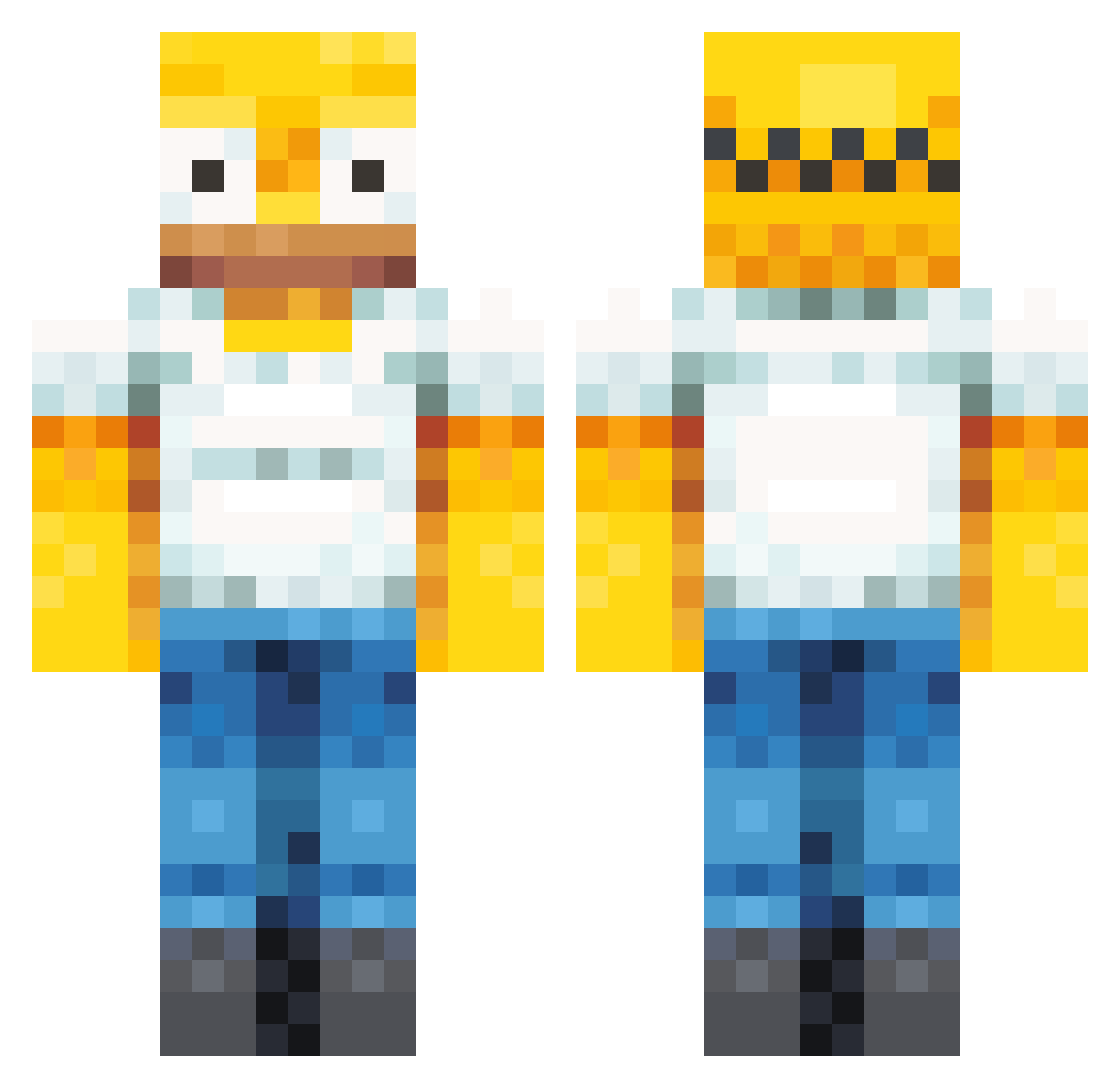
Current Minecraft skin of the player JacquesXj, loaded from the official Mojang API. Rotate the 3D model with your mouse or finger, then download the skin as a PNG file and use it in Minecraft: Bedrock Edition or Java Edition for free. When JacquesXj changes their skin, this page updates automatically and the old skin stays in the history below.
Other players with this skin (472)
JacquesXj was the 366th player we have seen with this skin, first spotted on 22.10.2026. The same skin was seen on these players. Open a nickname to see their current skin and skin history.
 Smeagle306 Hadro295 hahahaha7 TheBigDerpDerp TwixtorWarp sairoagis yysen PythonMan1115 Cashmere_1019 JabysK Holgerrrrrrr BasHoudtVanManne Revealy Hober_ DaSorek JWAWER72 xxx_milner cnanno DocSocrates Dannny79 Smellyboy25 Picaroto12 SOPAPEADA LitSkech onanasucks Mcekim507 Monkey_D_Buffy94 EELBAIT QuitePossiblyMe natemamate AdrianJackson saroka1011 igirap creeping_soup134 iAshton09 Llama_cameron IAmWorpy Wmatistic fatboysmalls Laffi64 autissm Kakinee PRIMEJAROD DaKa08 WalkingBULBASOR LouisMertens turtl3boy05 Rex5655 fuyomu yesulou Awkwardless BhallZhak Knightnick07 SUWALP aquaberr HenriqueY06 killsop Jibbels Maddex3 teququ
More Homer Simpson Minecraft skins
See all 335 Homer Simpson skins
How to install the JacquesXj skin
- Press the Download button above to save the skin as a PNG file.
- Minecraft: Bedrock Edition (PE): open the Dressing Room from the main menu (or tap your character → Edit Character), go to Classic Skins → Owned, press the + (new skin) button, choose the downloaded PNG and pick the Classic (Steve) model. Works on PC and mobile; consoles cannot import custom skins.
- Minecraft: Java Edition: open the Minecraft Launcher, go to the Skins tab, click New Skin, load the PNG, pick the Classic (Steve) model and press Save & Use. You can also upload it at minecraft.net → Profile → Change Skin.
The skin does not show up after import - what should I do?
Restart Minecraft and open the Dressing Room again - imported skins sometimes appear only after a restart. Also make sure you selected the imported skin and picked the Classic (Steve) model.
Which model should I choose, Classic or Slim?
This skin is designed for the Classic (Steve) model. If you pick the wrong model, the arms of the skin will look stretched or squeezed.
Is the skin of JacquesXj free to download?
Yes. Press Download, save the PNG file and use it in Minecraft: Bedrock Edition or Java Edition - no payment or registration needed. The skin also works on multiplayer servers and Realms.
More skins
Looking for more? Go back to all Minecraft skins and check the top skins of the week, month and all time, or find any player's skin by nickname.