
JAKING313 - Minecraft Skins & Skin History
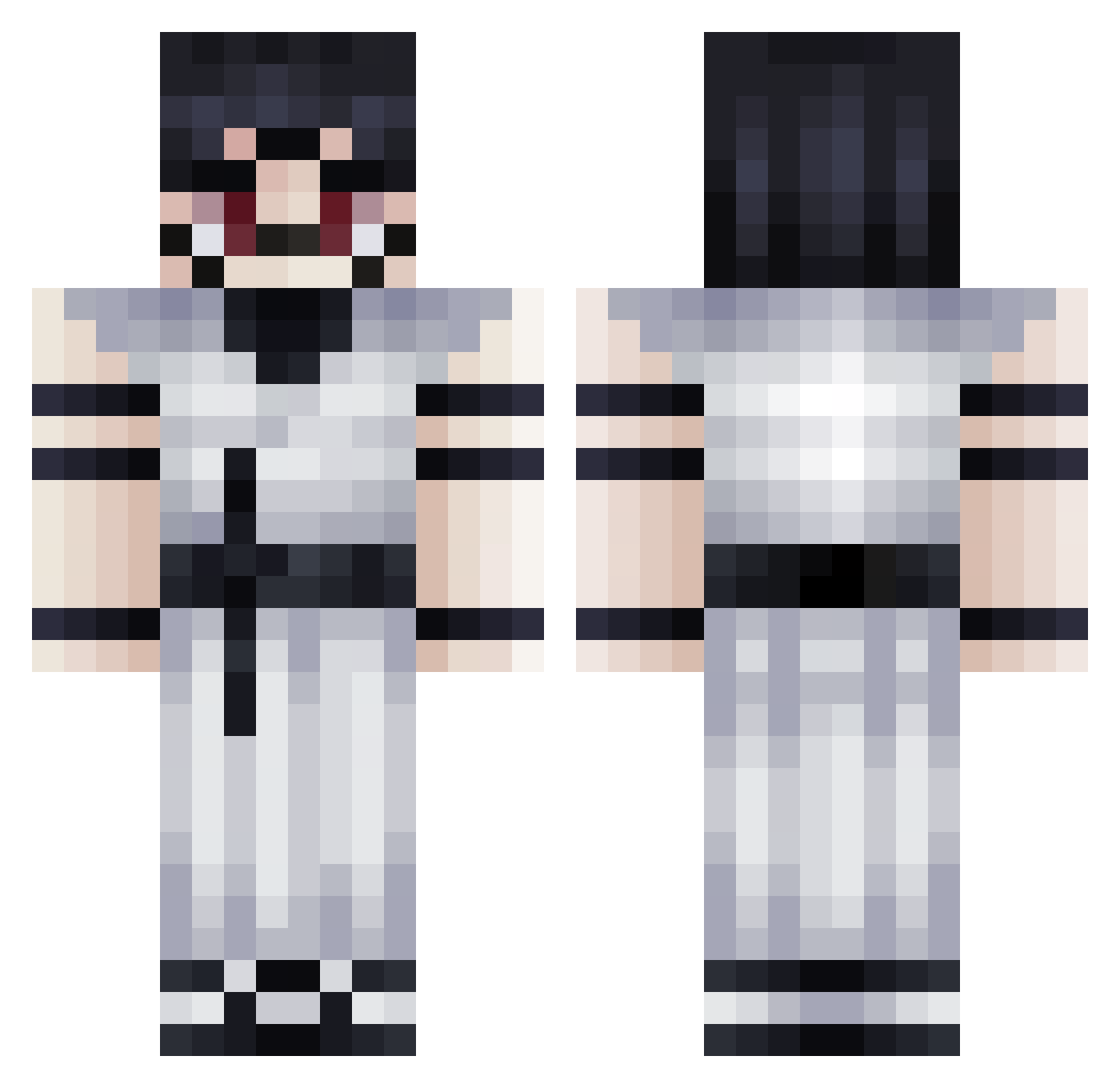
Current Minecraft skin of the player JAKING313, loaded from the official Mojang API. Rotate the 3D model with your mouse or finger, then download the skin as a PNG file and use it in Minecraft: Bedrock Edition or Java Edition for free. When JAKING313 changes their skin, this page updates automatically and the old skin stays in the history below.
Other players with this skin (363)
JAKING313 was the 336th player we have seen with this skin, first spotted on 03.11.2026. The same skin was seen on these players. Open a nickname to see their current skin and skin history.
 IpPo14 maxxedtimetome Xefounet TheBaran67 kama_23 Snowsz1 ZenShobos Paoo2 AKIRA971 _Skwidd0 Dqcal 4mot1 RiyadG04 Gang_sh BobbyAdmin I_am_Misha waff1111 Prubus Itzalshammari AverageKendy eZSnxke Hloch Yodaa___ FrostTheBoi gzin_come Kratikos NovaRoy RibertxD SwordMaster2009 ZeroNoKami Charlik32 pepperlz Astrofisico_4489 RichieSenpai 2dan9 Melly07_ Aleix0 CloudsZBuddy Raikkan_ AgricheX Bldwin_ minzzai_MJ GaunterODimmmm Hmaiusculo0 bolo1027 naruto09 Ikroz3 E8DPAIN Missjjq xXWYTHKERXx Robi90 J4Mw Thraggisfaded TommyDra Nere42 ys_theo PixelDragon11 Sab00 ayaann_ AARNZ
More Oni Minecraft skins
How to install the JAKING313 skin
- Press the Download button above to save the skin as a PNG file.
- Minecraft: Bedrock Edition (PE): open the Dressing Room from the main menu (or tap your character → Edit Character), go to Classic Skins → Owned, press the + (new skin) button, choose the downloaded PNG and pick the Classic (Steve) model. Works on PC and mobile; consoles cannot import custom skins.
- Minecraft: Java Edition: open the Minecraft Launcher, go to the Skins tab, click New Skin, load the PNG, pick the Classic (Steve) model and press Save & Use. You can also upload it at minecraft.net → Profile → Change Skin.
The skin does not show up after import - what should I do?
Restart Minecraft and open the Dressing Room again - imported skins sometimes appear only after a restart. Also make sure you selected the imported skin and picked the Classic (Steve) model.
Which model should I choose, Classic or Slim?
This skin is designed for the Classic (Steve) model. If you pick the wrong model, the arms of the skin will look stretched or squeezed.
Is the skin of JAKING313 free to download?
Yes. Press Download, save the PNG file and use it in Minecraft: Bedrock Edition or Java Edition - no payment or registration needed. The skin also works on multiplayer servers and Realms.
More skins
Looking for more? Go back to all Minecraft skins and check the top skins of the week, month and all time, or find any player's skin by nickname.