
Ixxcs_ - Minecraft Skins & Skin History
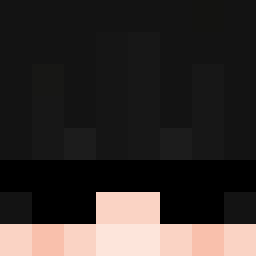
Current Minecraft skin of the player Ixxcs_, loaded from the official Mojang API. Rotate the 3D model with your mouse or finger, then download the skin as a PNG file and use it in Minecraft: Bedrock Edition or Java Edition for free. When Ixxcs_ changes their skin, this page updates automatically and the old skin stays in the history below.

Other players with this skin (216)
Ixxcs_ was the 144th player we have seen with this skin, first spotted on 06.10.2026. The same skin was seen on these players. Open a nickname to see their current skin and skin history.
 APE0 gorria Zekirs Kent__Clark bigmantom56 kokkukokku VeniV Sergiu_man54 Maserati_07 ItsMahuna Tw554 D_P_T 00Timo00 mixerblock27 Astrolyx_rl Rafaelzwz Apeir LeeJiEunnnnn jin9188 Sachou28700 NoobOficial JonasCraft2007 JhonRoad Mokilz xKratos333 whatupcu BerserkerRRRR stickpony MC_Neptun Pseudonim__ RickyKarate10 gms_gf 58918 Gemini_25 nathanlookatme Skadi_2024 M1st_ofc Ryde0919 RT_poncho mateyyj DavidDC06 nico_31410 LinWanye EvilEmpire_mLdgb MarioDelixx ohcade RuniFiedMC_ TuttiFruttiYeti DavidNieves000 bypikaa georgies232 Lys0x caravanr chaosvk JustVoidexx tcqt113 Switchxxx juxfrost 741236980 sgrg
More Agent Minecraft skins
How to install the Ixxcs_ skin
- Press the Download button above to save the skin as a PNG file.
- Minecraft: Bedrock Edition (PE): open the Dressing Room from the main menu (or tap your character → Edit Character), go to Classic Skins → Owned, press the + (new skin) button, choose the downloaded PNG and pick the Slim (Alex) model. Works on PC and mobile; consoles cannot import custom skins.
- Minecraft: Java Edition: open the Minecraft Launcher, go to the Skins tab, click New Skin, load the PNG, pick the Slim (Alex) model and press Save & Use. You can also upload it at minecraft.net → Profile → Change Skin.
The skin does not show up after import - what should I do?
Restart Minecraft and open the Dressing Room again - imported skins sometimes appear only after a restart. Also make sure you selected the imported skin and picked the Slim (Alex) model.
Which model should I choose, Classic or Slim?
This skin is designed for the Slim (Alex) model. If you pick the wrong model, the arms of the skin will look stretched or squeezed.
Is the skin of Ixxcs_ free to download?
Yes. Press Download, save the PNG file and use it in Minecraft: Bedrock Edition or Java Edition - no payment or registration needed. The skin also works on multiplayer servers and Realms.
More skins
Looking for more? Go back to all Minecraft skins and check the top skins of the week, month and all time, or find any player's skin by nickname.