
IndigoKid - Minecraft Skins & Skin History
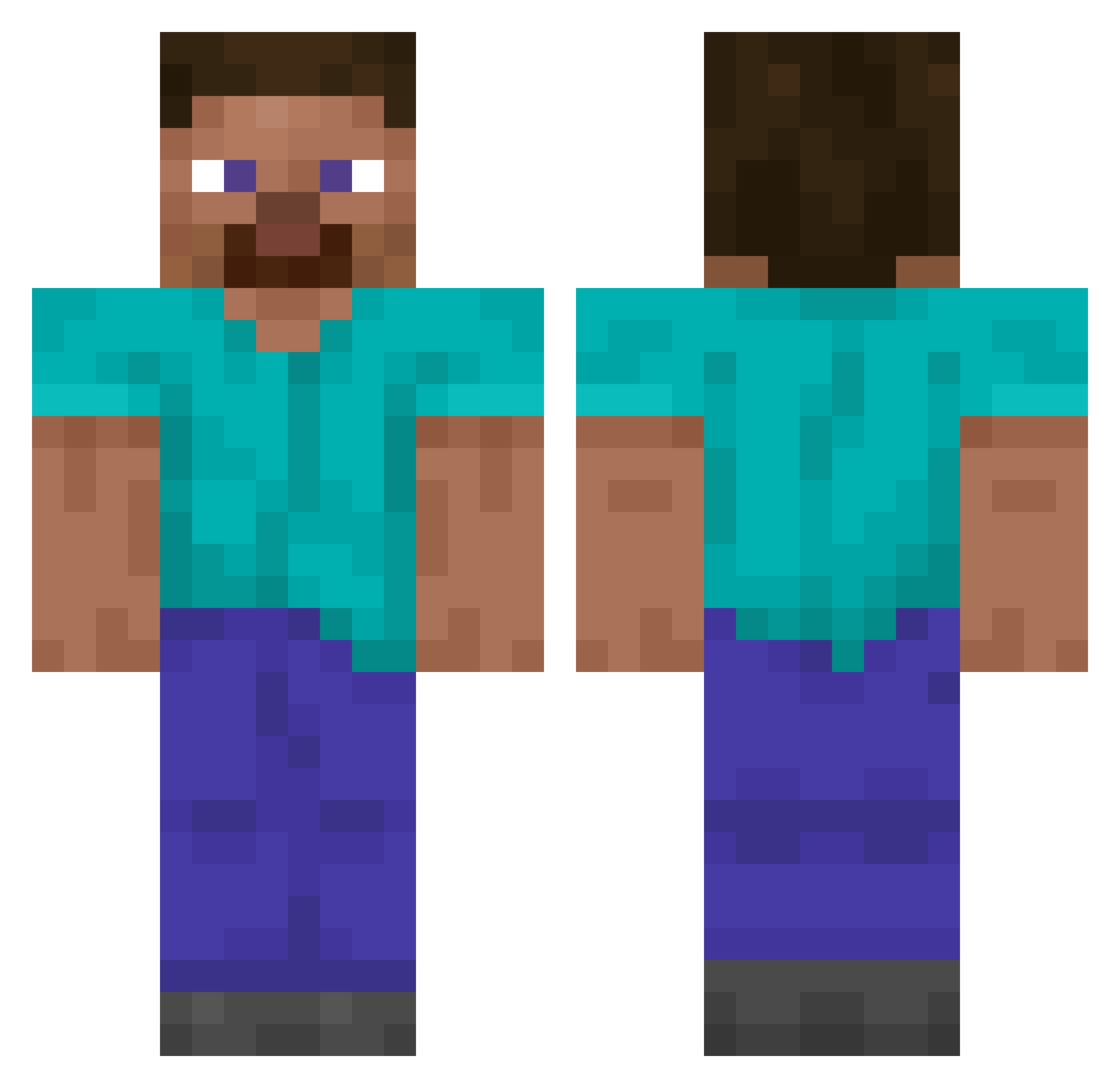
Current Minecraft skin of the player IndigoKid, loaded from the official Mojang API. Rotate the 3D model with your mouse or finger, then download the skin as a PNG file and use it in Minecraft: Bedrock Edition or Java Edition for free. When IndigoKid changes their skin, this page updates automatically and the old skin stays in the history below.
Other players with this skin (14073)
IndigoKid was the 10679th player we have seen with this skin, first spotted on 15.10.2026. The same skin was seen on these players. Open a nickname to see their current skin and skin history.
 Lusquin2020 CYBORG29 holhol2e3 zT_Tricks ll_lll SwingTree bonnierabbit1 Tail sparky0612 stofjongen _zpl_ iTzMqdness_ ifd10 zo__glasss Themineguy1 PoxipolXeno Foist xXLabyHackerXx Frostorias jju124 Multilinear BenjaminRoss Shipitinho Factorist Woodex_ eneskaptan sdhfgff oo2o Glima73 tintei Gilver007 Makartyr antosreda Uhats e46owner keven1107 MrMayhew arterius100 dankvi Logilew LuxuryXI holasenor Rexfinite HAHAHHAHAHAHHA Oliboy___ 1111111_1 Louze WhoDares Yxinok erxxr123 Cyberpunk11 JeongHanWool GrandpaMarsh josepoo _Schmidtek_ bvnnja SquishSquish102 Lewarex9 DanRedOxO Cyb3rVen0m22
How to install the IndigoKid skin
- Press the Download button above to save the skin as a PNG file.
- Minecraft: Bedrock Edition (PE): open the Dressing Room from the main menu (or tap your character → Edit Character), go to Classic Skins → Owned, press the + (new skin) button, choose the downloaded PNG and pick the Classic (Steve) model. Works on PC and mobile; consoles cannot import custom skins.
- Minecraft: Java Edition: open the Minecraft Launcher, go to the Skins tab, click New Skin, load the PNG, pick the Classic (Steve) model and press Save & Use. You can also upload it at minecraft.net → Profile → Change Skin.
The skin does not show up after import - what should I do?
Restart Minecraft and open the Dressing Room again - imported skins sometimes appear only after a restart. Also make sure you selected the imported skin and picked the Classic (Steve) model.
Which model should I choose, Classic or Slim?
This skin is designed for the Classic (Steve) model. If you pick the wrong model, the arms of the skin will look stretched or squeezed.
Is the skin of IndigoKid free to download?
Yes. Press Download, save the PNG file and use it in Minecraft: Bedrock Edition or Java Edition - no payment or registration needed. The skin also works on multiplayer servers and Realms.
More skins
Looking for more? Go back to all Minecraft skins and check the top skins of the week, month and all time, or find any player's skin by nickname.