
IlyasIsHere123 - Minecraft Skins & Skin History
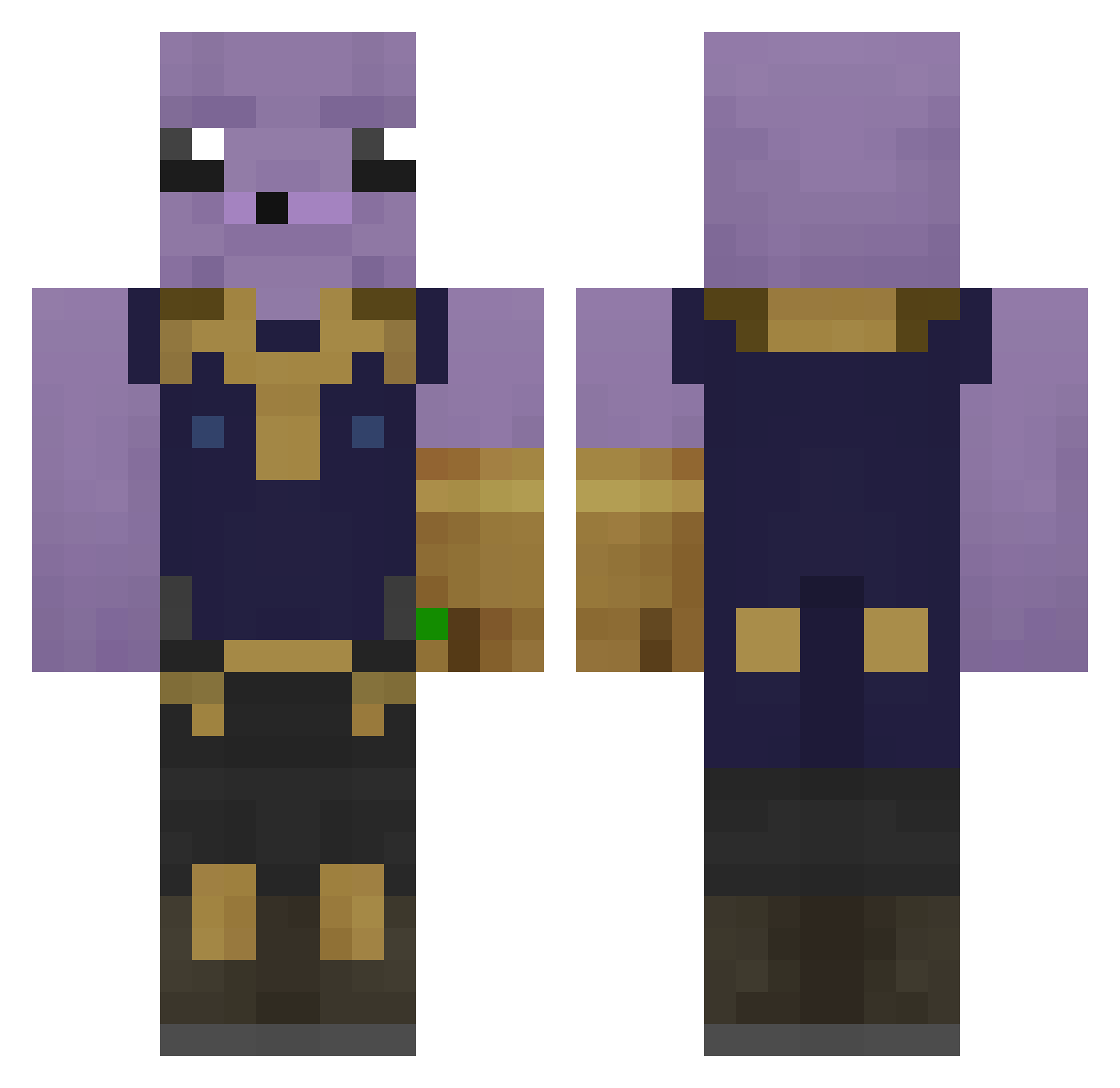
Current Minecraft skin of the player IlyasIsHere123, loaded from the official Mojang API. Rotate the 3D model with your mouse or finger, then download the skin as a PNG file and use it in Minecraft: Bedrock Edition or Java Edition for free. When IlyasIsHere123 changes their skin, this page updates automatically and the old skin stays in the history below.
Other players with this skin (311)
IlyasIsHere123 was the 252nd player we have seen with this skin, first spotted on 24.10.2026. The same skin was seen on these players. Open a nickname to see their current skin and skin history.
 cra99901 BigDaddyGuff76 krekz Tanuss Bosslook _mub MonsterMutt108 thib507 Gartalox BlockBuilders1 Yamicooch sweatyballs18 DerlisPivinta DekxxD Kevoshabie Manguana NoobLengend Tosterqu Neovo903 demloaring KingBinkie69 matty_xyz Finnawhipthishoe _RaDmir_ JOHNNCENAAA SachaGryBabouche PocoyoXxx Skopta nuuskamasteri69 Jrte Dom1800 acerz_ Thenoobslayer16 enestek Mr31Shaco Plocker699 DeeSnuts_420 raduniooo tin065 Tryggvetr Bugadao789 EStrassy8 Barnerumper CaryVN GarrrTheGAMER47 Rachieluvs Terater007 MoistAce Kybber jeevis_ BoodyB supes06 PintoLindo11 Trickman2009_ BeataMehlich TurnTechWarhead twenju28 CharIes01 TheRINZZLER SirScatman
More Infinity Gauntlet Minecraft skins
See all 655 Infinity Gauntlet skins
How to install the IlyasIsHere123 skin
- Press the Download button above to save the skin as a PNG file.
- Minecraft: Bedrock Edition (PE): open the Dressing Room from the main menu (or tap your character → Edit Character), go to Classic Skins → Owned, press the + (new skin) button, choose the downloaded PNG and pick the Classic (Steve) model. Works on PC and mobile; consoles cannot import custom skins.
- Minecraft: Java Edition: open the Minecraft Launcher, go to the Skins tab, click New Skin, load the PNG, pick the Classic (Steve) model and press Save & Use. You can also upload it at minecraft.net → Profile → Change Skin.
The skin does not show up after import - what should I do?
Restart Minecraft and open the Dressing Room again - imported skins sometimes appear only after a restart. Also make sure you selected the imported skin and picked the Classic (Steve) model.
Which model should I choose, Classic or Slim?
This skin is designed for the Classic (Steve) model. If you pick the wrong model, the arms of the skin will look stretched or squeezed.
Is the skin of IlyasIsHere123 free to download?
Yes. Press Download, save the PNG file and use it in Minecraft: Bedrock Edition or Java Edition - no payment or registration needed. The skin also works on multiplayer servers and Realms.
More skins
Looking for more? Go back to all Minecraft skins and check the top skins of the week, month and all time, or find any player's skin by nickname.