
Iddepidde07 - Minecraft Skins & Skin History
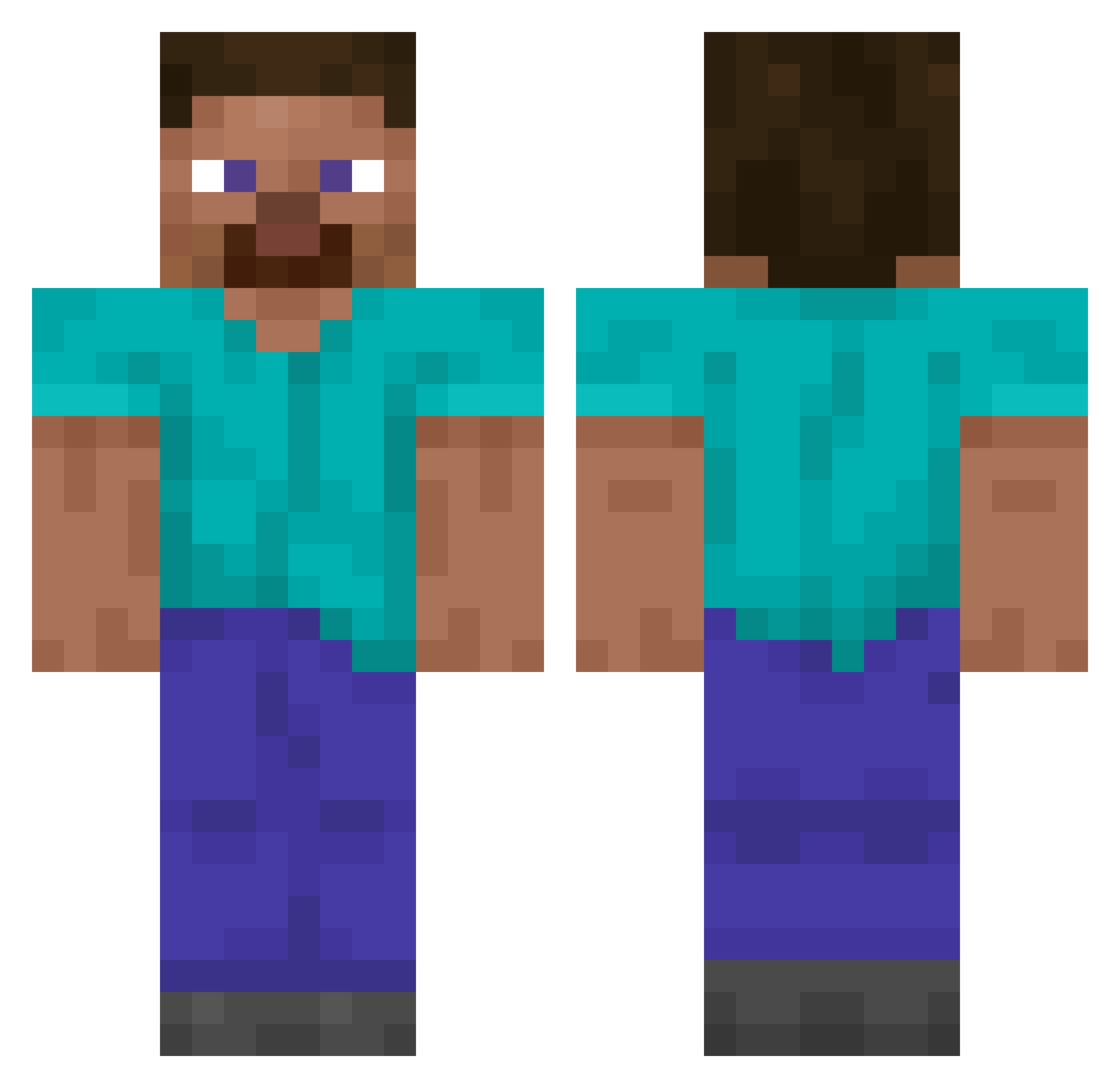
Current Minecraft skin of the player Iddepidde07, loaded from the official Mojang API. Rotate the 3D model with your mouse or finger, then download the skin as a PNG file and use it in Minecraft: Bedrock Edition or Java Edition for free. When Iddepidde07 changes their skin, this page updates automatically and the old skin stays in the history below.
Other players with this skin (14857)
Iddepidde07 was the 14081st player we have seen with this skin, first spotted on 05.11.2026. The same skin was seen on these players. Open a nickname to see their current skin and skin history.
 Mateocraft42069 maia0707 H4PPYFA stanamull ELRoYBR ROGATION Jvstinvg iSavageNoob DAN6369 ArthurisG00D brzinska Mythshk Yutid2 DavidChen14 Migueltheminer sandw1ch_ hel_wgnr Graph_Theory F16v BKNN Demir3323 Ebone_2 Eredin__ CassiopeiaOxO Unavoidability vvoyov heatblind Byzzerp Srvo jojosoup saladkimchi ZizedXP amungas Chemay callmefreedom twohy Moelius Dieshearten yc2pro TheReclaimer009 chinitoguapo unspacious Speech341 MyNameIsOne ttmyboy CardBug18938221 NooiFFS vH_mito Serinthyia DattaBoi VyomBirwatkar09 D0man1a5 sironeko_0617 BotTim123 donghyun1 noorhasaura5 Tofeezz Patonki__ M3MM0RI Finian23
How to install the Iddepidde07 skin
- Press the Download button above to save the skin as a PNG file.
- Minecraft: Bedrock Edition (PE): open the Dressing Room from the main menu (or tap your character → Edit Character), go to Classic Skins → Owned, press the + (new skin) button, choose the downloaded PNG and pick the Classic (Steve) model. Works on PC and mobile; consoles cannot import custom skins.
- Minecraft: Java Edition: open the Minecraft Launcher, go to the Skins tab, click New Skin, load the PNG, pick the Classic (Steve) model and press Save & Use. You can also upload it at minecraft.net → Profile → Change Skin.
The skin does not show up after import - what should I do?
Restart Minecraft and open the Dressing Room again - imported skins sometimes appear only after a restart. Also make sure you selected the imported skin and picked the Classic (Steve) model.
Which model should I choose, Classic or Slim?
This skin is designed for the Classic (Steve) model. If you pick the wrong model, the arms of the skin will look stretched or squeezed.
Is the skin of Iddepidde07 free to download?
Yes. Press Download, save the PNG file and use it in Minecraft: Bedrock Edition or Java Edition - no payment or registration needed. The skin also works on multiplayer servers and Realms.
More skins
Looking for more? Go back to all Minecraft skins and check the top skins of the week, month and all time, or find any player's skin by nickname.