
Hawaiian_shirt_m - Minecraft Skins & Skin History
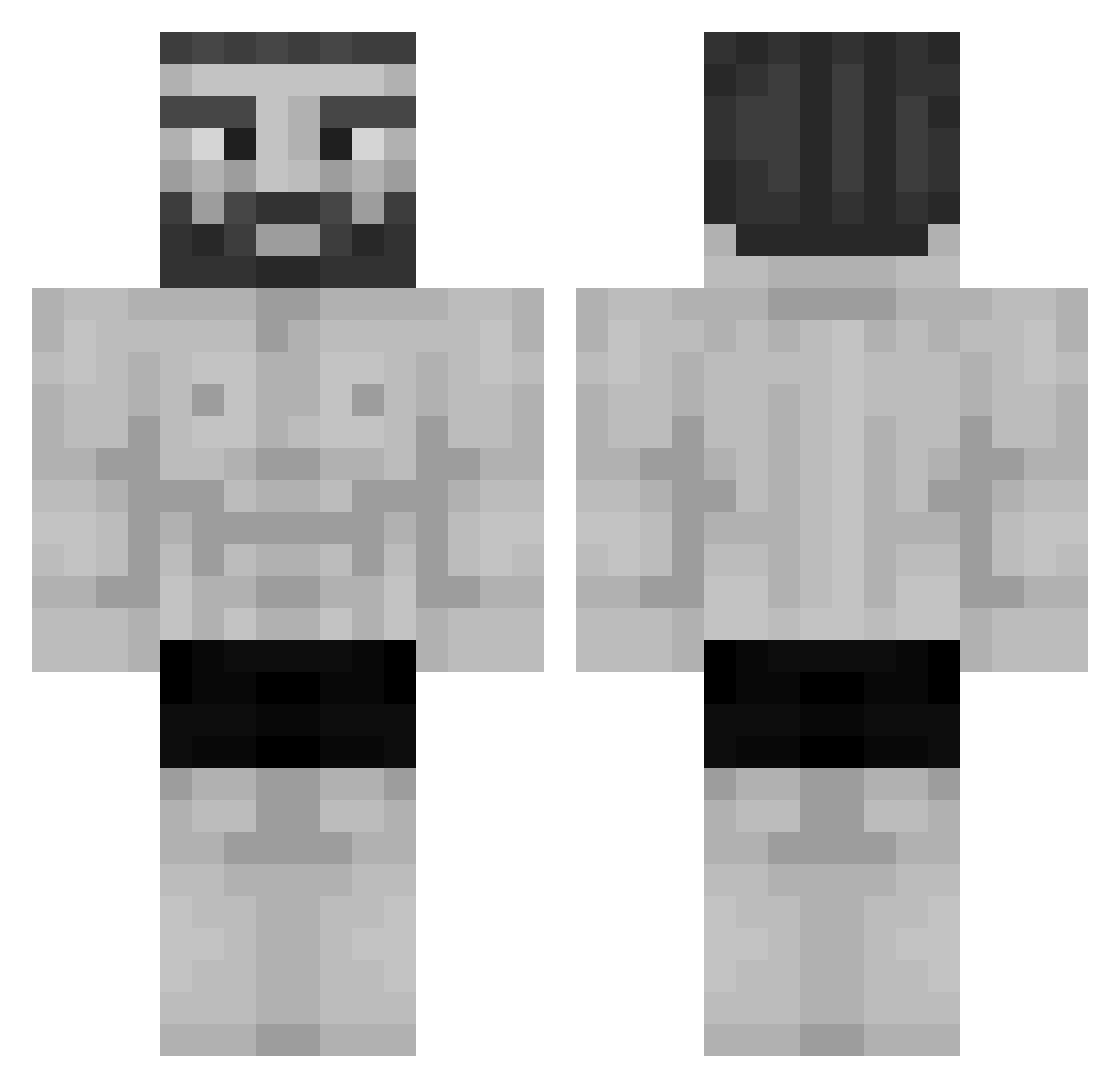
Current Minecraft skin of the player Hawaiian_shirt_m, loaded from the official Mojang API. Rotate the 3D model with your mouse or finger, then download the skin as a PNG file and use it in Minecraft: Bedrock Edition or Java Edition for free. When Hawaiian_shirt_m changes their skin, this page updates automatically and the old skin stays in the history below.
Other players with this skin (1194)
Hawaiian_shirt_m was the 1021st player we have seen with this skin, first spotted on 27.10.2026. The same skin was seen on these players. Open a nickname to see their current skin and skin history.
 Kikin21 TrueMineWolf Wizzdingle Liquidbeefy56 PakTam1 IkoraRay junteak baskethippo29 big_banana_balls Duuuuuuke Jaykoh felipentium JuIioProfe Grondin2 KappaKosby ChargeFace9 Adeke CJBXD hamsterbby nickdavid Sleep45 ECDBJUAN59 Saiibaru Shalawi Hunteerxd IncognitoJoseph MTP7516 Royallord speedev2 m1sk187 Ecarteri Hoiminoi GigaChad_99 VoidBlueWhale VanyaSigmaBoy Lileyli NoStressMike_ FaZe_Piripituchi Rastyzdrasty stoneyjeorgie hentia_heven Brooizer Moronj tod0206 x4nee joeybruh DanteNooch Saga008 Antirush04 azymofs RaionIzanagi Creditz666 DavidHara MaskedKekkyojin Hippodamist Snohhy pipicaliiente UnMutant _L30NF17_ Chris_chole
More Gigachad Minecraft skins
How to install the Hawaiian_shirt_m skin
- Press the Download button above to save the skin as a PNG file.
- Minecraft: Bedrock Edition (PE): open the Dressing Room from the main menu (or tap your character → Edit Character), go to Classic Skins → Owned, press the + (new skin) button, choose the downloaded PNG and pick the Classic (Steve) model. Works on PC and mobile; consoles cannot import custom skins.
- Minecraft: Java Edition: open the Minecraft Launcher, go to the Skins tab, click New Skin, load the PNG, pick the Classic (Steve) model and press Save & Use. You can also upload it at minecraft.net → Profile → Change Skin.
The skin does not show up after import - what should I do?
Restart Minecraft and open the Dressing Room again - imported skins sometimes appear only after a restart. Also make sure you selected the imported skin and picked the Classic (Steve) model.
Which model should I choose, Classic or Slim?
This skin is designed for the Classic (Steve) model. If you pick the wrong model, the arms of the skin will look stretched or squeezed.
Is the skin of Hawaiian_shirt_m free to download?
Yes. Press Download, save the PNG file and use it in Minecraft: Bedrock Edition or Java Edition - no payment or registration needed. The skin also works on multiplayer servers and Realms.
More skins
Looking for more? Go back to all Minecraft skins and check the top skins of the week, month and all time, or find any player's skin by nickname.