
Hamza_Destroyer - Minecraft Skins & Skin History
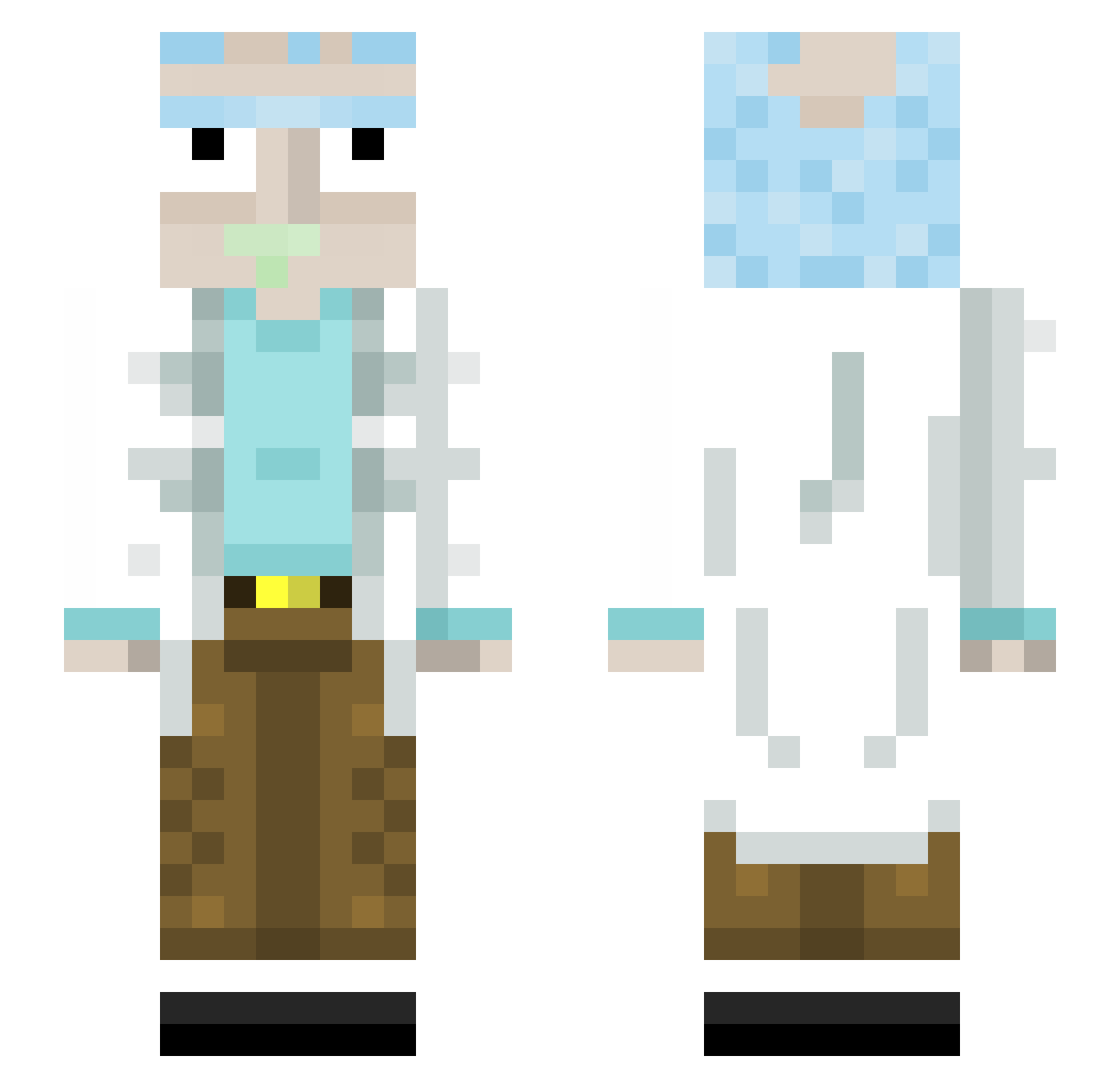
Current Minecraft skin of the player Hamza_Destroyer, loaded from the official Mojang API. Rotate the 3D model with your mouse or finger, then download the skin as a PNG file and use it in Minecraft: Bedrock Edition or Java Edition for free. When Hamza_Destroyer changes their skin, this page updates automatically and the old skin stays in the history below.
Other players with this skin (445)
Hamza_Destroyer was the 428th player we have seen with this skin, first spotted on 01.11.2026. The same skin was seen on these players. Open a nickname to see their current skin and skin history.
 gmads13 OB_player D2Liima Noahtheman2x EinfachBobo Jason1017 UnreadWorld Kapriisun PaquitoTarantino ImRickSanchez Orian_a gmporta mutendo DJFK_ BLUE2311 DHAZ3R leemuur Titanborn Racochejl7 TypicIIy uttamZ sinopogi Adrian_07_24 Bazpoule Dimi1 pablocardozo bubbahall FranekRM AdrProKiller82 SpicyInting FISHMANNNNNNNNNN Tamtale joollyt MNINoodles jpKxx ensiy_51 aynirio MrDerlu _rick_sanchez575 Serious5254 Cmon_Louis toohnnyy Illegallama SantosG13 Wrontles FinocchiaroG jrowberry civcivderin CornFedKyle Maurin_16 lilianpf Cenkos Immagrante SamuraiSushiDorf iceJ07 Iwisel19 CRXNKZ LaSaumure44 Meinereiner1106 JohnLuisConti
More Rick Sanchez Minecraft skins
See all 218 Rick Sanchez skins
How to install the Hamza_Destroyer skin
- Press the Download button above to save the skin as a PNG file.
- Minecraft: Bedrock Edition (PE): open the Dressing Room from the main menu (or tap your character → Edit Character), go to Classic Skins → Owned, press the + (new skin) button, choose the downloaded PNG and pick the Slim (Alex) model. Works on PC and mobile; consoles cannot import custom skins.
- Minecraft: Java Edition: open the Minecraft Launcher, go to the Skins tab, click New Skin, load the PNG, pick the Slim (Alex) model and press Save & Use. You can also upload it at minecraft.net → Profile → Change Skin.
The skin does not show up after import - what should I do?
Restart Minecraft and open the Dressing Room again - imported skins sometimes appear only after a restart. Also make sure you selected the imported skin and picked the Slim (Alex) model.
Which model should I choose, Classic or Slim?
This skin is designed for the Slim (Alex) model. If you pick the wrong model, the arms of the skin will look stretched or squeezed.
Is the skin of Hamza_Destroyer free to download?
Yes. Press Download, save the PNG file and use it in Minecraft: Bedrock Edition or Java Edition - no payment or registration needed. The skin also works on multiplayer servers and Realms.
More skins
Looking for more? Go back to all Minecraft skins and check the top skins of the week, month and all time, or find any player's skin by nickname.