
HTXPK69 - Minecraft Skins & Skin History
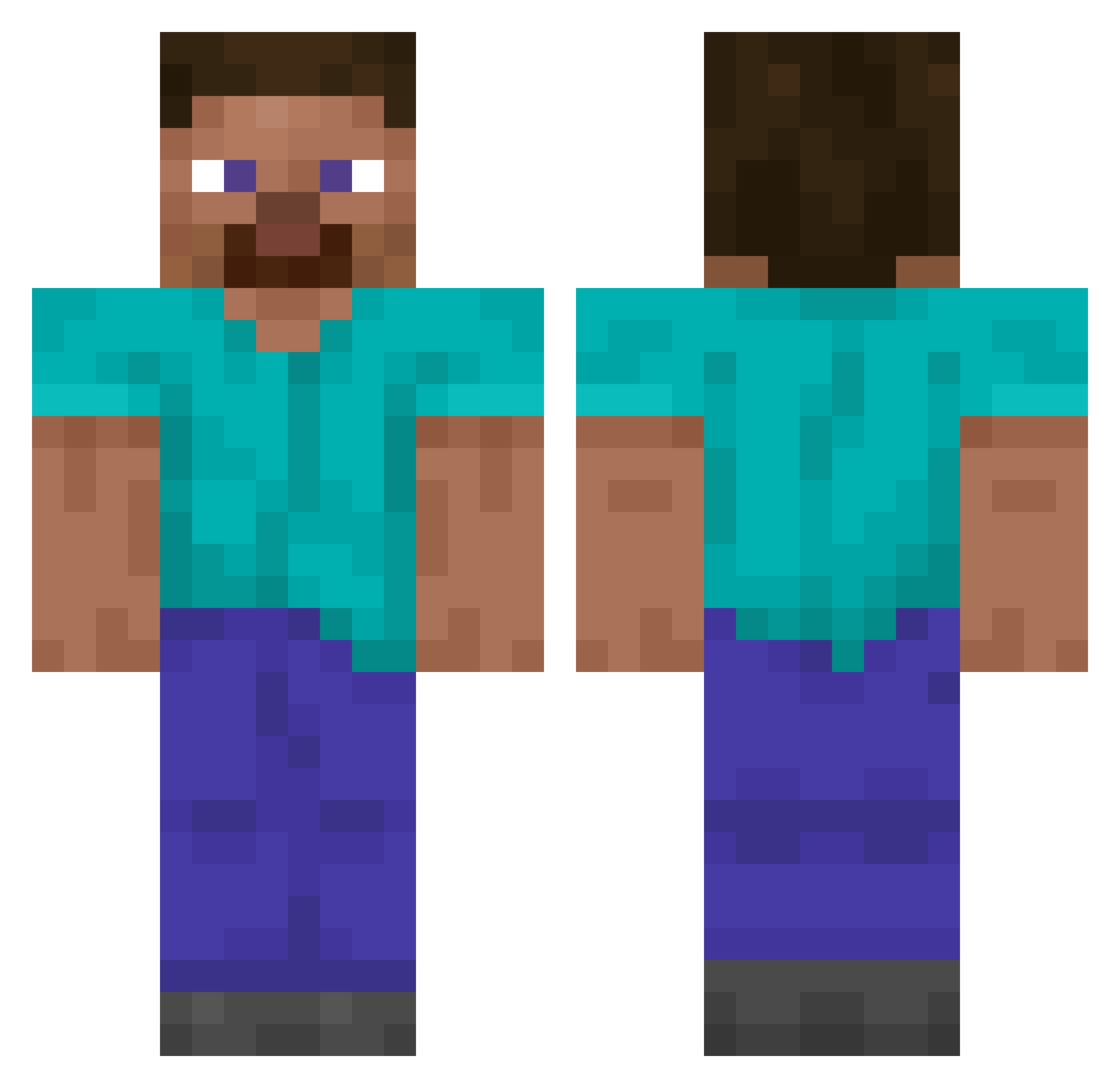
Current Minecraft skin of the player HTXPK69, loaded from the official Mojang API. Rotate the 3D model with your mouse or finger, then download the skin as a PNG file and use it in Minecraft: Bedrock Edition or Java Edition for free. When HTXPK69 changes their skin, this page updates automatically and the old skin stays in the history below.
Other players with this skin (13746)
HTXPK69 was the 13714th player we have seen with this skin, first spotted on 03.11.2026. The same skin was seen on these players. Open a nickname to see their current skin and skin history.
 M1st3rgh0st MaBallsFellOff sxcaredAY LeicesterCity541 risencaesar dull9 CharlieElJackson alpha_111 RinseGod_ Helots Harie_ scyx_l Bartekgru9 l3anks Pablo_EmEscobar kilosera Tencil Mazz1_ svf Asbolan superkrutoi312 Valorization bill_sack AimerTroll Anamericanbird blackwisper Decolonizing Hiddo_ Caliam8D temamii OTKingSlayer bananaowner ms37 Venum_ rlachzh1 rencool Lide_0 mogalts_h5hhc BigBombOsama1957 Dynmk666 banana_meister_ generalpie1 saeil123 Amapolo21 SKILLkills15 Heqtch_ troyanXD bingusthebunni CrossBow111 Uqlimited cowboy44 Maggiblokje Neroo21 SaiGP TownBig ekdms22 Gemzie PapaSBH ChickenTicTaks StoneFinalBoss
How to install the HTXPK69 skin
- Press the Download button above to save the skin as a PNG file.
- Minecraft: Bedrock Edition (PE): open the Dressing Room from the main menu (or tap your character → Edit Character), go to Classic Skins → Owned, press the + (new skin) button, choose the downloaded PNG and pick the Classic (Steve) model. Works on PC and mobile; consoles cannot import custom skins.
- Minecraft: Java Edition: open the Minecraft Launcher, go to the Skins tab, click New Skin, load the PNG, pick the Classic (Steve) model and press Save & Use. You can also upload it at minecraft.net → Profile → Change Skin.
The skin does not show up after import - what should I do?
Restart Minecraft and open the Dressing Room again - imported skins sometimes appear only after a restart. Also make sure you selected the imported skin and picked the Classic (Steve) model.
Which model should I choose, Classic or Slim?
This skin is designed for the Classic (Steve) model. If you pick the wrong model, the arms of the skin will look stretched or squeezed.
Is the skin of HTXPK69 free to download?
Yes. Press Download, save the PNG file and use it in Minecraft: Bedrock Edition or Java Edition - no payment or registration needed. The skin also works on multiplayer servers and Realms.
More skins
Looking for more? Go back to all Minecraft skins and check the top skins of the week, month and all time, or find any player's skin by nickname.