
Gujarati - Minecraft Skins & Skin History
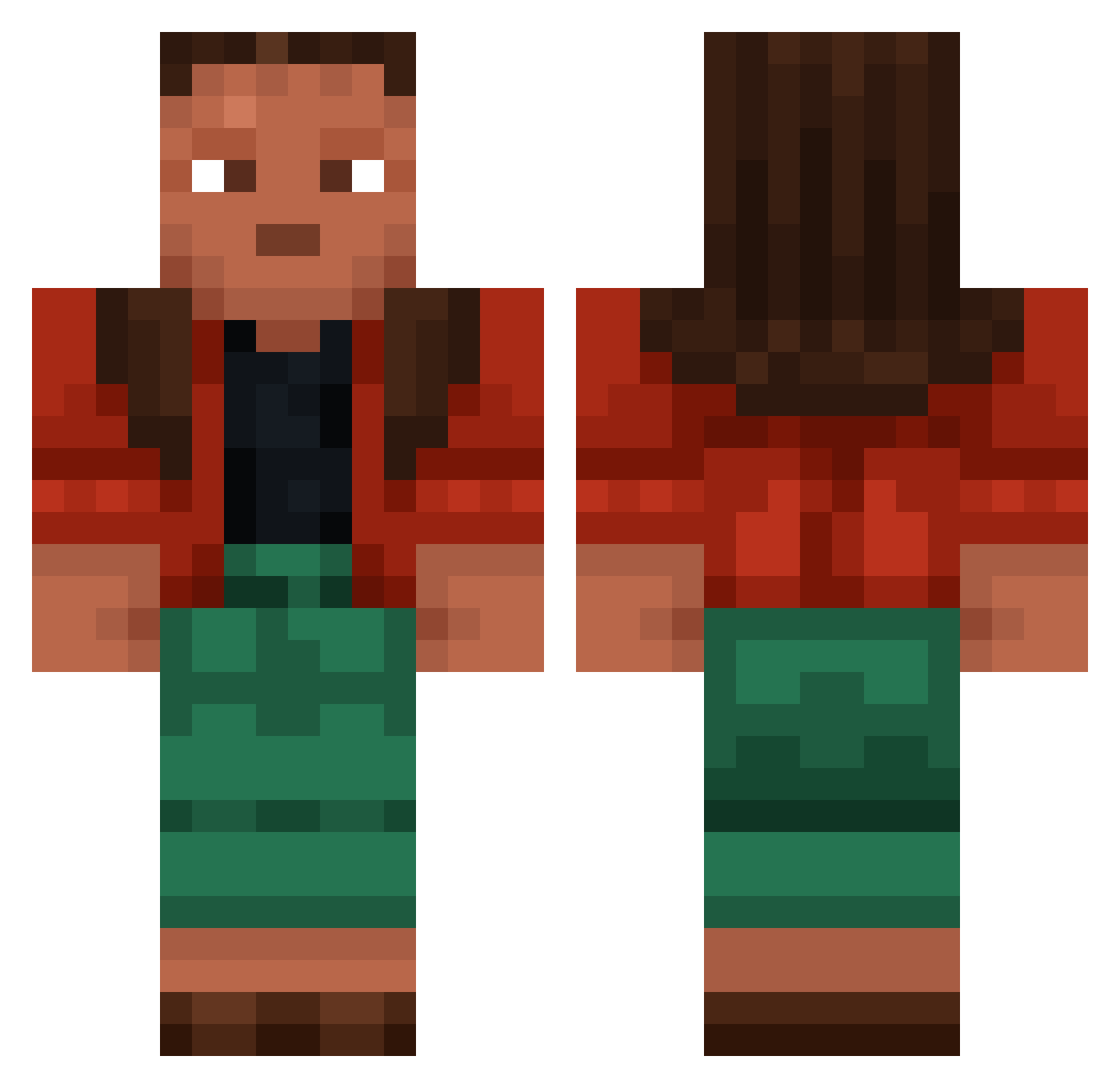
Current Minecraft skin of the player Gujarati, loaded from the official Mojang API. Rotate the 3D model with your mouse or finger, then download the skin as a PNG file and use it in Minecraft: Bedrock Edition or Java Edition for free. When Gujarati changes their skin, this page updates automatically and the old skin stays in the history below.
Other players with this skin (1001)
Gujarati was the 734th player we have seen with this skin, first spotted on 15.10.2026. The same skin was seen on these players. Open a nickname to see their current skin and skin history.
 Epris mariellen Yuenniq3q johnnyreb AMD_Ryzen5900X Lochan 7ssk7 protopod AhmedHero4 27Valey jasminum Redoes Tourne Selachii Dashingly Flyte pipy joner356 chra991 Soral Pineries Josetta MattyJRaps TwoFaceDavid Bittern JellyLop hubertkam2005 paulasBrownDaddy TristanJMiller 1tre7 h0trapid pFake Planum xxhobopelitexx RedBricks Margy cantaris flaviar mximilian23 SinisaPupak AboFaz3 DachriLover ICieR Mende AllusorY DesertedOxy Lutherist mvpoop Piete Skangala Atactic Penfold LittleSaintJamez hetorino__19 M4XeD rhino10113 Annfranck Dudxskkj CaughtlyBoy Lilbuilderaj
More Moana Minecraft skins
How to install the Gujarati skin
- Press the Download button above to save the skin as a PNG file.
- Minecraft: Bedrock Edition (PE): open the Dressing Room from the main menu (or tap your character → Edit Character), go to Classic Skins → Owned, press the + (new skin) button, choose the downloaded PNG and pick the Classic (Steve) model. Works on PC and mobile; consoles cannot import custom skins.
- Minecraft: Java Edition: open the Minecraft Launcher, go to the Skins tab, click New Skin, load the PNG, pick the Classic (Steve) model and press Save & Use. You can also upload it at minecraft.net → Profile → Change Skin.
The skin does not show up after import - what should I do?
Restart Minecraft and open the Dressing Room again - imported skins sometimes appear only after a restart. Also make sure you selected the imported skin and picked the Classic (Steve) model.
Which model should I choose, Classic or Slim?
This skin is designed for the Classic (Steve) model. If you pick the wrong model, the arms of the skin will look stretched or squeezed.
Is the skin of Gujarati free to download?
Yes. Press Download, save the PNG file and use it in Minecraft: Bedrock Edition or Java Edition - no payment or registration needed. The skin also works on multiplayer servers and Realms.
More skins
Looking for more? Go back to all Minecraft skins and check the top skins of the week, month and all time, or find any player's skin by nickname.