
Guatangua - Minecraft Skins & Skin History
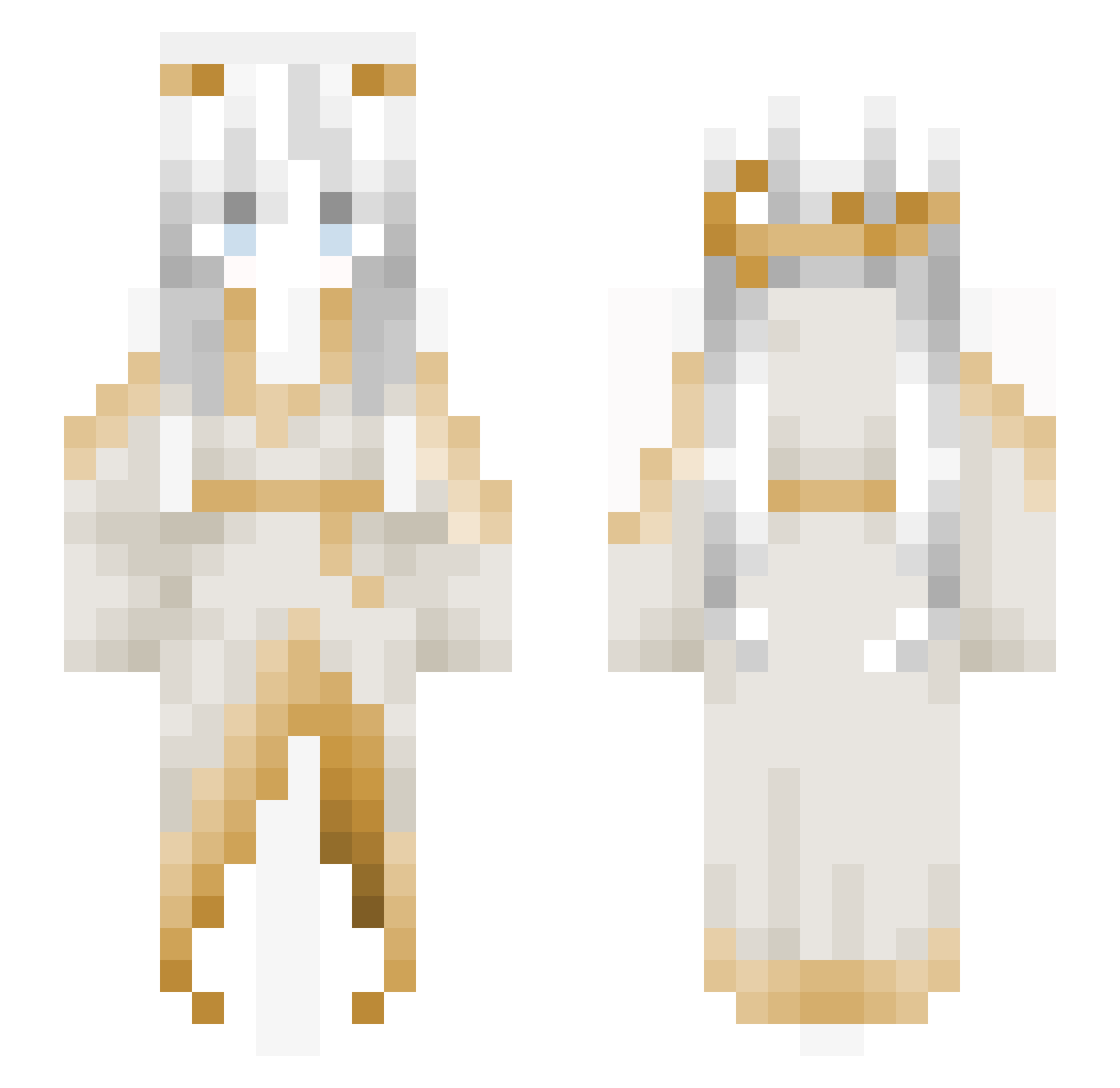
Current Minecraft skin of the player Guatangua, loaded from the official Mojang API. Rotate the 3D model with your mouse or finger, then download the skin as a PNG file and use it in Minecraft: Bedrock Edition or Java Edition for free. When Guatangua changes their skin, this page updates automatically and the old skin stays in the history below.
Other players with this skin (173)
Guatangua was the 131st player we have seen with this skin, first spotted on 18.10.2026. The same skin was seen on these players. Open a nickname to see their current skin and skin history.
 Kyzvall marqsinha96 i7skYmaGe Kinyooo ZoePeng0627 Emmarii_ MOLI_226 Caribeer LL159 xiaomulin Condiciones catbread_is_gay Jhelsey240 Mineflash090 illiminateee s3rend1pity RussianSwagerPvP Crepe11_PVP RaZz_u Staylei Seul_ lRavenl_ _FieldsofElysium kiqem boobaluva HuyLee Lidong3303 Sinfulest Shadow_Gundam 1274250 lola44z Olympus_Hermes Veni2 EvilDrDonut Yoogis TurboEzhik Wasiqali14 zaba_1337 AshenVyx Eretico MINGSHI1 Animuru thaksnrhea Mant1cy AvgJonesy Jublende Ideas bob_2345 awsezzz DLKusooClienGgBG Yveltal__ mzmdirihhahrhthr ATSmasher min_1014 Acedie Aezynphobia murarcano Anson99713 Jessinka sid2K_
More Goddess Minecraft skins
How to install the Guatangua skin
- Press the Download button above to save the skin as a PNG file.
- Minecraft: Bedrock Edition (PE): open the Dressing Room from the main menu (or tap your character → Edit Character), go to Classic Skins → Owned, press the + (new skin) button, choose the downloaded PNG and pick the Slim (Alex) model. Works on PC and mobile; consoles cannot import custom skins.
- Minecraft: Java Edition: open the Minecraft Launcher, go to the Skins tab, click New Skin, load the PNG, pick the Slim (Alex) model and press Save & Use. You can also upload it at minecraft.net → Profile → Change Skin.
The skin does not show up after import - what should I do?
Restart Minecraft and open the Dressing Room again - imported skins sometimes appear only after a restart. Also make sure you selected the imported skin and picked the Slim (Alex) model.
Which model should I choose, Classic or Slim?
This skin is designed for the Slim (Alex) model. If you pick the wrong model, the arms of the skin will look stretched or squeezed.
Is the skin of Guatangua free to download?
Yes. Press Download, save the PNG file and use it in Minecraft: Bedrock Edition or Java Edition - no payment or registration needed. The skin also works on multiplayer servers and Realms.
More skins
Looking for more? Go back to all Minecraft skins and check the top skins of the week, month and all time, or find any player's skin by nickname.