
Greggonator - Minecraft Skins & Skin History
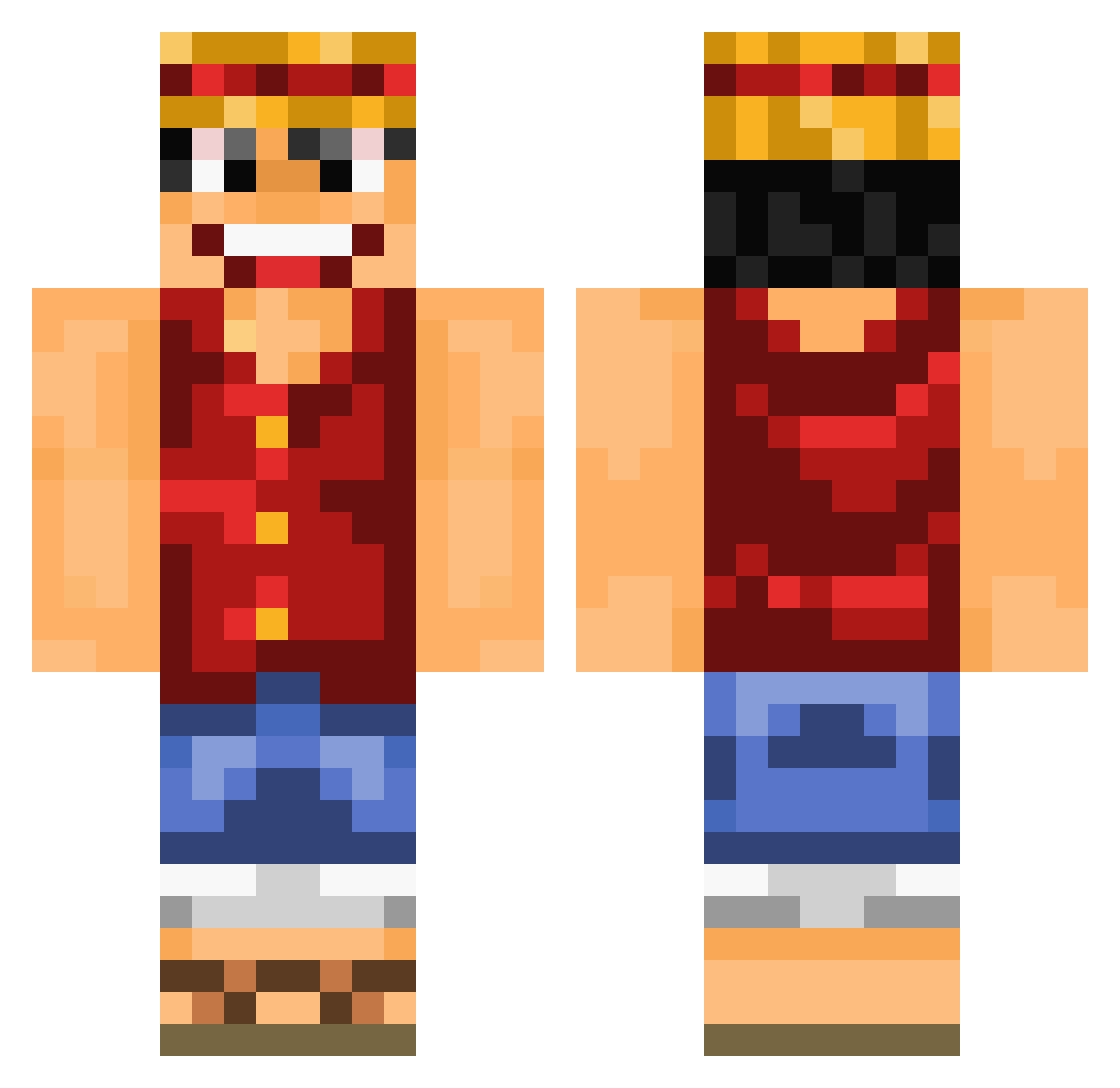
Current Minecraft skin of the player Greggonator, loaded from the official Mojang API. Rotate the 3D model with your mouse or finger, then download the skin as a PNG file and use it in Minecraft: Bedrock Edition or Java Edition for free. When Greggonator changes their skin, this page updates automatically and the old skin stays in the history below.
Other players with this skin (1080)
Greggonator was the 939th player we have seen with this skin, first spotted on 26.10.2026. The same skin was seen on these players. Open a nickname to see their current skin and skin history.
 diablot99 Retiz58 twingo44 dadawow P0tan XGUN1453 FakeShuaiGe rlaghrud Yougoboss 10menjohn Nureong Tunisrevo HollowJeans Georgee Pocketcup muguiwara91 Ovocrafter ProTiGeRz ballack39 Ciity saskuzu FordSMax 0zalee Femuth PepperKP Yoshimitsu_1 Bomi123456789 NunkyDog Coniel123 Vallan siempre_azul Dimed1234 nerfsmurf13 Alucardsworld Drugsdog KikouDeBagdad Kyrm Tazzgen Creambreath2 DennFu abdulladxb NITRO_KRUNK captaincookie123 33DragonSlayer33 Abilnightroad Sztuk6871 Boubou69800 Orange_99 Taotan rayed152 CaptainPanos2003 Breezydoge Kohmoshun LenoraDelio yiusep Lukiesky4 MonkeyDRuffyZ bluebommel Suicidal_Slave Nafsika
More Luffy Minecraft skins
How to install the Greggonator skin
- Press the Download button above to save the skin as a PNG file.
- Minecraft: Bedrock Edition (PE): open the Dressing Room from the main menu (or tap your character → Edit Character), go to Classic Skins → Owned, press the + (new skin) button, choose the downloaded PNG and pick the Classic (Steve) model. Works on PC and mobile; consoles cannot import custom skins.
- Minecraft: Java Edition: open the Minecraft Launcher, go to the Skins tab, click New Skin, load the PNG, pick the Classic (Steve) model and press Save & Use. You can also upload it at minecraft.net → Profile → Change Skin.
The skin does not show up after import - what should I do?
Restart Minecraft and open the Dressing Room again - imported skins sometimes appear only after a restart. Also make sure you selected the imported skin and picked the Classic (Steve) model.
Which model should I choose, Classic or Slim?
This skin is designed for the Classic (Steve) model. If you pick the wrong model, the arms of the skin will look stretched or squeezed.
Is the skin of Greggonator free to download?
Yes. Press Download, save the PNG file and use it in Minecraft: Bedrock Edition or Java Edition - no payment or registration needed. The skin also works on multiplayer servers and Realms.
More skins
Looking for more? Go back to all Minecraft skins and check the top skins of the week, month and all time, or find any player's skin by nickname.