
Frostelle_ - Minecraft Skins & Skin History
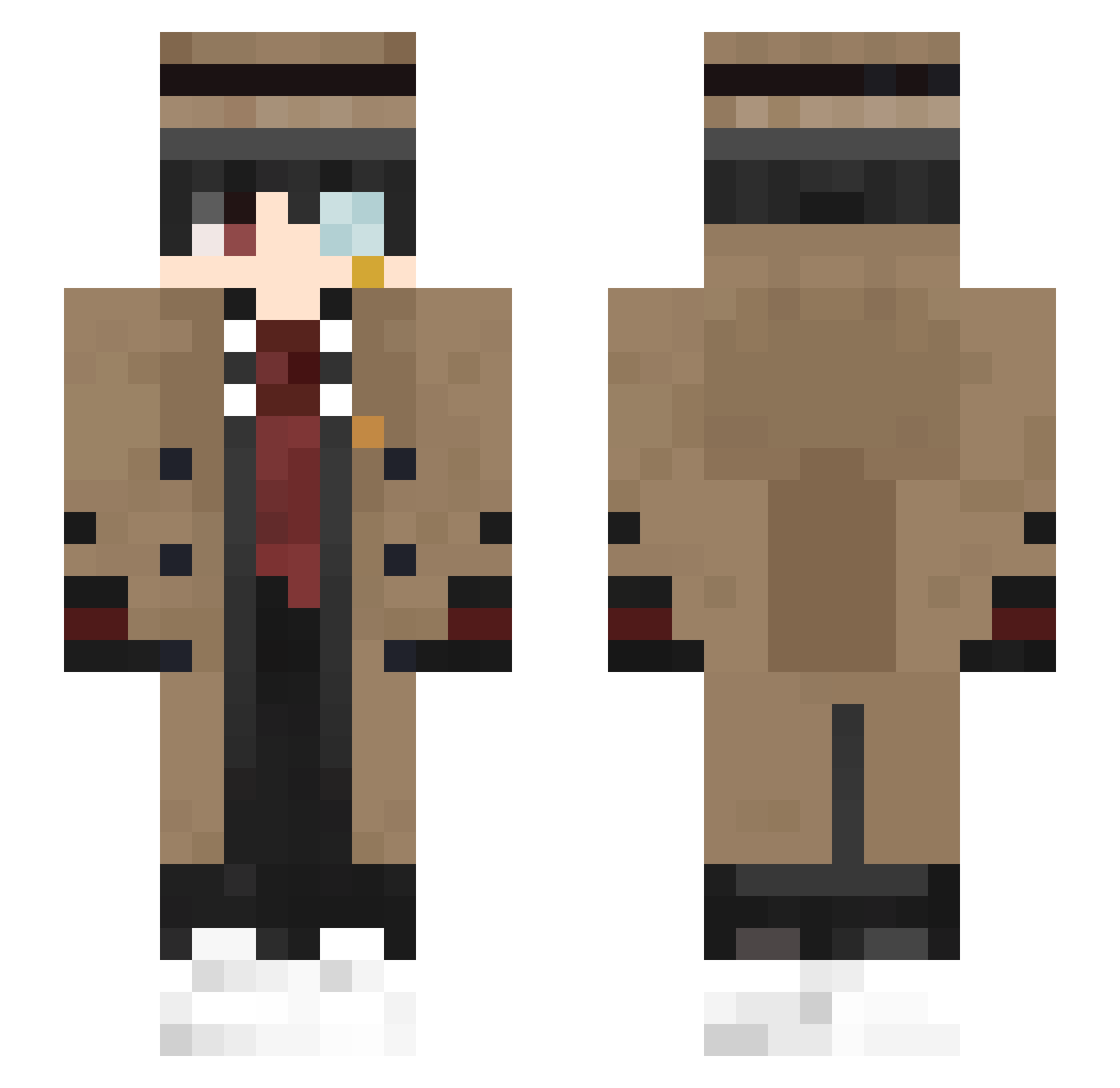
Current Minecraft skin of the player Frostelle_, loaded from the official Mojang API. Rotate the 3D model with your mouse or finger, then download the skin as a PNG file and use it in Minecraft: Bedrock Edition or Java Edition for free. When Frostelle_ changes their skin, this page updates automatically and the old skin stays in the history below.
Other players with this skin (540)
Frostelle_ was the 511th player we have seen with this skin, first spotted on 06.11.2026. The same skin was seen on these players. Open a nickname to see their current skin and skin history.
 blackcow159 tl2ri xwxnxke BayKrepV MeitanteiJ King1939 Transpirator OWENXXX Mamutanthan BackH5 HammmTarO _Pacco_0 Meo789 xLionYusuf MITHRILBlade_ DaniniTum extahoe Kumicho chipdel ZeenTT MTMarcel BatSonic99517 KysUwU BBOGCHI CGYD520 Fillipera xPremiumHDx ref212 natsuLOL08 KJ_PLAYER urimusd wojin57 Davichooo invals OpticalHD5 jjstaat kinakomochi96 earbleeder gotemdabdab Trawsonek Lush15 ajrbrown1 Daymiks xIamInevitable khyaradb ELOTERRRORIST Suu12 xOrkyPT surgeonaim _BrokenBlade JinoraUnderscore Erbendindoa watambak rWshiram_ Mandersmcpanders TheLazyCat_ BabyMachine69 kiryuushka phzeraXD handsomeboyyyy
More Yugi Amane Minecraft skins
How to install the Frostelle_ skin
- Press the Download button above to save the skin as a PNG file.
- Minecraft: Bedrock Edition (PE): open the Dressing Room from the main menu (or tap your character → Edit Character), go to Classic Skins → Owned, press the + (new skin) button, choose the downloaded PNG and pick the Slim (Alex) model. Works on PC and mobile; consoles cannot import custom skins.
- Minecraft: Java Edition: open the Minecraft Launcher, go to the Skins tab, click New Skin, load the PNG, pick the Slim (Alex) model and press Save & Use. You can also upload it at minecraft.net → Profile → Change Skin.
The skin does not show up after import - what should I do?
Restart Minecraft and open the Dressing Room again - imported skins sometimes appear only after a restart. Also make sure you selected the imported skin and picked the Slim (Alex) model.
Which model should I choose, Classic or Slim?
This skin is designed for the Slim (Alex) model. If you pick the wrong model, the arms of the skin will look stretched or squeezed.
Is the skin of Frostelle_ free to download?
Yes. Press Download, save the PNG file and use it in Minecraft: Bedrock Edition or Java Edition - no payment or registration needed. The skin also works on multiplayer servers and Realms.
More skins
Looking for more? Go back to all Minecraft skins and check the top skins of the week, month and all time, or find any player's skin by nickname.