
Frattello - Minecraft Skins & Skin History
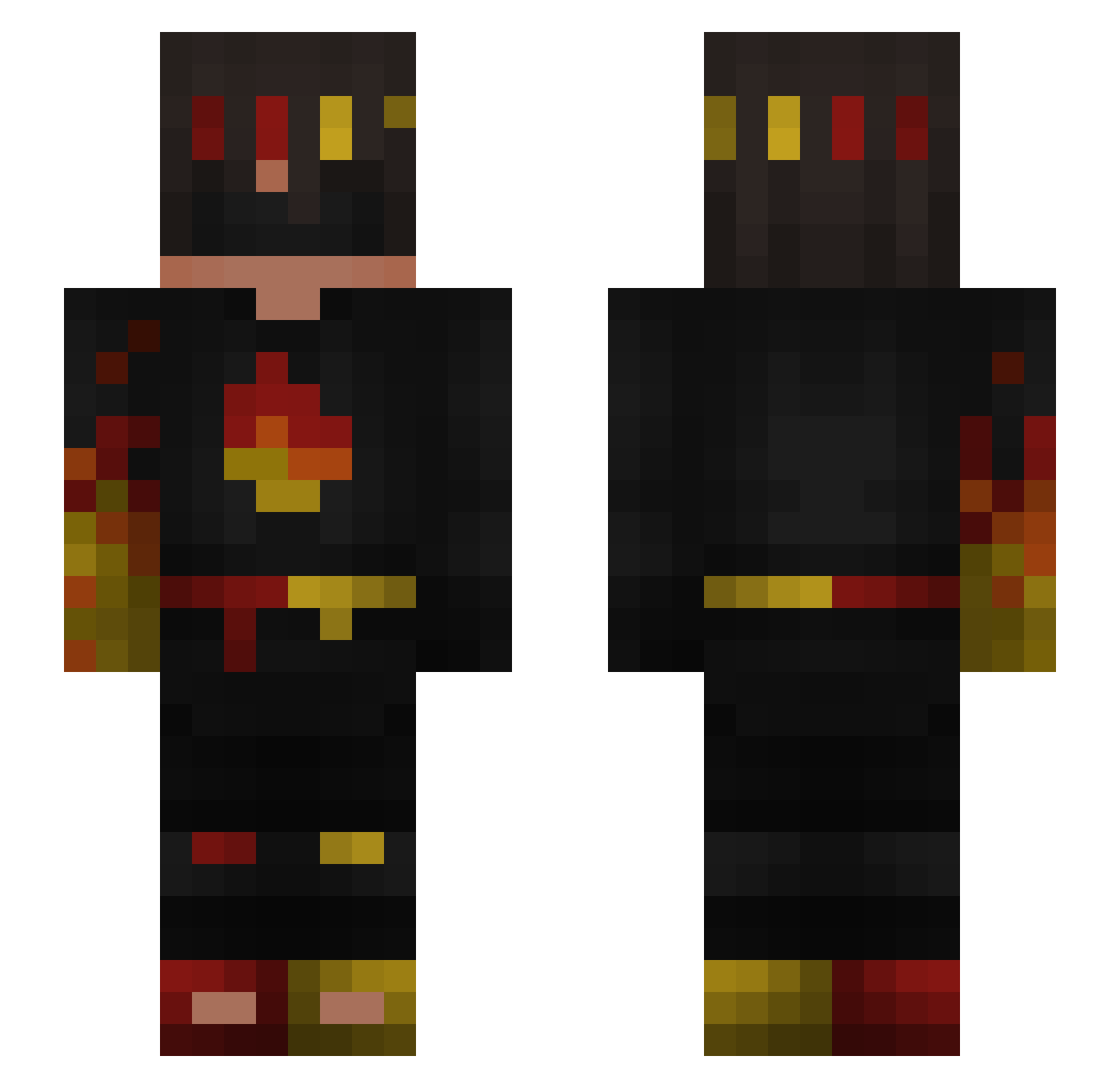
Current Minecraft skin of the player Frattello, loaded from the official Mojang API. Rotate the 3D model with your mouse or finger, then download the skin as a PNG file and use it in Minecraft: Bedrock Edition or Java Edition for free. When Frattello changes their skin, this page updates automatically and the old skin stays in the history below.
Other players with this skin (265)
Frattello was the 247th player we have seen with this skin, first spotted on 02.11.2026. The same skin was seen on these players. Open a nickname to see their current skin and skin history.
 esseyis_god komq04 matheo2000 ItzFrexis Duckygoosee CCG14 Kallen3 raveTFeQiktD daprobro2 swightx poocacaitzel niklasfnr ItzDiamondzMC Alex100701 FreshboyLP flamingfrags CamKilla23 ROCKETMANIA10 copa6074 FireFlameX MeowSenaa NorthKorean69 KapiM101 builderzack BozSteve cocomelon_dPvp v0n_msmc_gjq Gametube01 MiljonerX_X DirtForge theone_withaura q38_msmc_7on ItzFlameFrags vujce WalksyCrystal Cool_Guy057 Kaylynnne NeshaOvde _Nyphx_ LuigiTcan Diamant624 ElErickk modolopi Asser2010 Tschixx Lepuska8 Alexis_Is_Tuff Wataheo BadKarma212 Super_hlebushek BdQd Mr_Lag456 Chrislb41 BCreeper2013 igor1300 Feinns MinecraftEN960 Quartz_W7 EloBtw EmberFrags
More Fire Ninja Minecraft skins
How to install the Frattello skin
- Press the Download button above to save the skin as a PNG file.
- Minecraft: Bedrock Edition (PE): open the Dressing Room from the main menu (or tap your character → Edit Character), go to Classic Skins → Owned, press the + (new skin) button, choose the downloaded PNG and pick the Slim (Alex) model. Works on PC and mobile; consoles cannot import custom skins.
- Minecraft: Java Edition: open the Minecraft Launcher, go to the Skins tab, click New Skin, load the PNG, pick the Slim (Alex) model and press Save & Use. You can also upload it at minecraft.net → Profile → Change Skin.
The skin does not show up after import - what should I do?
Restart Minecraft and open the Dressing Room again - imported skins sometimes appear only after a restart. Also make sure you selected the imported skin and picked the Slim (Alex) model.
Which model should I choose, Classic or Slim?
This skin is designed for the Slim (Alex) model. If you pick the wrong model, the arms of the skin will look stretched or squeezed.
Is the skin of Frattello free to download?
Yes. Press Download, save the PNG file and use it in Minecraft: Bedrock Edition or Java Edition - no payment or registration needed. The skin also works on multiplayer servers and Realms.
More skins
Looking for more? Go back to all Minecraft skins and check the top skins of the week, month and all time, or find any player's skin by nickname.